What To Know Before You GO!
1. Bring Your Past with You
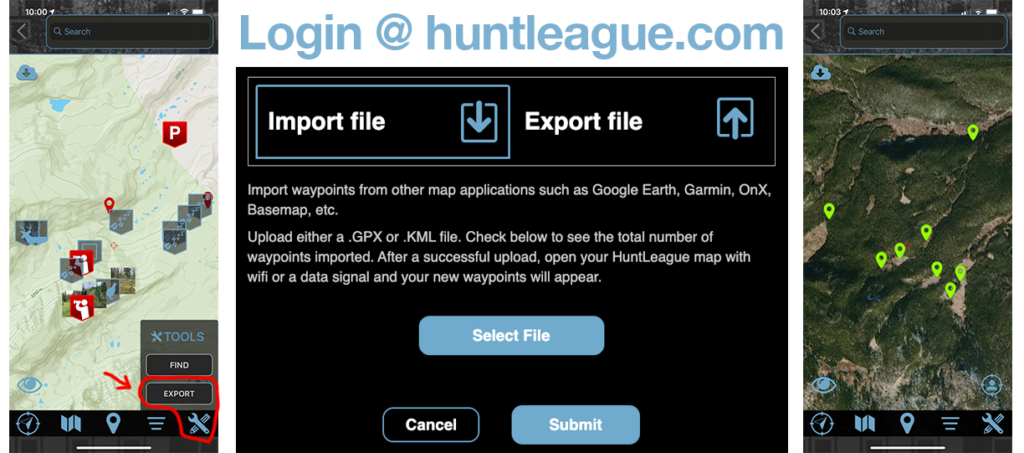
Unless you are just beginning as a hunter, most likely you have experience and waypoints to bring with you. The first step is logging into OnX, Basemap, Google Earth Pro, Garmin, etc and exporting your data in either a .gpx or .kml file. Then go the HuntLeague website (not the app) and login. From there you can import your waypoints and the next time you open the app with a data connection your waypoints will appear.
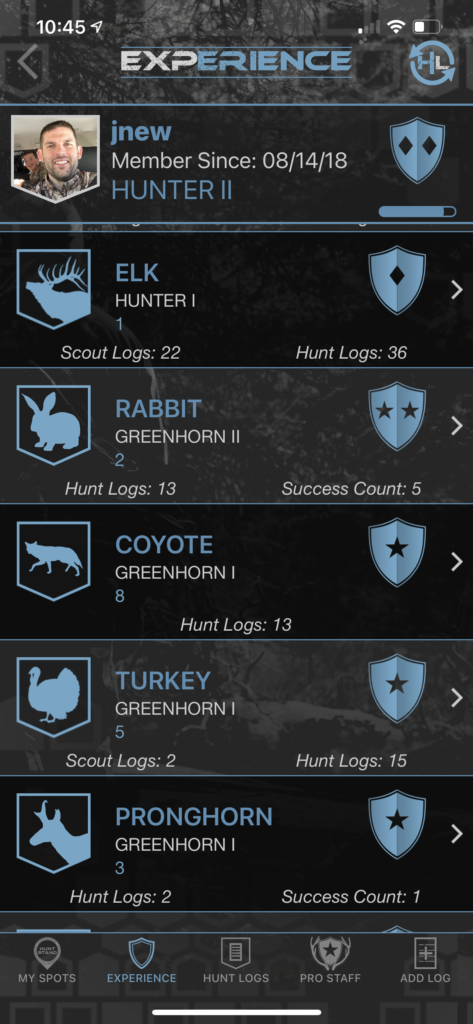
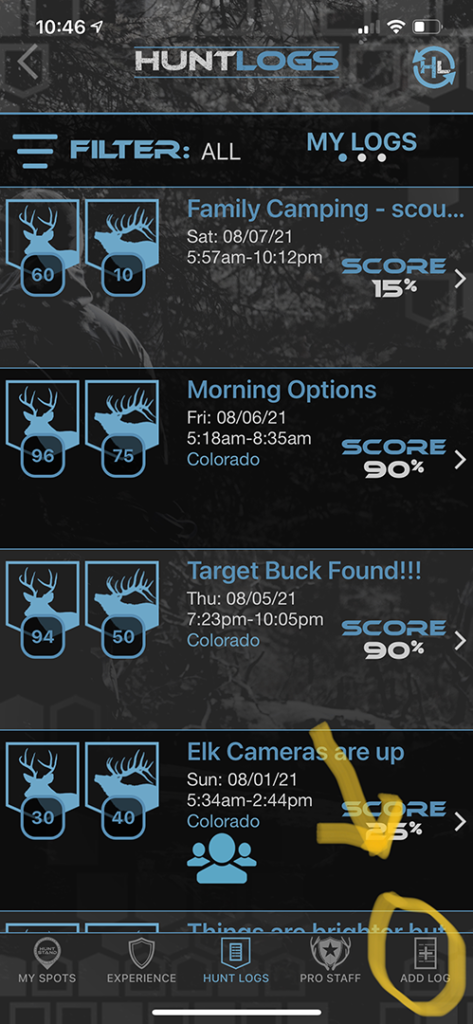
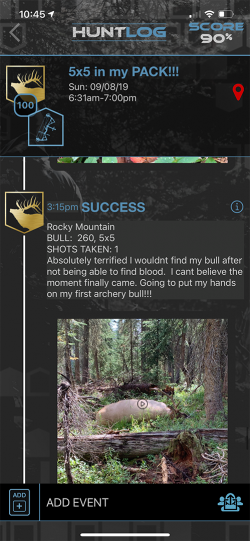
League Pass members can add experience to their profile for various species which boosts your overall rank on the leaderboard. To create Hunt Logs from past hunts and scouts, hit the “Add New” icon in the lower right menu of the Hunt Log section.
2. Download Offline Maps
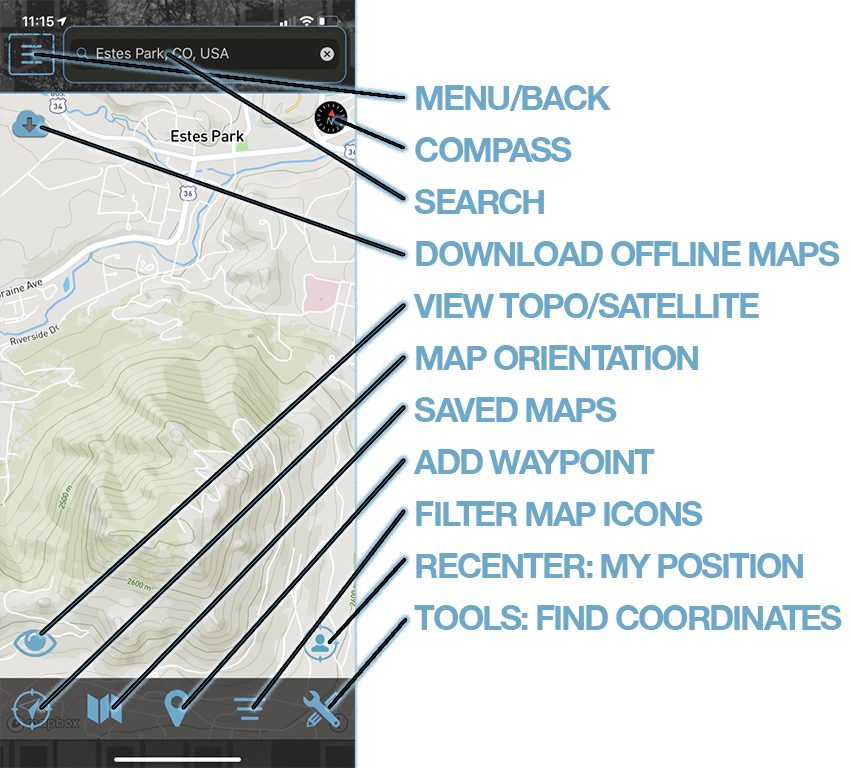
HuntLeague was designed to work completely offline! To get the most out of the app in the field be sure to download the area/s you plan to hunt before you leave a data signal.
To download an offline map, first adjust the zoom level on the screen to encompass the area you want to download. The overall number of map tiles you can download is limited so here are a couple of pointers to follow when downloading maps.
- Download a large area (get the state or entire unit) on the topo view at a very low quality. This will help provide some map bearings no matter where you find yourself.
- Download small pockets with better quality. Most hunters find offline topo maps downloading at 50-60% covers all their needs in the field. Then for satellite images do smaller areas at a quality of 75-85%.
- There are tile or data limits set on both the size of any given map and collectively with all stored offline maps. If you exceed those limits the app will ask you to either delete a currently downloaded map you no longer need or reduce the size/quality of your map to fit within the limits.
Once you have adjusted the zoom level, tap the CLOUD icon in the upper left corner of the map screen. After pushing the icon you will be asked to name the map, write a brief description, and then select the download quality.
3. Let’s GO! Starting a Hunt or Scout
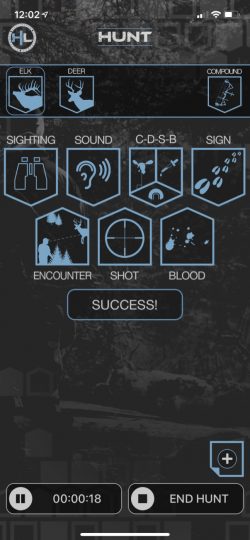
Hit the GO! button on the home screen of the app to get started. It will first ask you which species you are hunting. For hunts, the app will then ask you to input your method of take where you can record your weapon specific details.
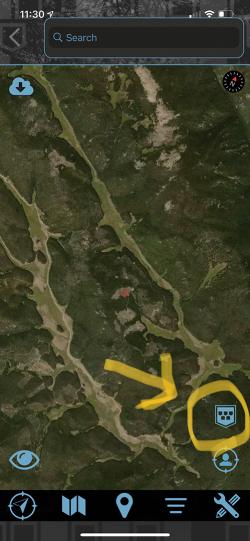
This will take you to a basic hunt or scout dashboard where you can select events based on the species you are hunting. From the dashboard you can swipe right to left and it will take you to your map screen. Once you have a basic understanding of the icons present in the dashboard you can add your events directly from the map screen. To do this, hit the small icon shaped like home plate in the lower right corner and you can add all of your events without having to leave the map screen.
To get back to the hunt/scout dashboard page, tap the back arrow on the map screen in the upper left corner. If you want to view the hunt log you are in the process of creating swipe the dashboard page from left to right.
4. Other Helpful Tips
- To add photos, videos, notes, or audio for any event, hit the button that says NOTE which is always near the top title bar above the event details.
- To edit or delete an event that has already been saved, swipe it from right to left from within the specific Hunt Log.
- Hunt Logs automatically time out at 11:59PM each day. If you are doing a multi-day hunt or scout you will need to hit the “GO!” button at the start of each day.
- At the end of an activity you will be asked if you want to post a hunt summary to the community page. This is a great way to share your experience. You can share a post, hunt summary, or even share your hunt log without GPS data with the HuntLeague community. If you didn’t post anything at the end of the hunt you can scroll to the bottom of the Hunt Log and find share options for just buddies in the app, parties, leagues (coming soon), and the main community page.
- Watch some of the tutorial videos from the main menu. The tutorial videos will help you get started using the HuntLeague app and ultimately help you become better hunter.