See the country from every angle.
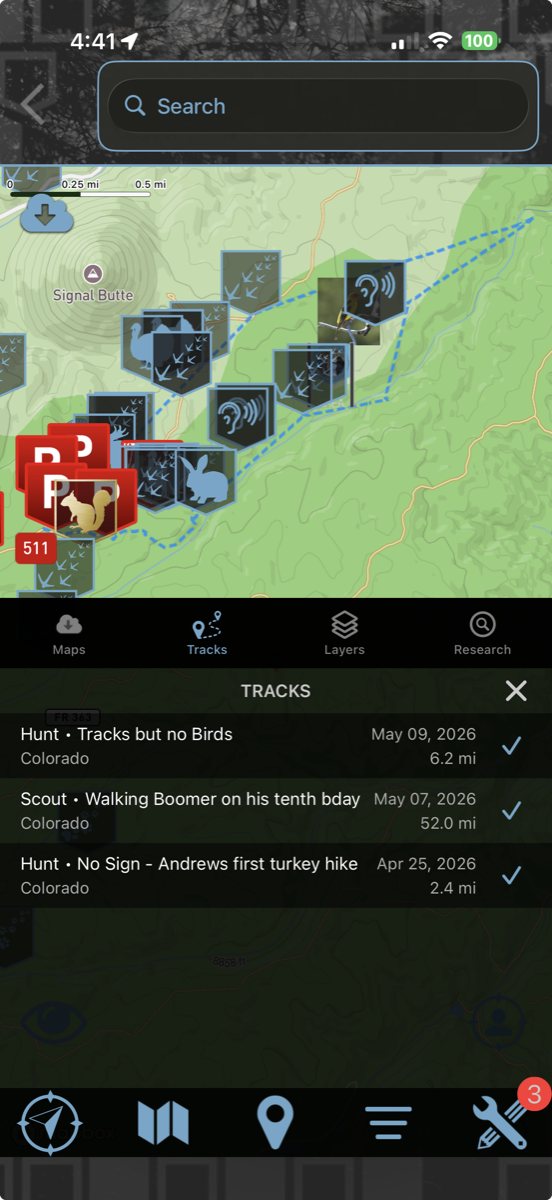
Tap the folded-map icon at the bottom of the screen to open your map controls — add or remove layers, reach your downloaded offline maps, revisit your past tracks, and open the Research tab for HuntLeague’s built-in draw odds and predictions.
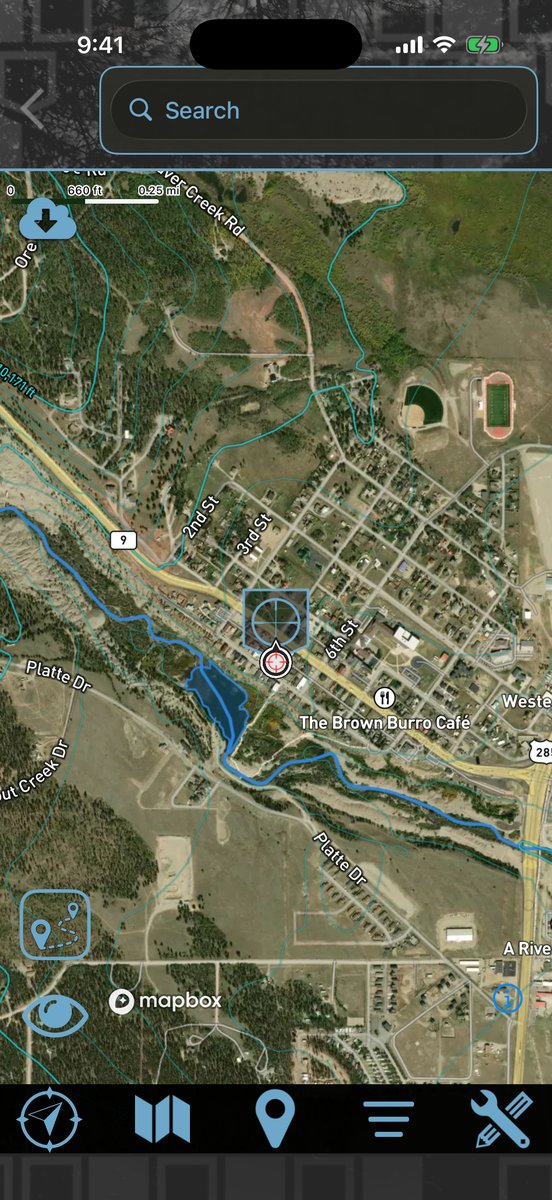
- Topo, Satellite and Hybrid base maps — Hybrid draws contours in feet straight over the imagery
- Public Land overlays
- LiDAR shaded relief over any base map with the League Pass — see it
- 1,100+ unit boundaries offline with the League Pass
- Download a whole unit — topo, satellite, LiDAR and more — from one page. See how
- Tilt into 3D terrain to read the country
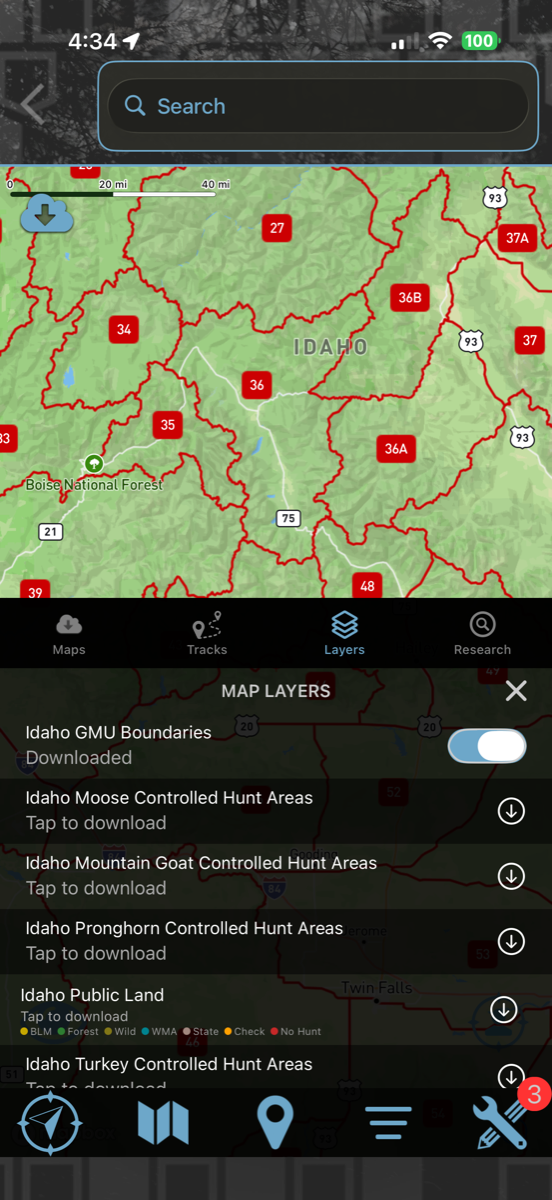
Map Layers
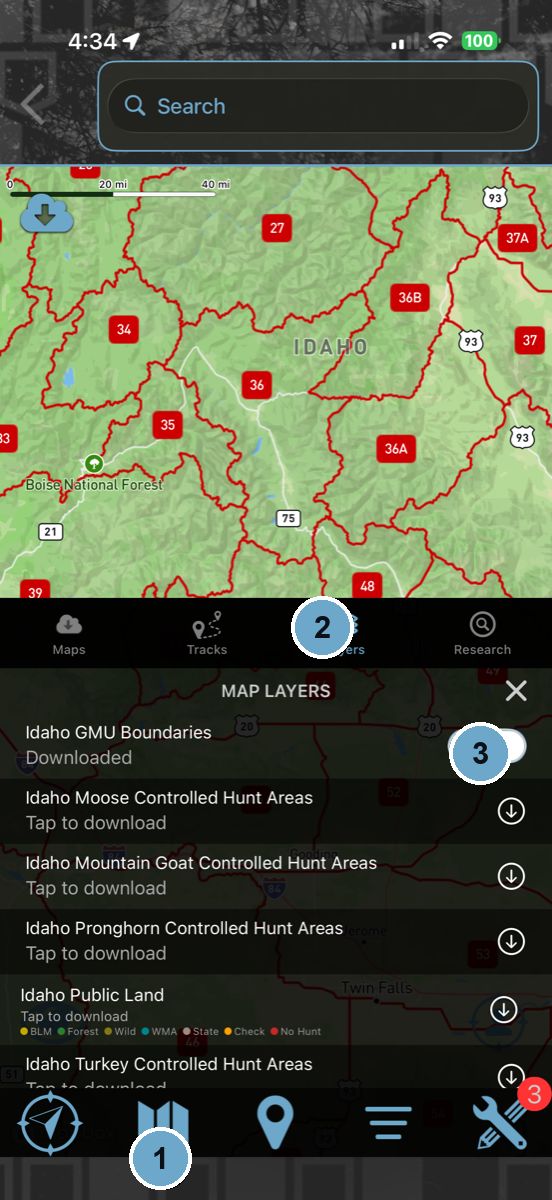 Tap the folded-map icon → Layers
- 1Tap the folded-map icon at the bottom of the screen to open your map controls.
- 2Choose the Layers tab. Your hunting states are listed with their boundaries, public land and units. To save a whole unit for offline use, tap it — or just double-tap the unit on the map — and download every layer it has from one page. See how.
- 3Once it’s downloaded, the layer goes live on your map. Tap the pill buttons along the bottom of the map screen to turn layers on and off as you go.
- 4Back on the map, drag with two fingers to tilt into 3D terrain and read the country.
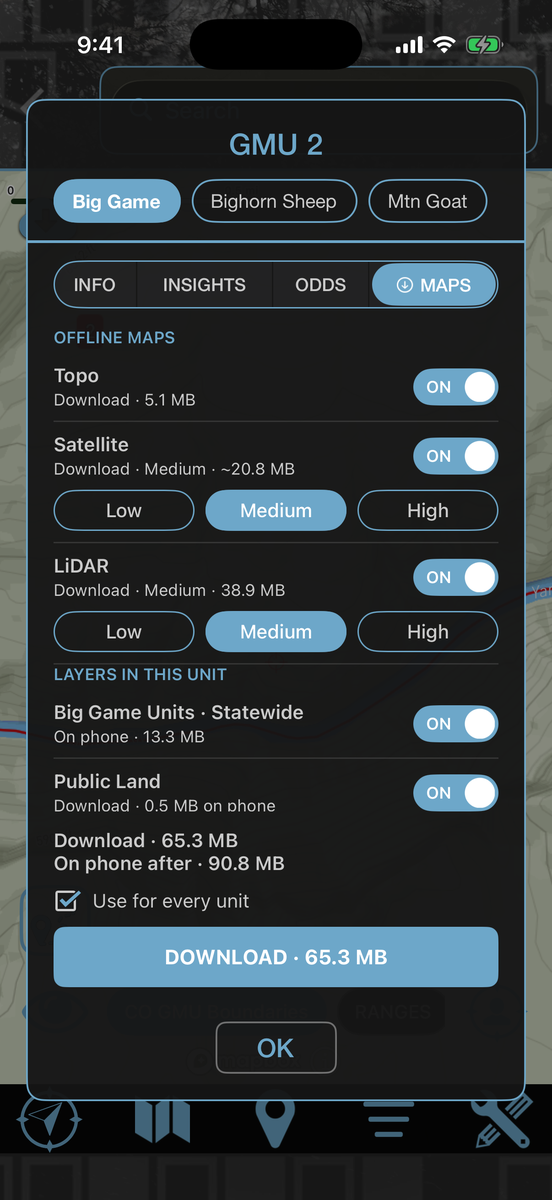
Your whole unit. One download.
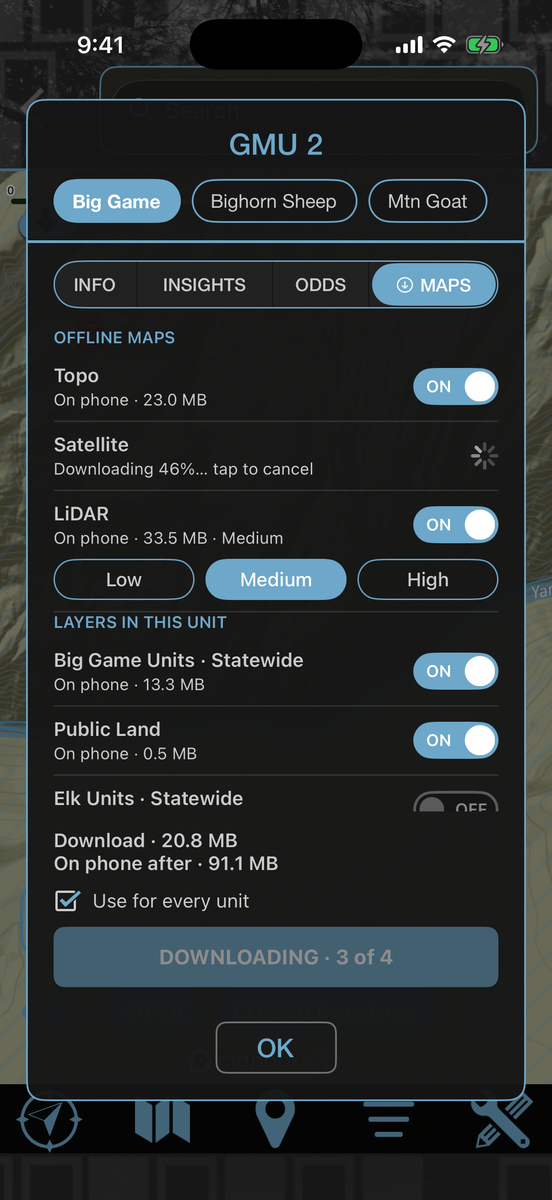
Double-tap the unit you hunt. HuntLeague names it, and its Maps tab lists every map that unit has — topo, satellite, LiDAR, boundaries and public land. Keep the picks, tap Download once, and the whole unit is on your phone for when the signal drops. No piecing it together square by square.
- Double-tap any unit on the map to pull up its maps
- Download the entire unit, not a patchwork of squares
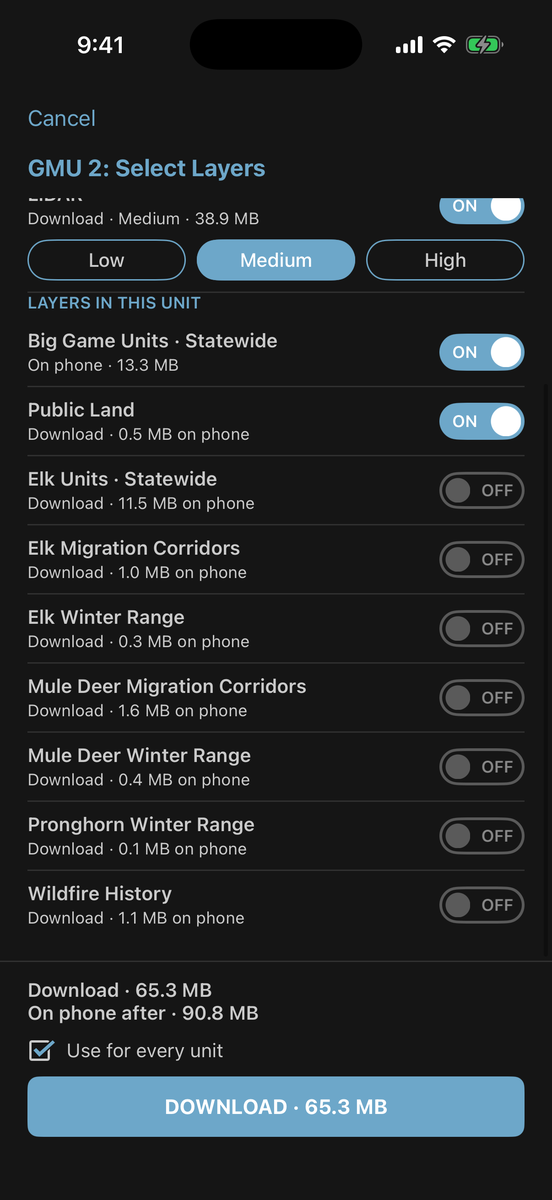
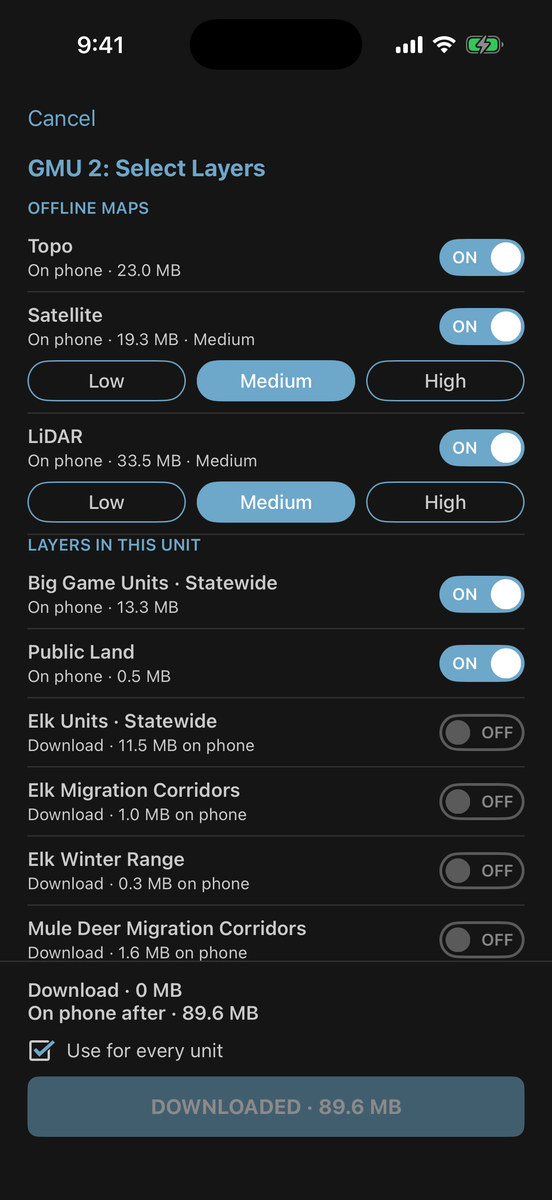
- Topo, Satellite, LiDAR, unit boundaries and public land are picked for you — add winter range, migration corridors, wildfire history and species units if you want them
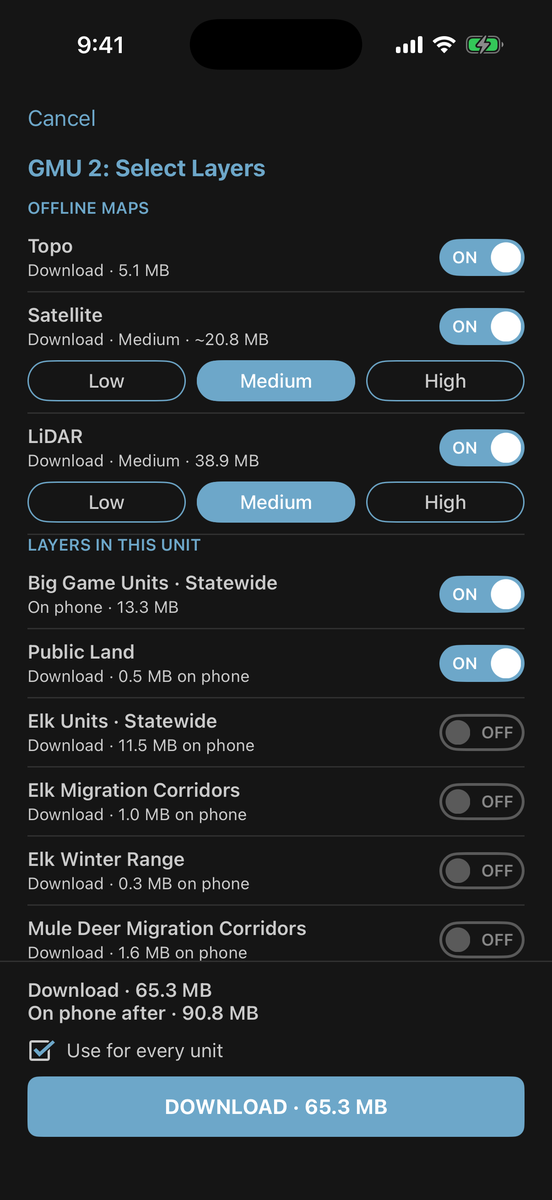
- Choose Low, Medium or High detail for satellite and LiDAR. One button shows the total size before you download
- Use for every unit saves your picks, so the next unit is one tap
- Already on your phone? The same list turns each layer on or off, or swipe it away to free up space
- Topo, satellite and LiDAR unit maps come with the League Pass
Download a unit
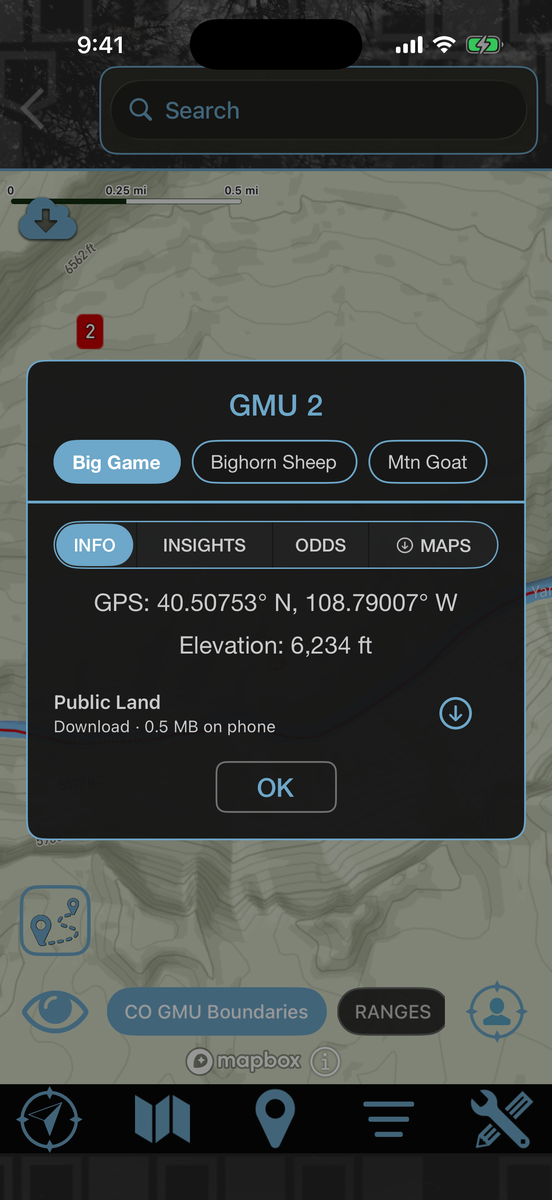 Double-tap the unit on the map
- 1Double-tap inside the unit you hunt. A card pops up with the unit’s name, the spot’s GPS and elevation, and tabs for Info, Insights, Odds and Maps.
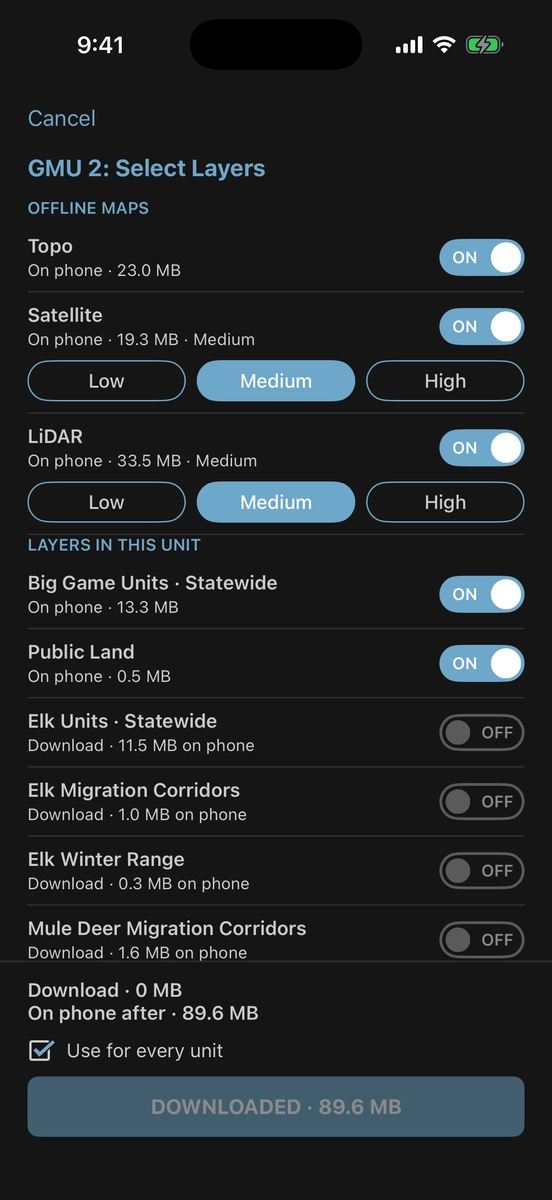
- 2Tap Maps. Offline Maps lists Topo, Satellite and LiDAR; Layers in this Unit lists boundaries, public land, winter range, migration and more.
- 3Keep the picks or flip the switches. The button at the bottom adds up the size as you go.
- 4Tap Download. When it’s done, the unit’s layers are on your map and work with no service — LiDAR comes on in Shade.
The same list opens full-screen from Layers → your unit → Maps.
 Off
LiDAR shade
Off
LiDAR shade
See the ground under the trees.
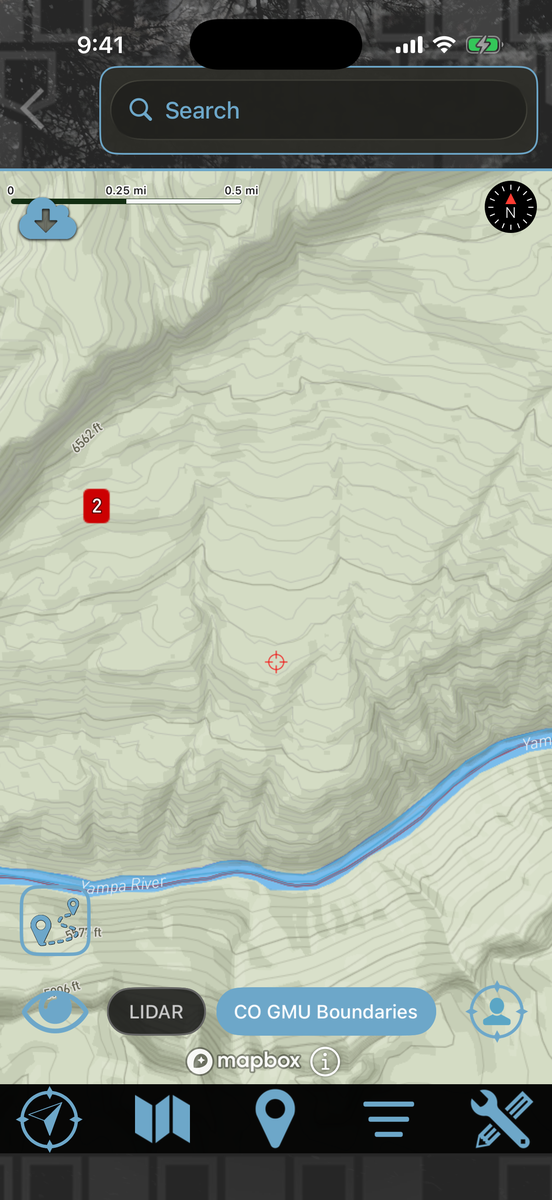
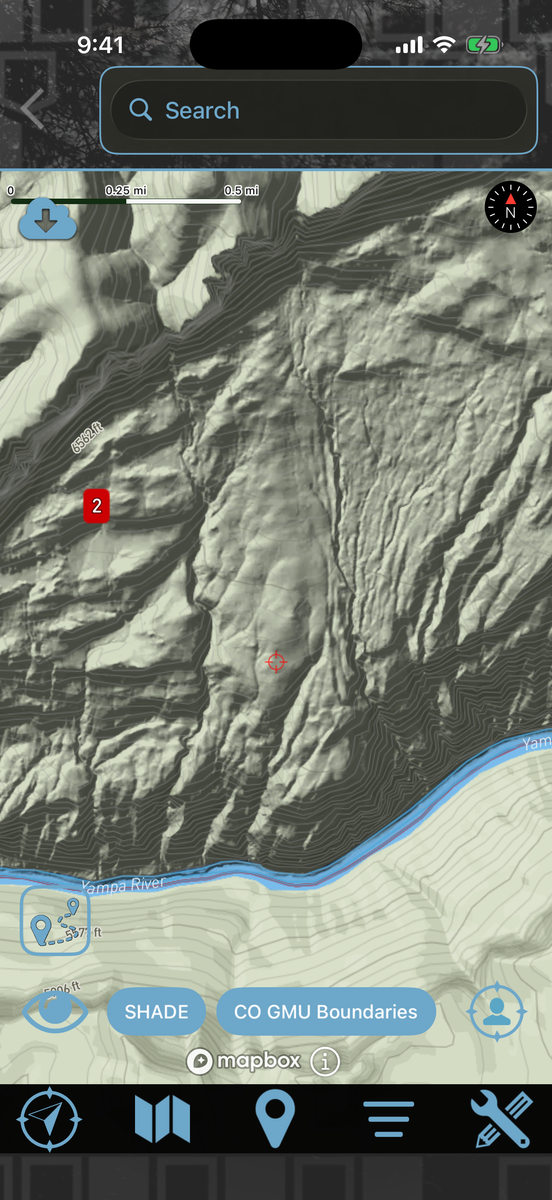
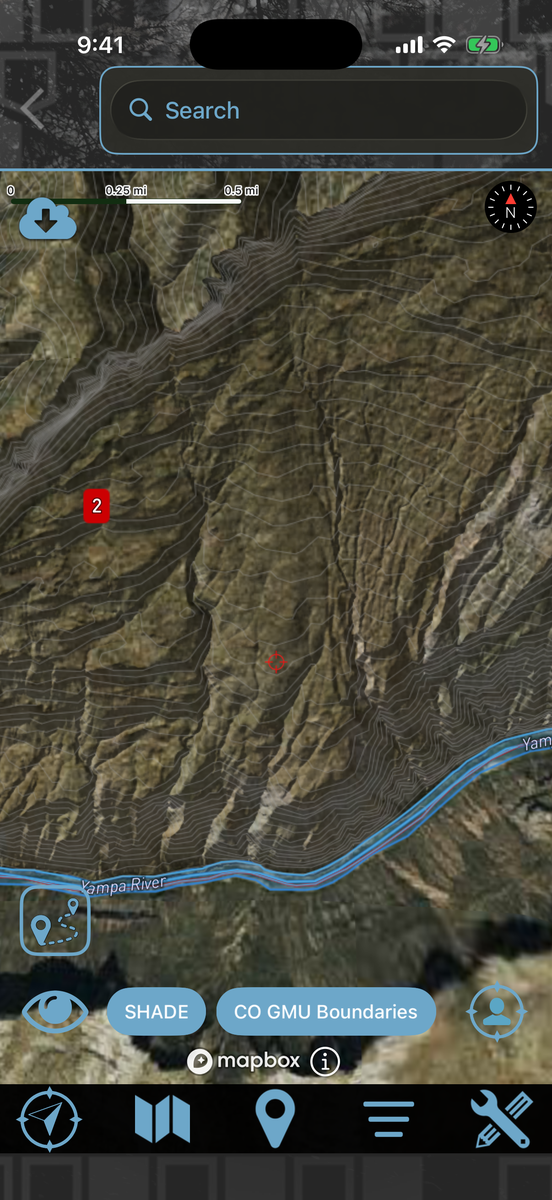
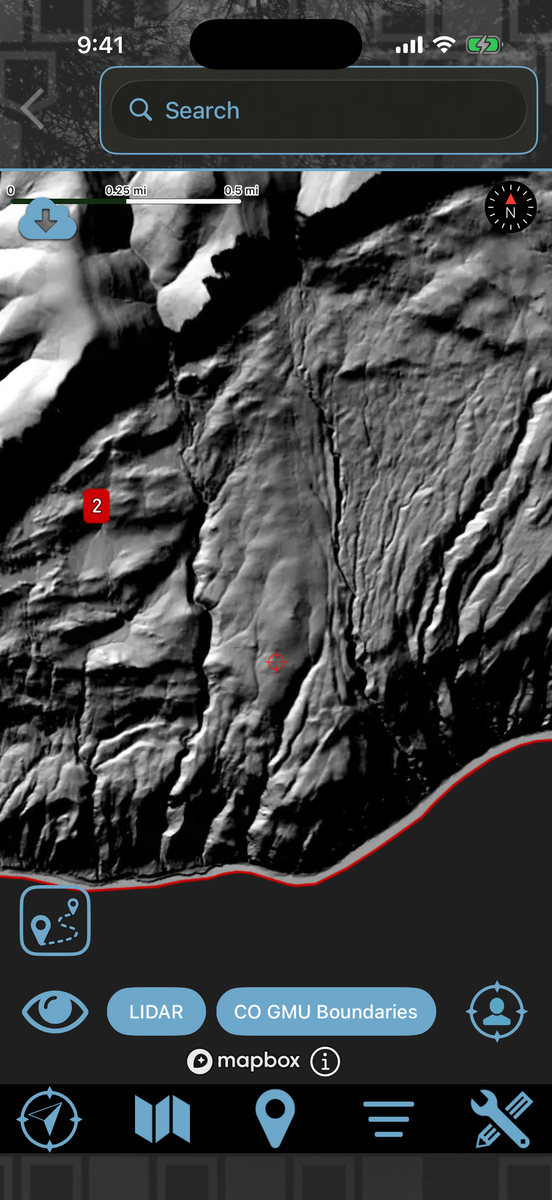
LiDAR is laser-measured bare earth. HuntLeague turns it into shaded relief, so the benches, saddles, draws and old roads that timber hides on a satellite photo stand out on your map — offline, unit by unit.
- Shade lays the LiDAR relief over Topo, Satellite or Hybrid. Sunlit ground stays clear, so your imagery keeps its color
- LiDAR mode shows the bare-earth map on its own, with unit lines, unit numbers, your pins and your track on top
- Download it per hunting unit in High, Medium or Low detail, and it works with no signal
- One LIDAR pill on the map flips between Shade, LiDAR and Off
- Included with the League Pass
Turn on LiDAR
 Double-tap the unit → Maps → LiDAR
- 1Double-tap the unit you hunt and open its Maps tab — or go to Layers, tap your unit, then Maps.
- 2Pick Low, Medium or High on the LiDAR row — High is the sharpest, Low is the smallest download — and tap Download.
- 3A LIDAR pill joins the front of the pill row along the bottom of the map, and the map starts in Shade.
- 4Tap the pill to step through Shade → LiDAR → Off. In LiDAR mode, the eye icon takes you back to the map you were on.
Elevation data: USGS 3D Elevation Program (3DEP).
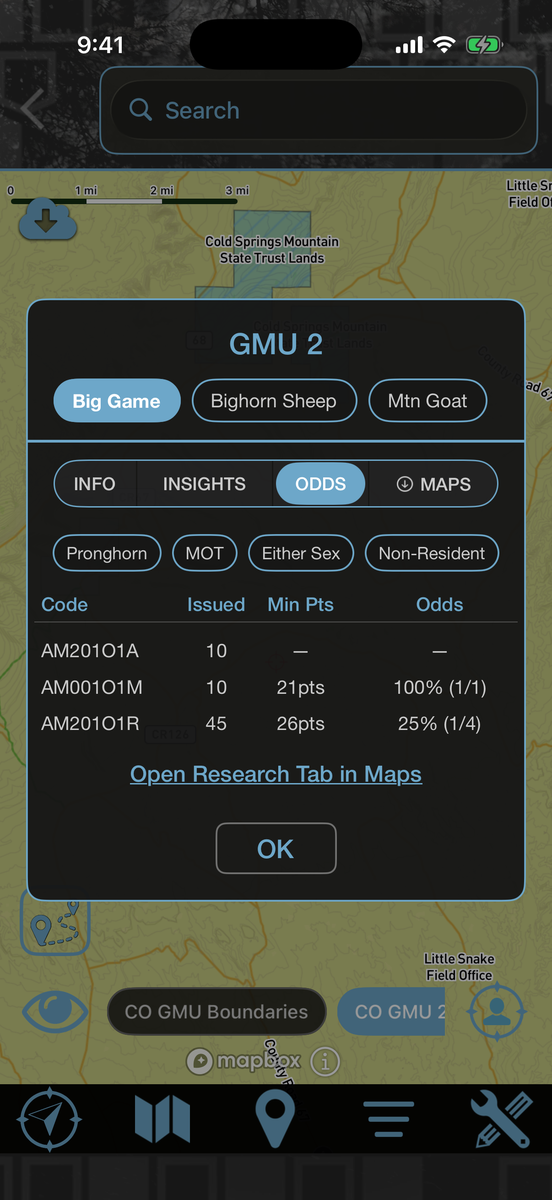
Draw odds, right on the map.
Scout units before you ever apply. Look up the numbers by species, season, and weapon without leaving the map.
- Draw odds by unit, species, season, and weapon
- Tags issued, minimum points and odds for every hunt code
- Compare units side by side to spend points wisely
- Make sense of point creep before you apply
- Tie odds to the ground you’re already scouting
Pull draw odds for any unit
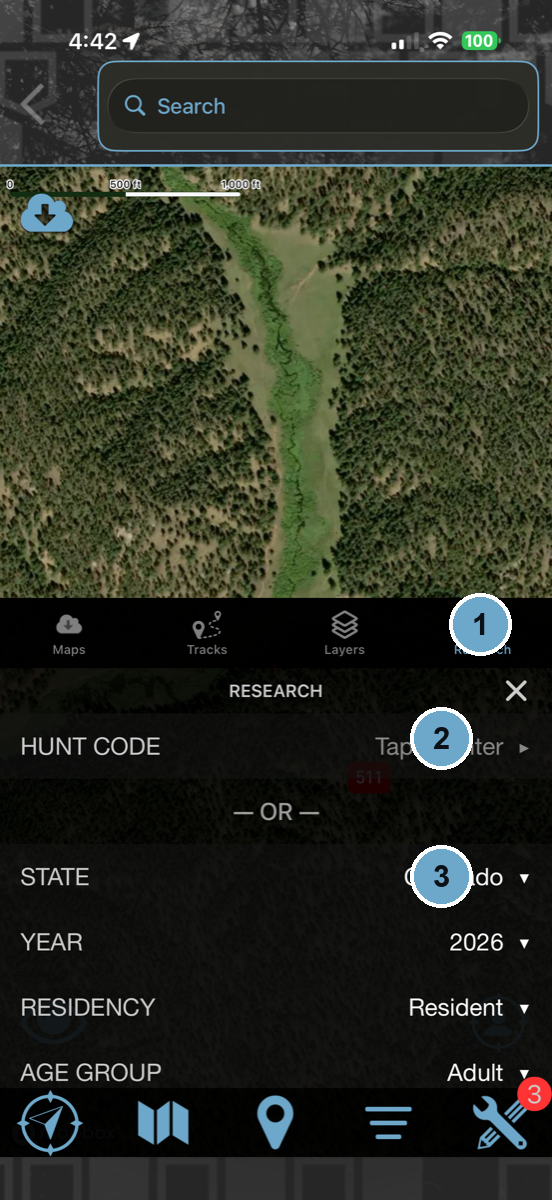 Map menu → Research
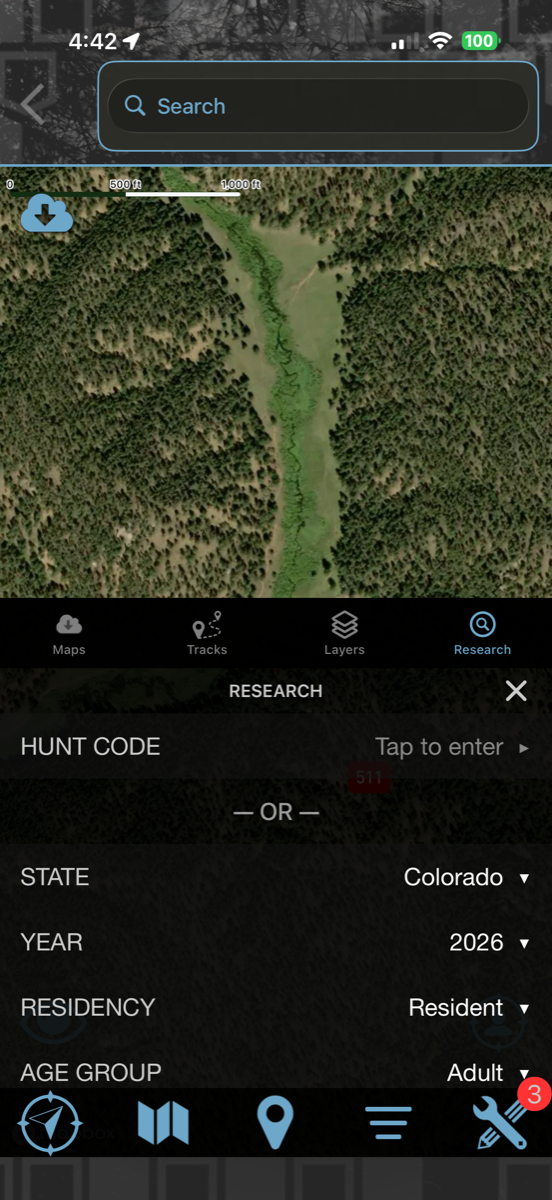
- 1Open the map menu and tap the Research tab.
- 2Enter a Hunt Code to jump straight to a specific hunt…
- 3…or pick a State, Year, Residency, and Age Group to pull HuntLeague’s built-in draw odds and predictions for the unit.
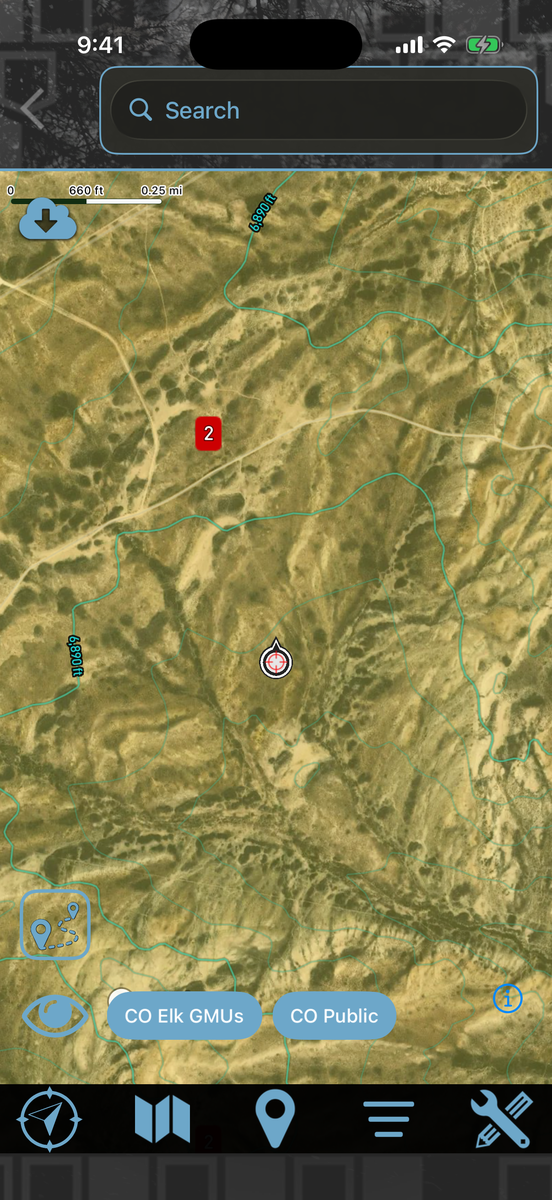
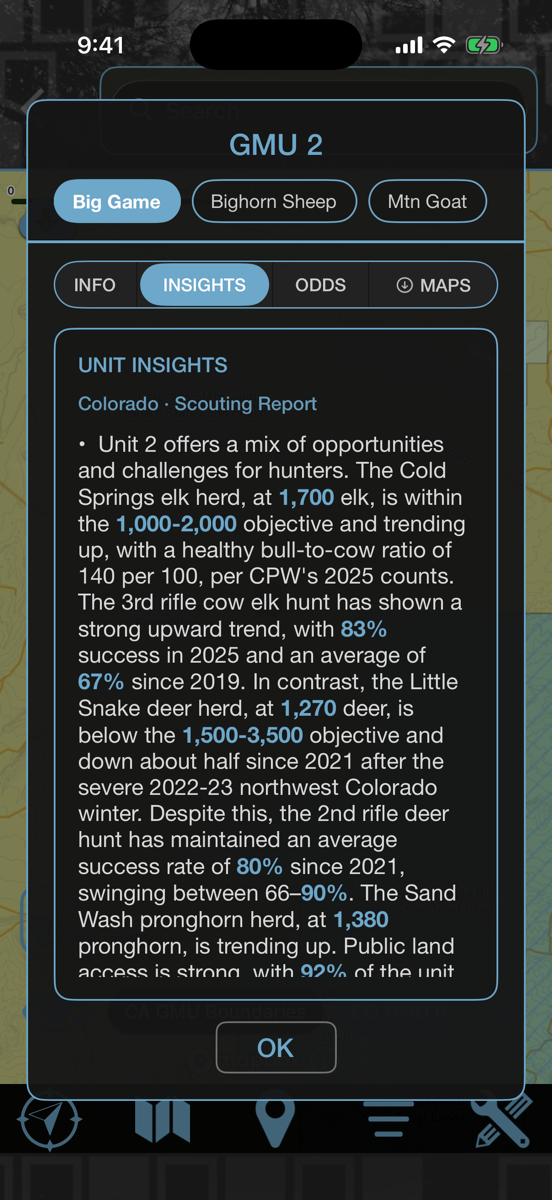
Read the unit before you burn a point on it.
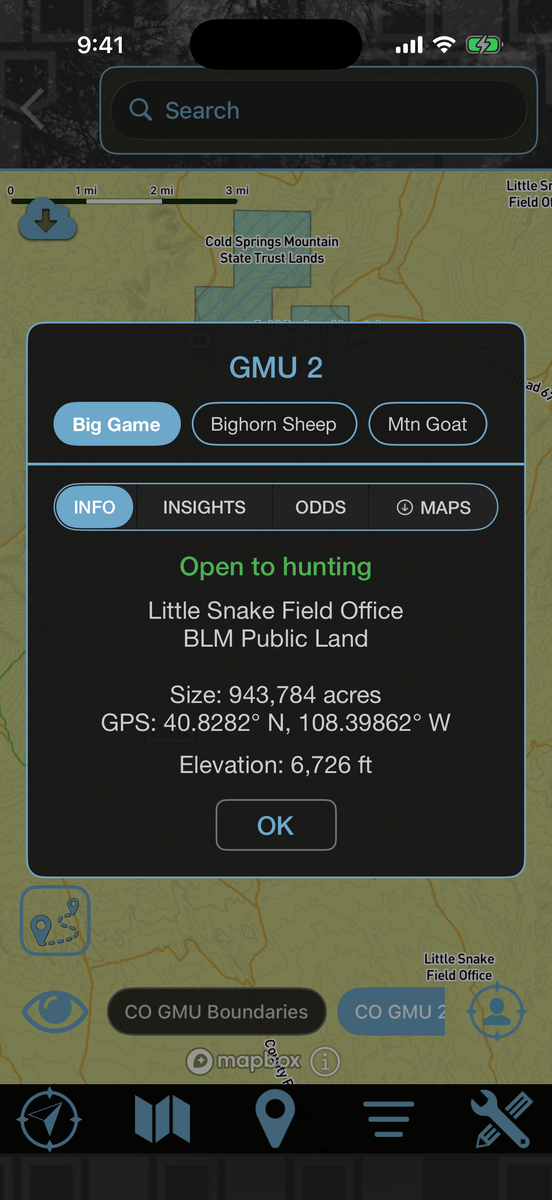
Double tap any unit on the map. Herd objectives, success rates by hunt code, recent fire, public land access, and what it actually took to draw — written out in plain language, not a spreadsheet.
- Herd numbers against the state objective, and which way they are trending
- Success rates by hunt code, not one number for the whole unit
- Bulls per 100 cows and bucks per 100 does, straight from the agency data
- Recent wildfire lines, refreshed weekly through the season
- Whether the ground is open to hunting, who manages it, and how much of it there is
Pull up any unit
Double tap the map → Info, Insights, Draw Odds
- 1Turn on the unit layer for the state you are looking at.
- 2Double tap anywhere inside a unit.
- 3Info tells you who owns the ground and whether you can hunt it.
- 4Insights reads you the herd, and Draw Odds tells you what it costs to get in.
Know exactly what you are looking at.
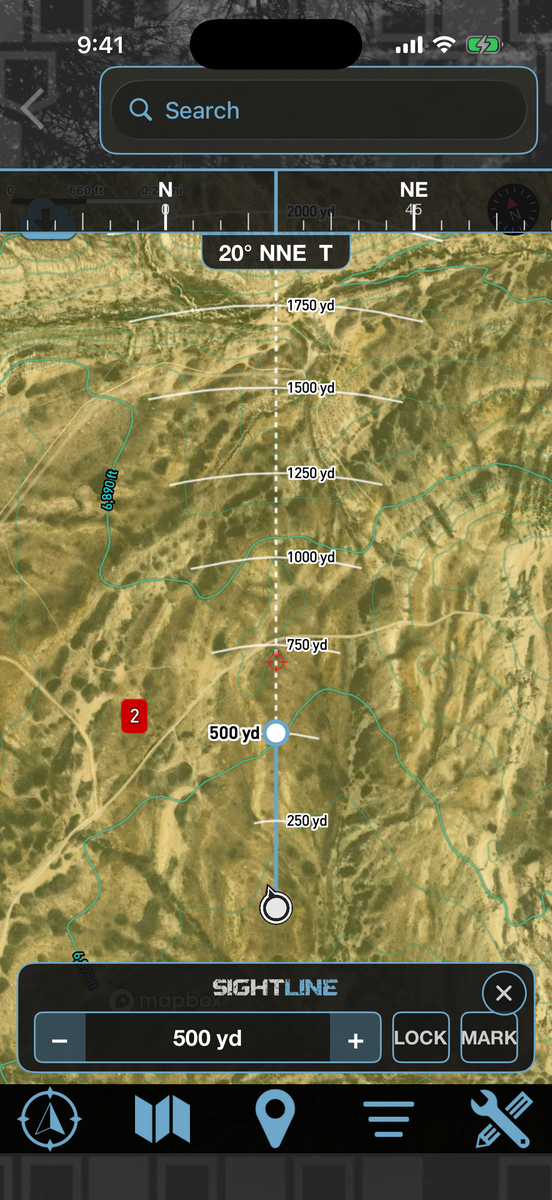
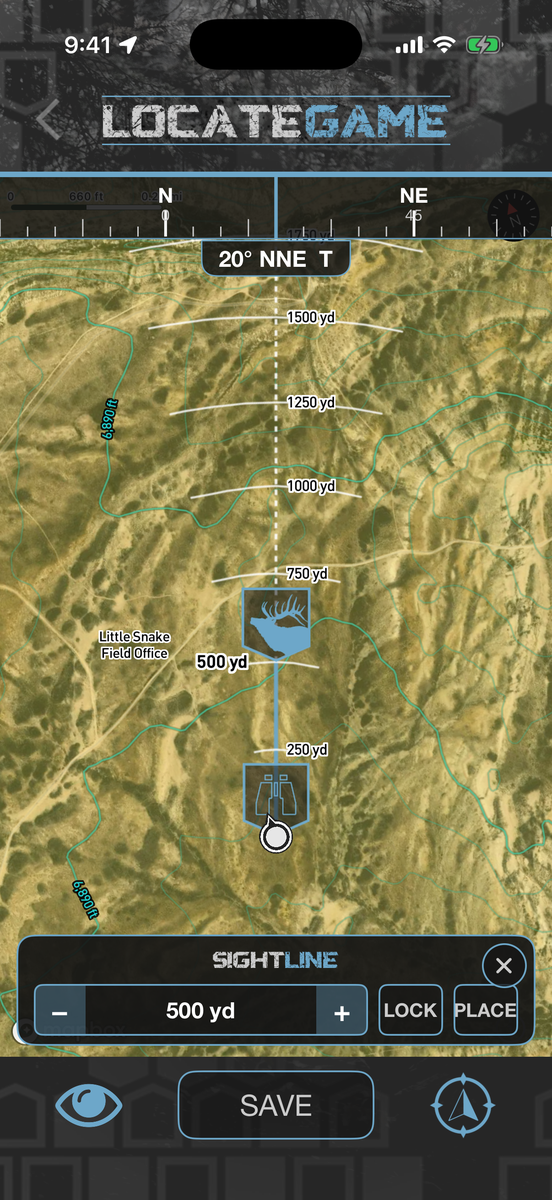
Turn the map to face the way you are facing, then lay distance across the country in front of you. No signal needed — it runs on the compass and the map you already downloaded.
- A compass tape across the top reading true heading, declination applied
- Range arcs fanned across your field of view, spaced to your zoom
- Lock a bearing while you glass so the line holds still
- Mark a spot at a set distance without walking to it
- It is the default view when you locate an animal from a sighting
Put a bull on the map from where you stand
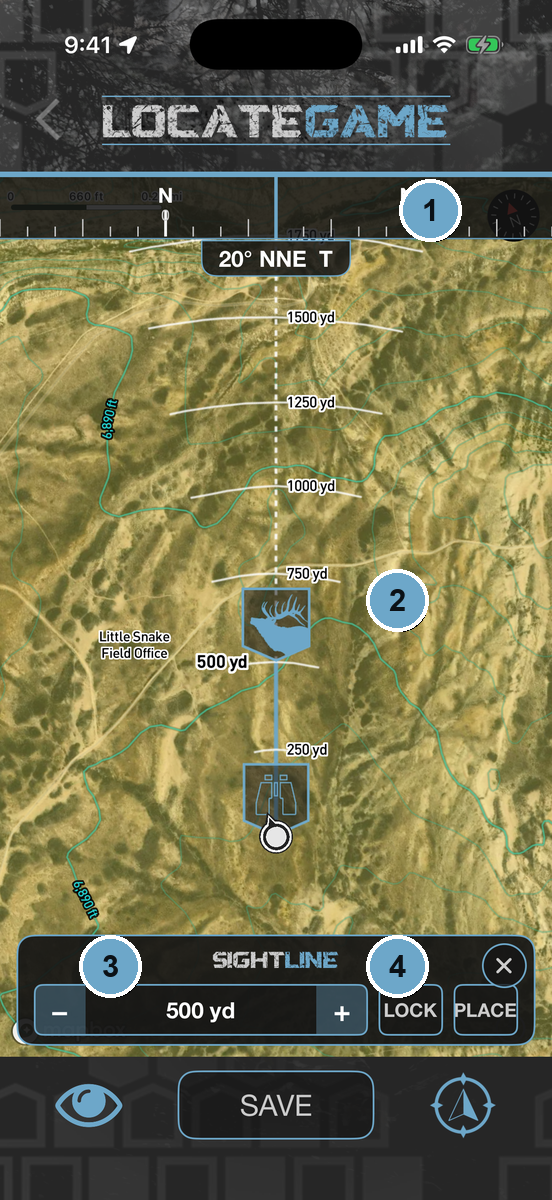 Sighting → Locate Animal
- 1Point your phone at the animal. The map turns to your heading.
- 2Tap Lock so the bearing holds while you range him.
- 3Step the distance out to where he is standing.
- 4Tap Place, and he is on your map at the right spot — then save it to the sighting.
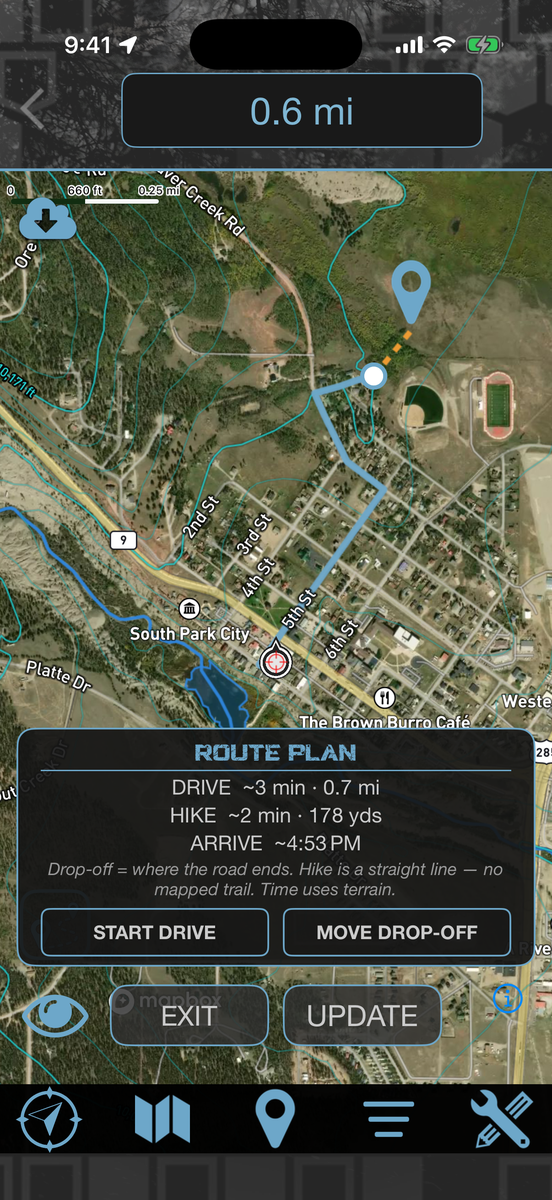
Drive to the end of the road. Then walk.
Tap GO TO on any waypoint and HuntLeague splits the trip in two: the drive, handed to your nav app, and the hike from wherever the road quits.
- The drive leg opens in Apple or Google Maps
- The hike leg is timed off the actual terrain, not a flat average
- Wrong trailhead? Move the drop-off and it replans around your choice
- An arrival time you can plan legal light around
No mapping service routes off-trail. Apple, Google and Mapbox all stop at the nearest road. Splitting the trip in two is ours.
Get the AppPlan the walk in
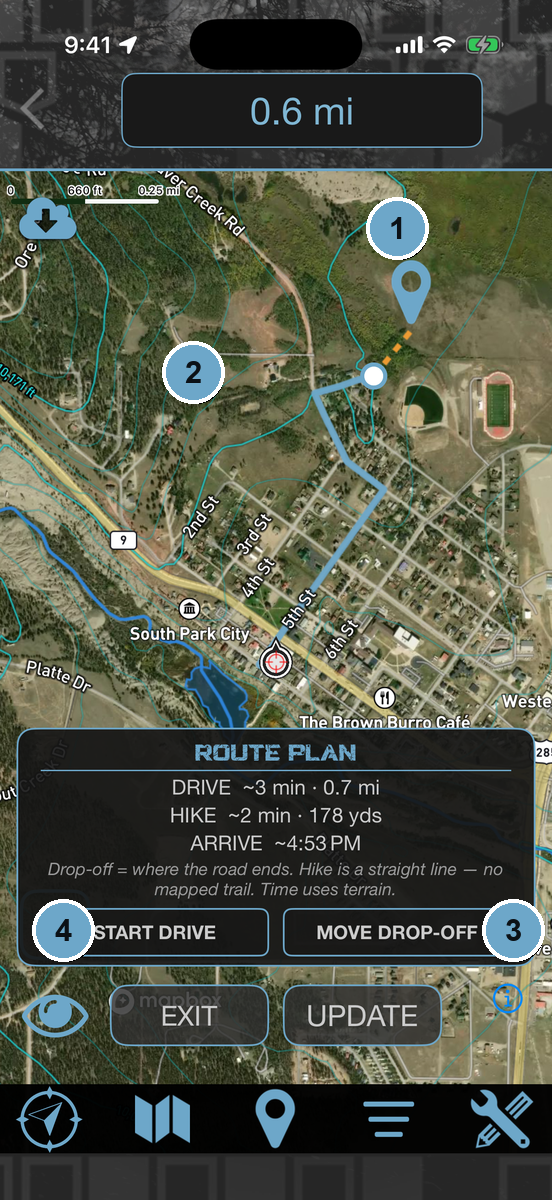 Any waypoint → GO TO
- 1Tap GO TO on a waypoint, a spot on the map, or a buddy.
- 2HuntLeague finds where the road ends and calls that your drop-off.
- 3Know a better trailhead? Move the drop-off and it will not second-guess you.
- 4Start Drive hands the road leg to your nav app. The hike is already on your map.
Turn a map into a plan.
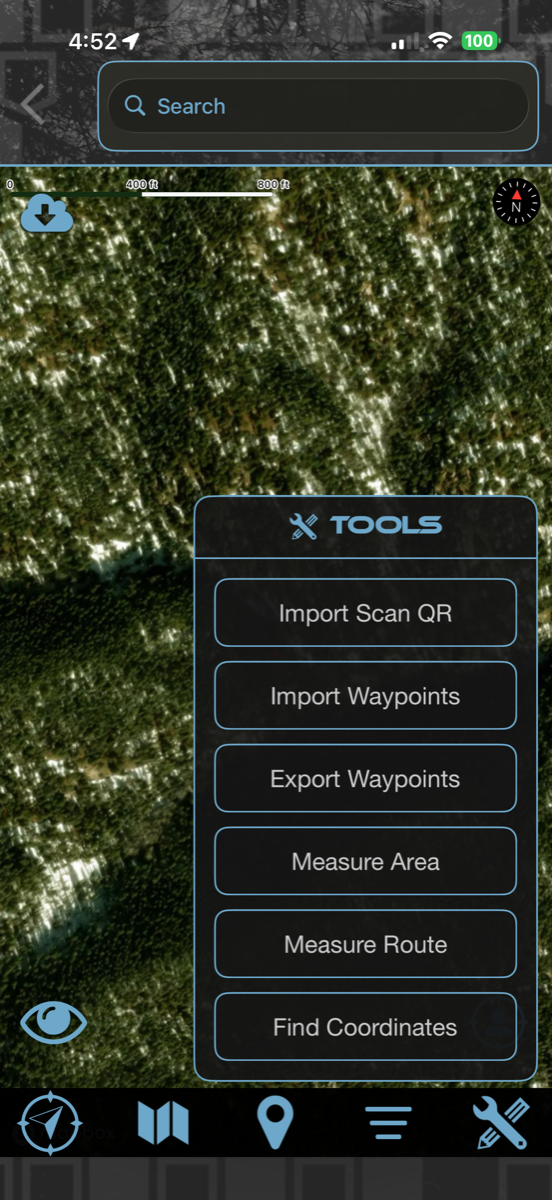
Open the Tools menu to measure the country, move waypoints in and out, and pin down exact coordinates.
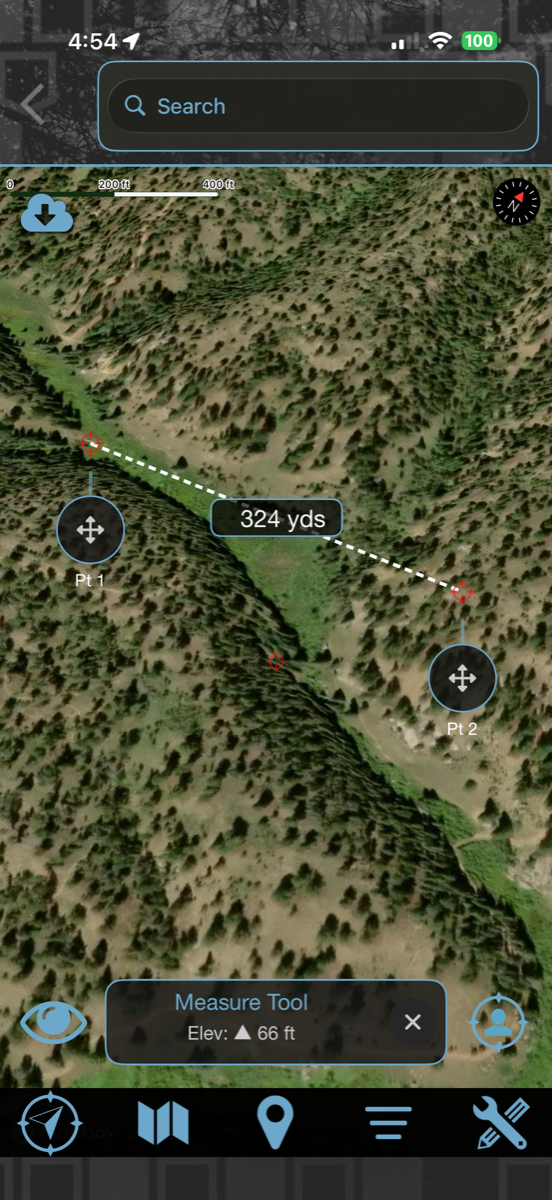
- Measure Route for distance — with elevation change
- Measure Area across the map
- Import & Export Waypoints (GPX)
- Import by Scan QR and Find Coordinates
Measure the country and move waypoints
- 1Tap the Tools (wrench) icon at the bottom-right to open the Tools menu.
- 2Import or Export Waypoints (GPX), or Scan a QR to bring in a buddy’s marks.
- 3Use Measure Route or Measure Area for distance and elevation, or Find Coordinates for an exact spot — tap points on the map and the numbers update live.
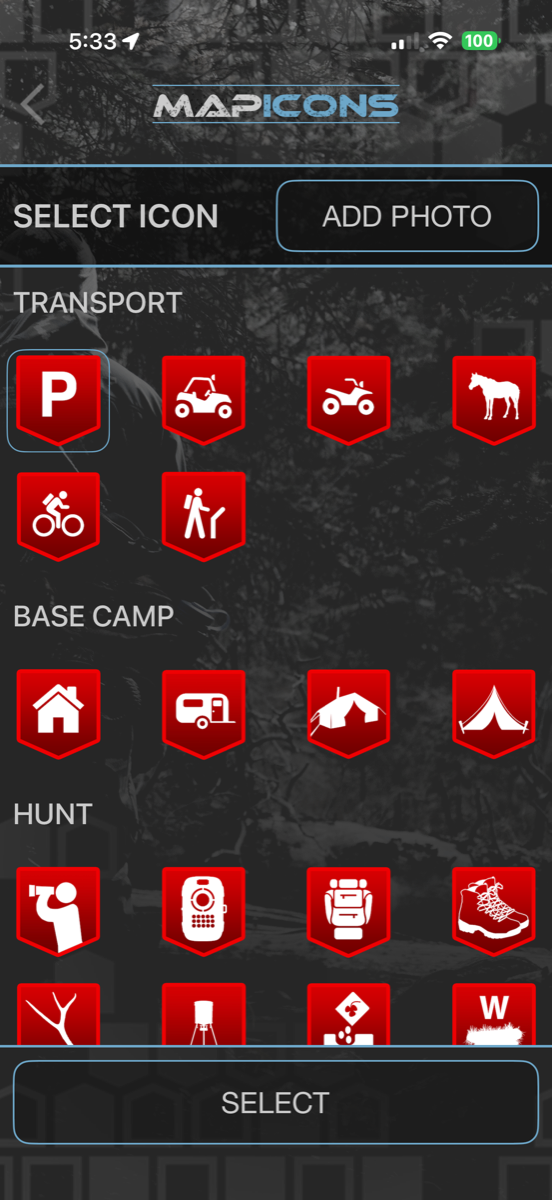
Mark every spot that matters.
Drop a waypoint on anything worth remembering, make it yours with a custom icon and photo, then navigate to it — or share it five different ways.
- Choose from dozens of icons — Transport, Base Camp, Hunt — and add a photo
- Save the details — species counts, coordinates, and elevation
- Go To, Move, Hide, or Delete any waypoint
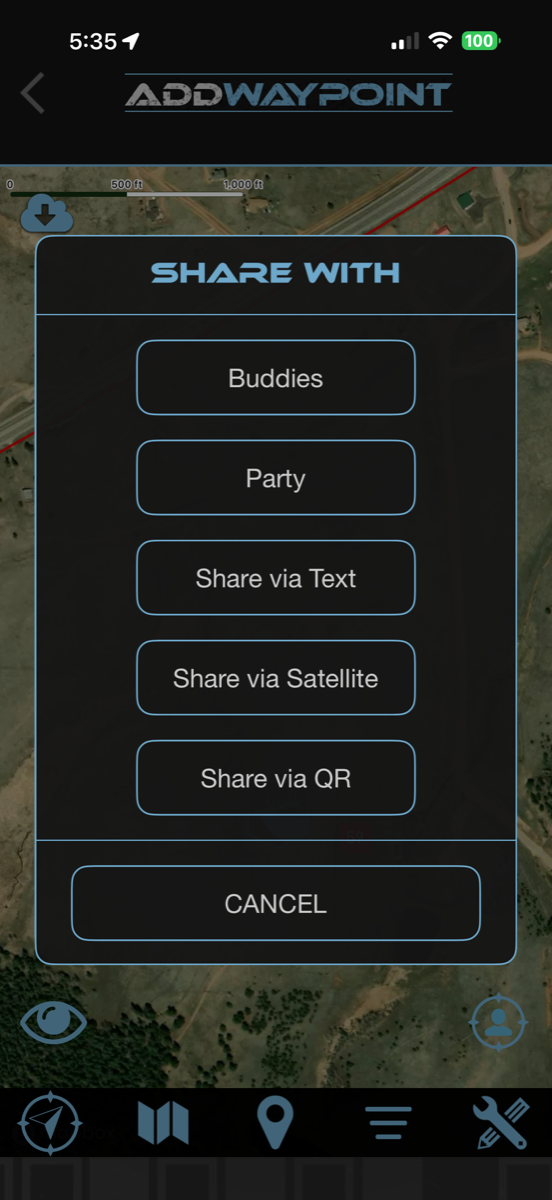
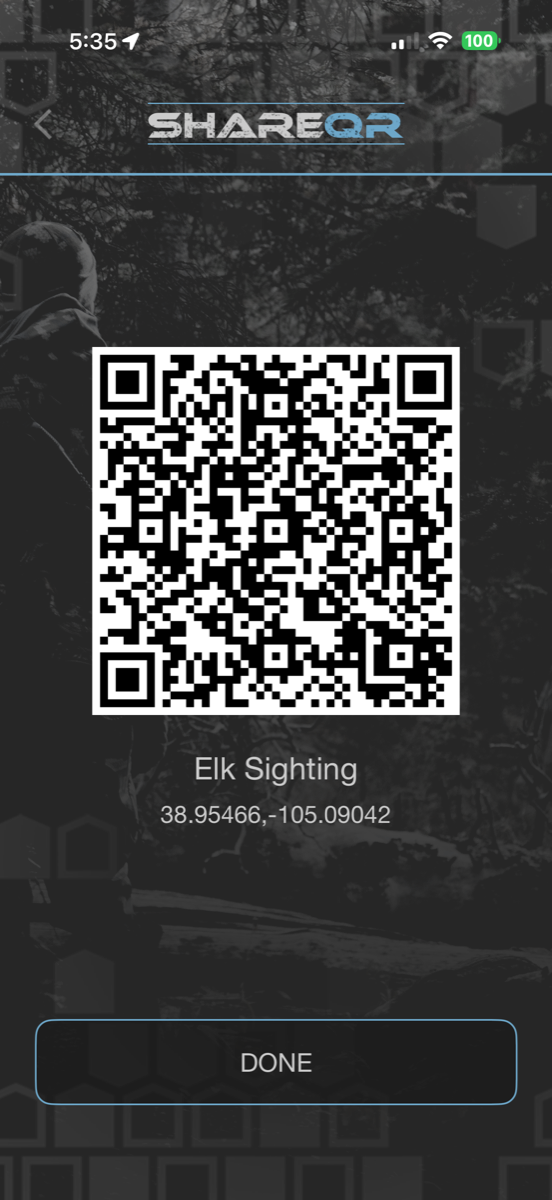
- Share to Buddies, Party, Text, Satellite, or QR
Manage and share any waypoint
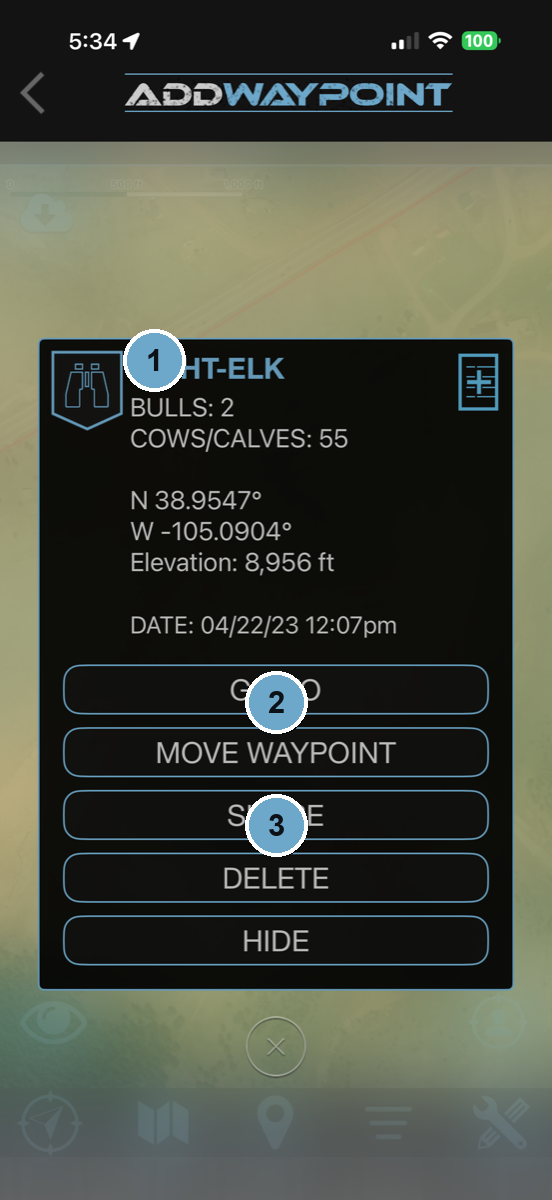 Tap a waypoint to open its card
- 1Tap a waypoint to open its card — name, species counts, coordinates, elevation, and date.
- 2Go To to navigate to it, or Move Waypoint to nudge it to the exact spot.
- 3Tap Share to send it to Buddies, Party, Text, Satellite, or QR — satellite and QR carry the exact coordinates so a buddy can drop the same pin.
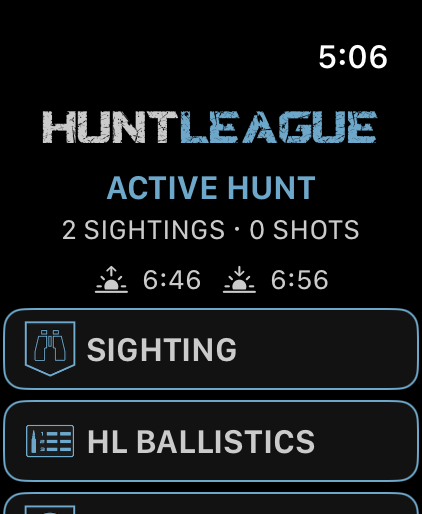
Never dig your phone out again.
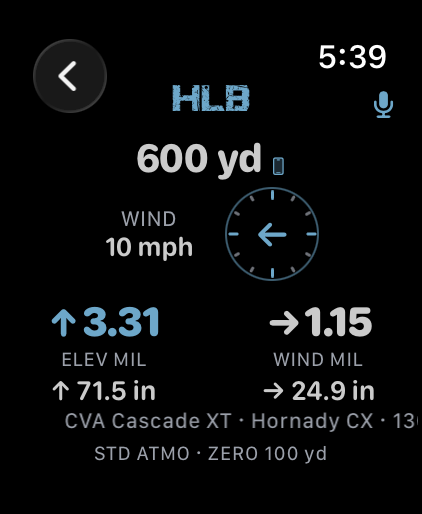
Start the hunt on your phone and leave it in your pack. Your watch counts what you see, keeps your dope on your wrist, and everything lands in the right hunt log.
- Log a sighting, shot, blood trail or note from the wrist
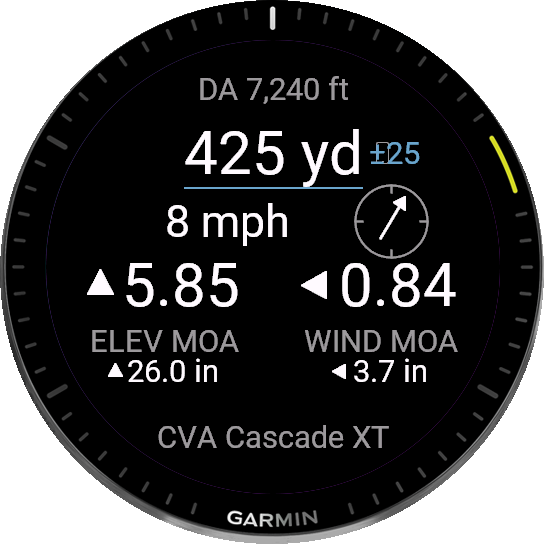
- HL Ballistics on your watch — elevation and wind holds in MOA or MIL, out to 1,200 yards
- Range a target on your phone and the call appears on your wrist
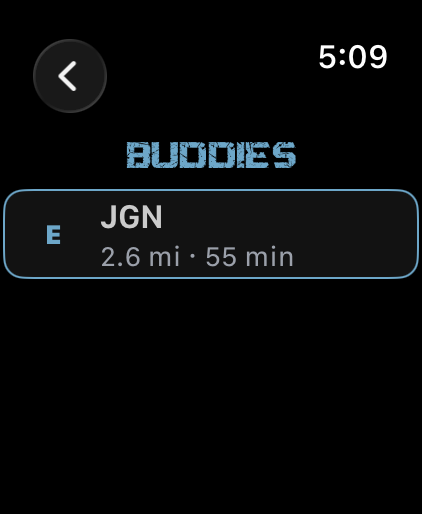
- Buddies shows who else is out there — direction, distance, and how long since you last heard from them
- Sunrise and sunset for exactly where you are standing
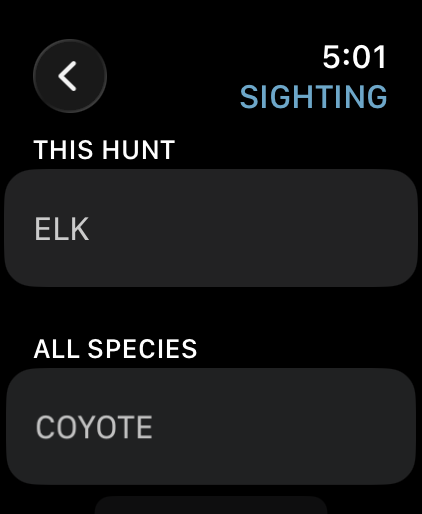
Log a sighting from your wrist
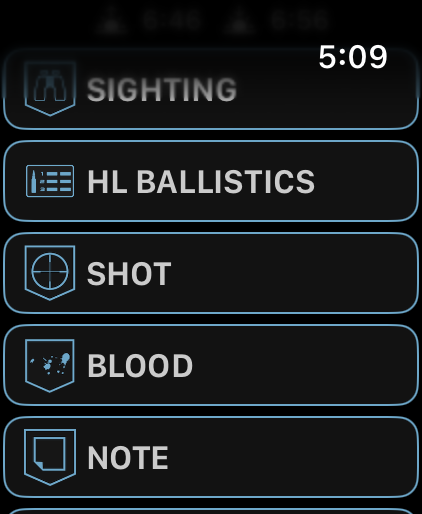 Everything you can log, one tap away
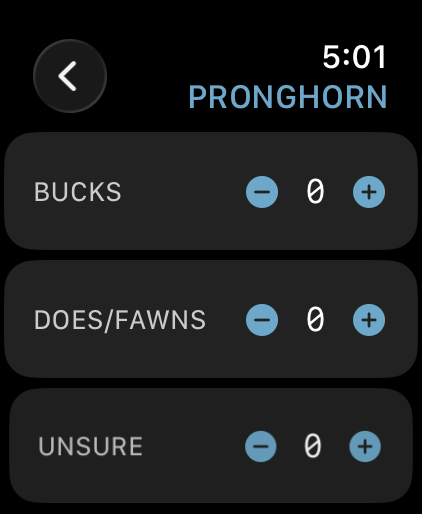
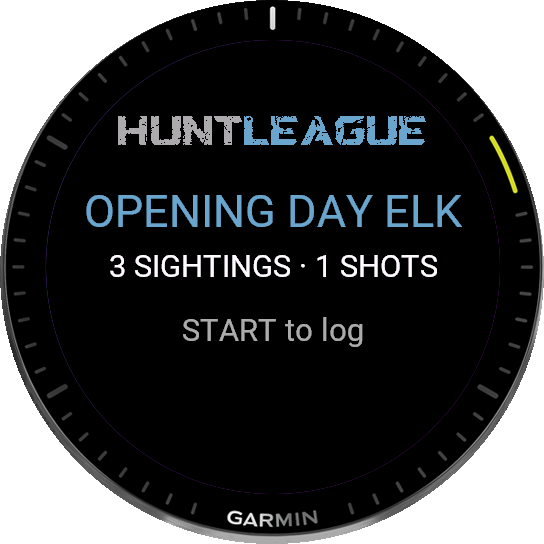
- 1Start a hunt or scout on your phone. The watch picks it up on its own.
- 2Raise your wrist — the watch already knows the hunt and the rifle in your Safe.
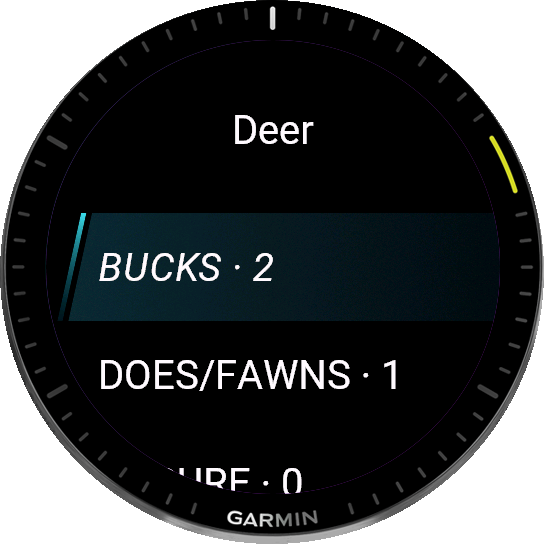
- 3Pick the species. Your hunt's species sits at the top of the list.
- 4Set the count and submit. It lands in your hunt log with the time and your GPS position.
111 Garmin watches. One free app.
fenix, epix, Instinct, Forerunner, Venu, Approach, MARQ and Descent. Install it from the Connect IQ store and it talks to the hunt already running on your phone.
- Sighting — pick the species, set the count, submit
- Blood trail on the watch's own map — drop a pin at every speck and follow the line
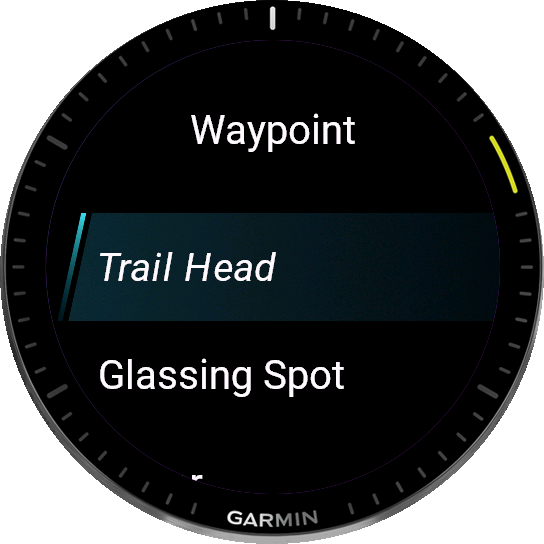
- Waypoints with 25 field types, from glassing spot to trail camera
- HL Ballistics dials out to 1,200 yards with your rifle's real numbers
- Out of range, events queue on the watch and sync the moment your phone is near
Walk a blood trail from your watch
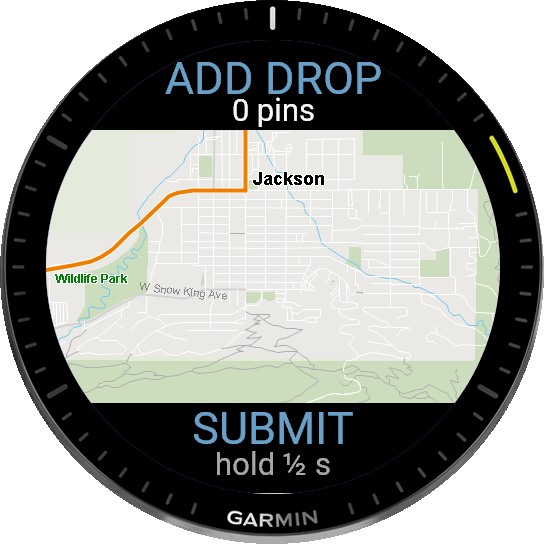 Your watch's own map, pin by pin
- 1Log the shot from your wrist, then start the blood trail.
- 2Drop a pin at every speck you find. The line builds as you walk.
- 3Watch the trail take shape on the map and see the direction it is heading.
- 4One press at the end submits the whole trail to your hunt log.
Two minutes, once.
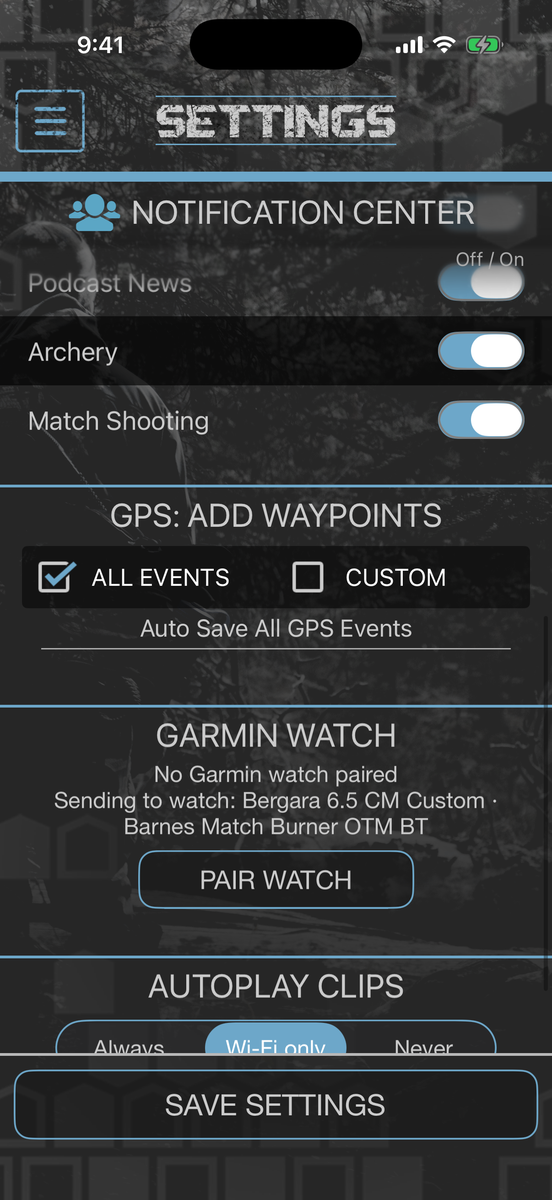
Apple Watch installs itself alongside the phone app. Garmin takes one tap in Settings. Both of them read the rifle you already built in your Safe, so there is nothing to type twice.
- Settings shows the exact rifle and load going to your watch
- Change rifles in your Safe and the watch follows
- No second login and no separate account
- Your watch works with no signal — the solver runs on the device
Set the wind on your wrist
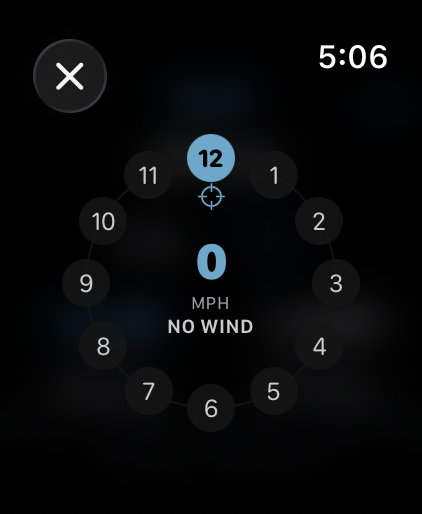 Wind clock — direction around the dial, speed in the middle
- 1Tap the wind dial on the HL Ballistics screen.
- 2Pick the hour the wind is coming from — 12 is a headwind, 3 is off your right.
- 3Set the speed, and the holds resolve as you turn it.
- 4Elevation and wind, in your units, on the wrist.
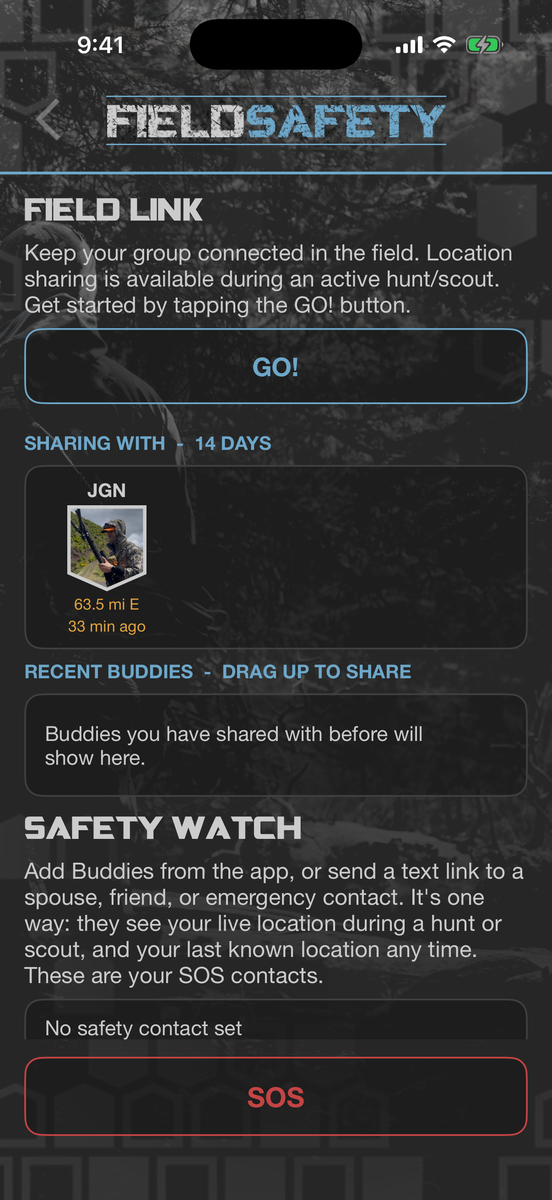
Somebody always knows where you are.
Link up with your party for the day. Once they accept, everyone on the link sees everyone else for as long as the hunt runs, and nobody else ever does.
- Invite one buddy or your whole party — each person accepts for themselves
- Pair up over Bluetooth when you are standing together with no signal
- Range and bearing to each hunter, and how long since their last fix
- Tap anyone on the map to build a route straight to them
- Sharing runs for the length of the activity, then stops
Link your party for the day
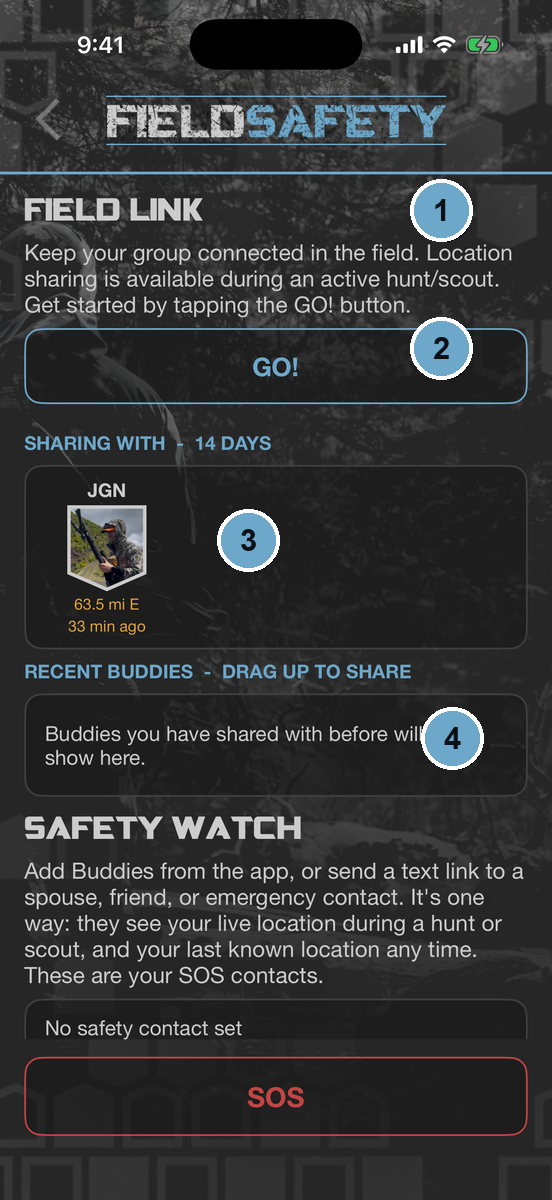 Map → Tools → Location Sharing
- 1Open Tools on the map and tap Location Sharing.
- 2Add a buddy, or add a party and everyone in it gets the invite.
- 3They accept, and their shield appears on your map with distance and bearing.
- 4Drag a shield up to share, down to stop. That is the whole control.
One way, on purpose.
Add Buddies from the app, or send a text link to a spouse, friend, or emergency contact. They see your live location during a hunt or scout, and your last known location any time. You do not see them.
- They need no HuntLeague account — a text link is enough
- Live while you are hunting, last known any other time
- There is no always-on mode. Nothing tracks you between hunts.
- Your safety contacts are also the people an SOS reaches
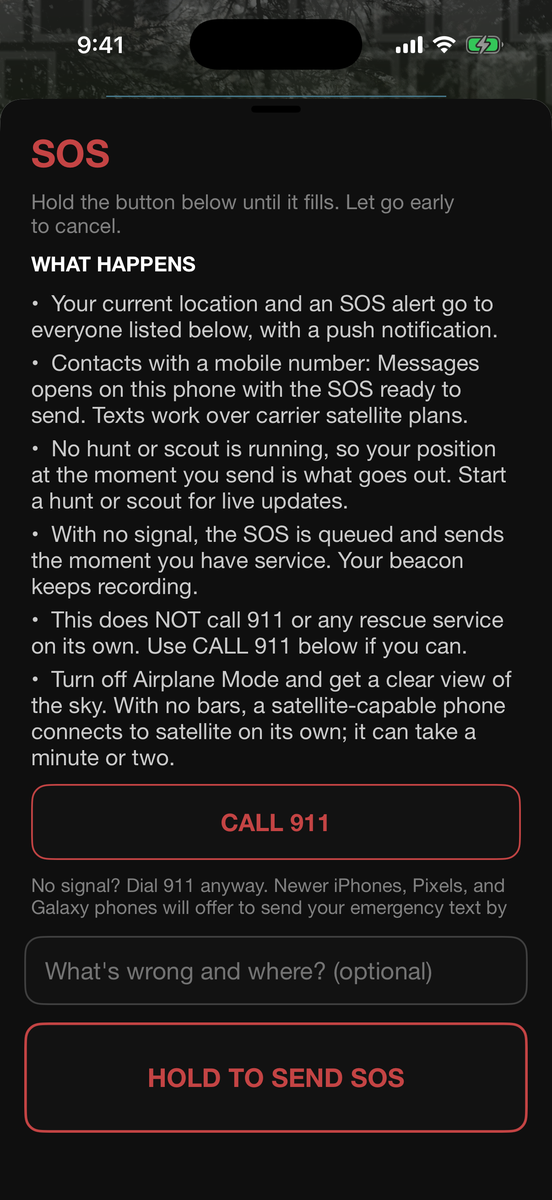
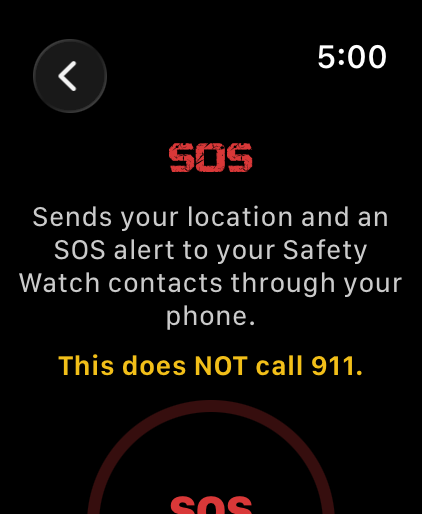
Hold for three seconds.
Your position goes to everyone on your list with a push notification, and a text opens in your phone’s own Messages app, prefilled and ready to send to each of them. The screen tells you exactly who it reaches before you send it.
- A real three second hold — let go early and nothing happens
- The text is sent by your phone, so it travels however your phone’s messages travel — including satellite texting, if your phone and plan support it
- No signal at all? The HuntLeague alert queues and sends the moment you have service
- Send an update while it is active, then stand down and everyone is told you are OK
HuntLeague SOS does not call 911 or any rescue service, and it does not provide a satellite connection. It alerts the people you chose, using whatever signal your phone already has. The screen puts a Call 911 button right next to the hold, because that is the call that brings help.
Get the App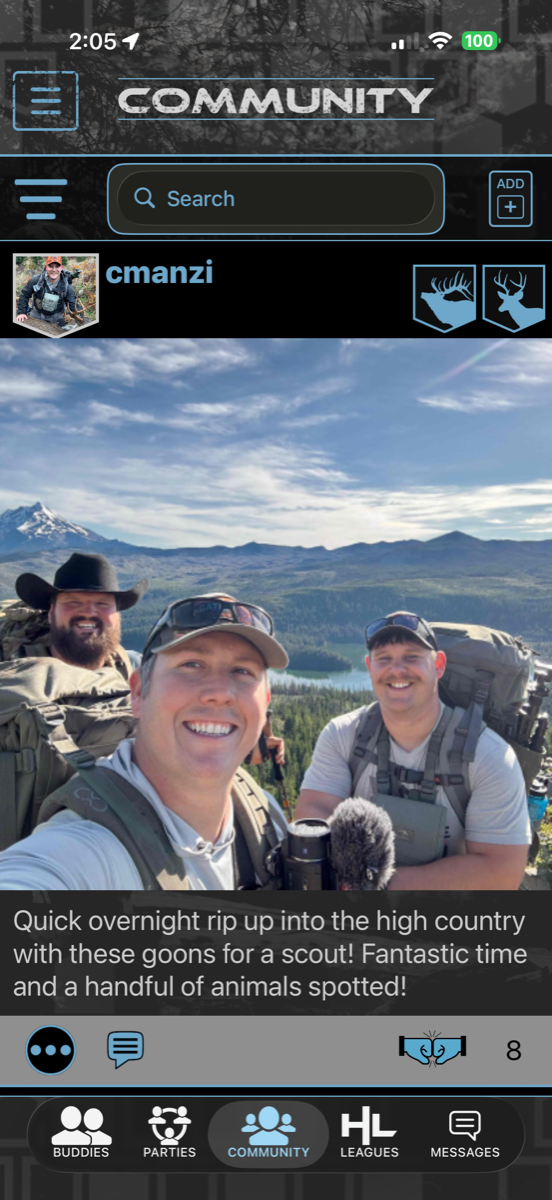
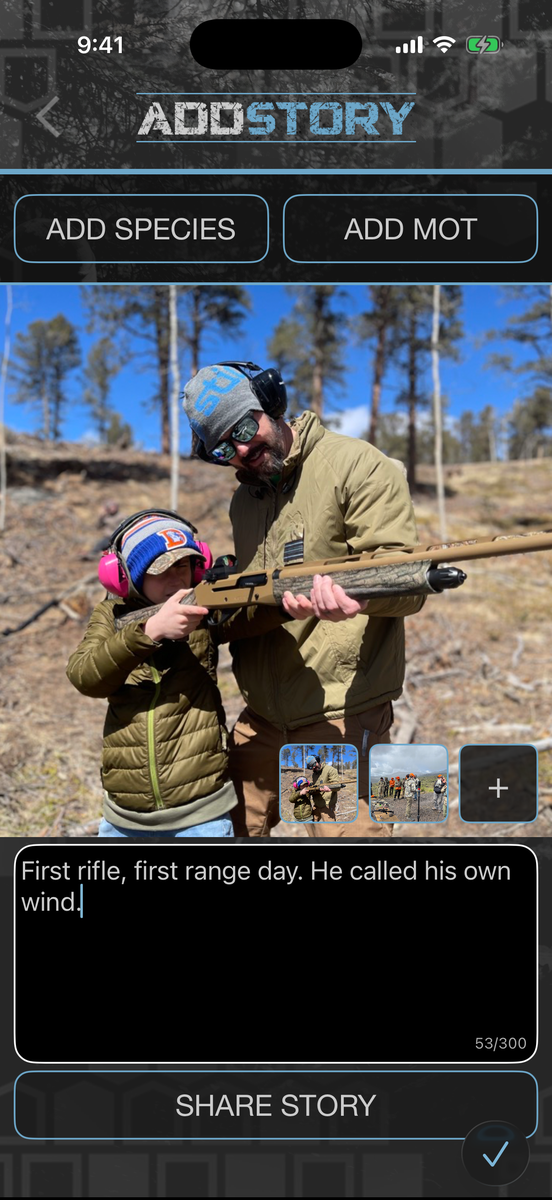
Share the story of your season.
A hunt is rarely one picture. Post up to three, or trim a clip down to the ten seconds that mattered, and see what your crew is putting together.
- Post pictures & hunt summaries with stats and species
- Up to three photos or clips on a post, with sound
- Trim a clip to its start and end, not just a length
- Filter the feed by species, method, and state
- Share hunt logs, stands, and areas with people you trust
- Your GPS stays private unless you choose to share it
Explore the community feed
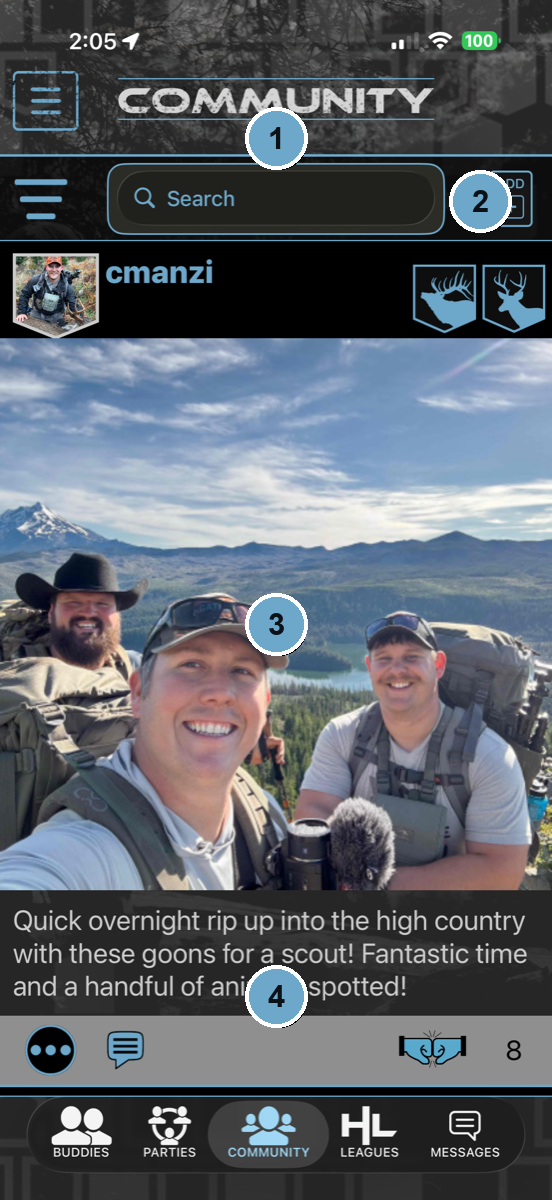 Community tab → the feed
- 1Search the community for hunters, buddies, and posts.
- 2Every post is backed by a real logged hunt or scout — tap through to the summary the hunter shared.
- 3The photos tell the story…
- 4…and the write-up finishes it. GPS stays private unless the hunter chooses to share it.
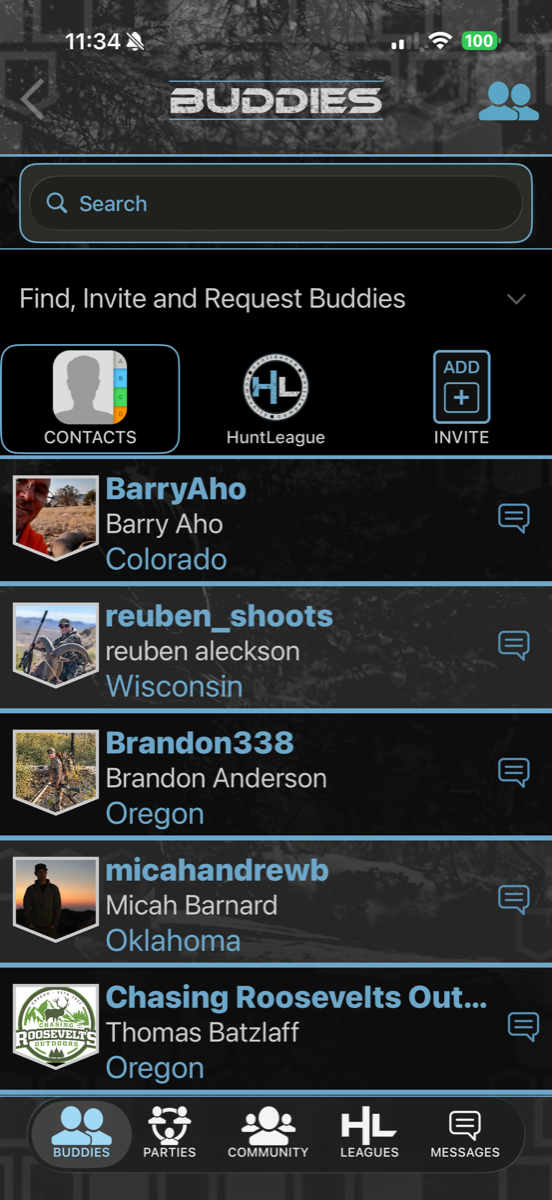
Your crew, on and off the mountain.
Build your circle and pull camp together in one place, before the season and all through it.
- Find buddies from your contacts, HuntLeague search, or an invite
- Create Hunting Parties for camp, clubs, and trips
- Share logs, stands, and areas with the party
- Message any buddy straight from the list
Build your buddy list
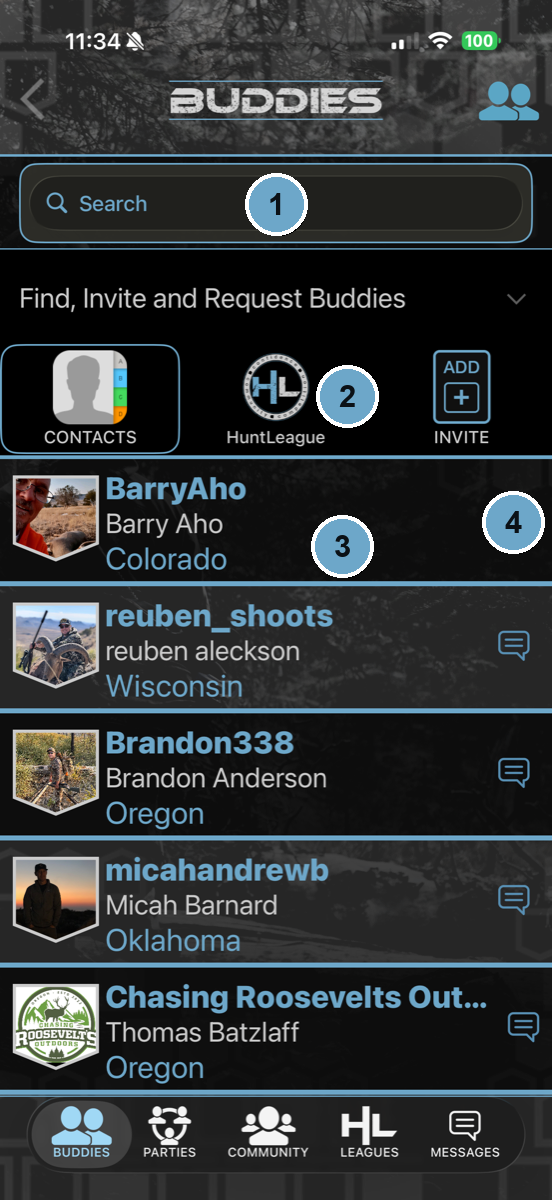 Community → Buddies
- 1Search for any hunter on HuntLeague.
- 2Add from your contacts, find them in the community, or send an invite.
- 3Your list shows every buddy with their home state.
- 4Jump straight into a message — or pull them into a party.
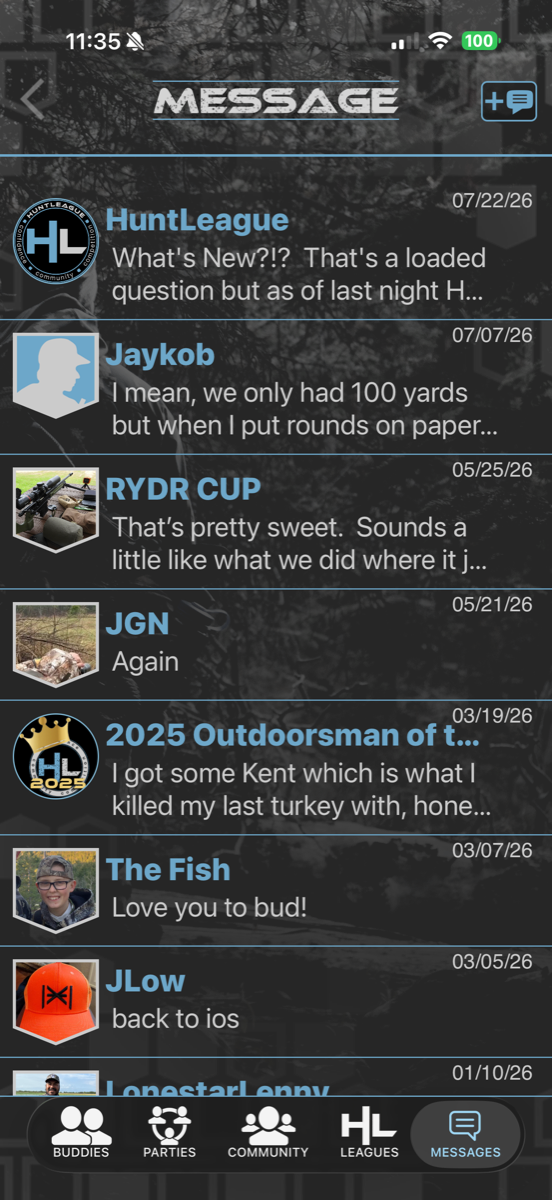
Talk it over, right in the app.
Coordinate the hunt without leaving HuntLeague — keep the plan and the chatter together.
- Message your buddies one-on-one or in groups
- League and event threads keep the competition talking
- Coordinate camp, access, and game plans
Join the league.
Compete against hunters everywhere or start a private league with your buddies — all species, all methods of take.
- Join public leagues or create your own private league
- Compete for titles and prize packages
- Rank up with every hunt and scout logged in the field
- Chase Outdoorsman of the Year
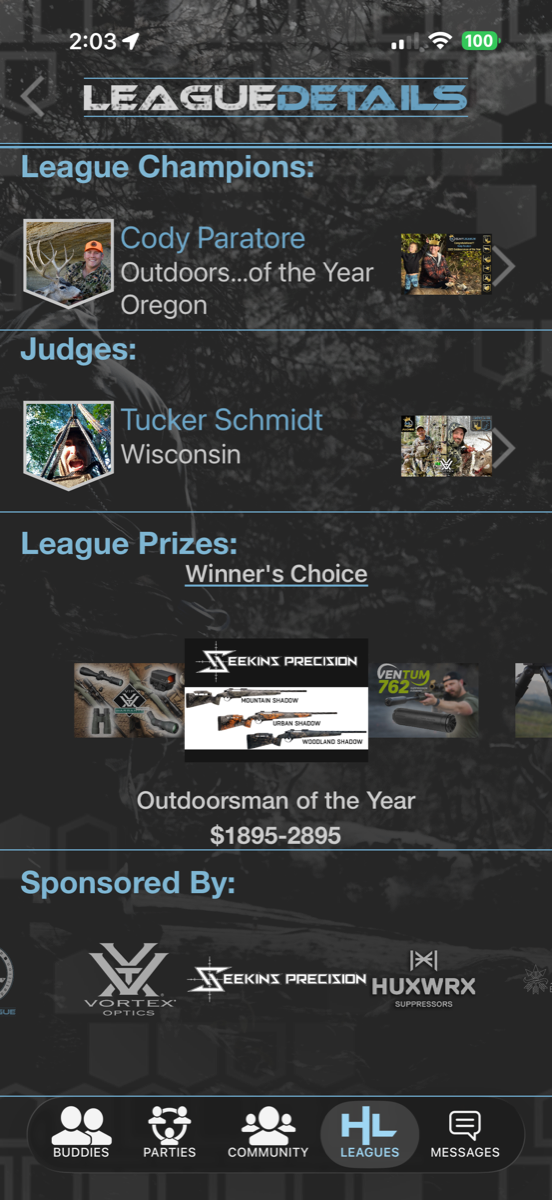
Inside a league
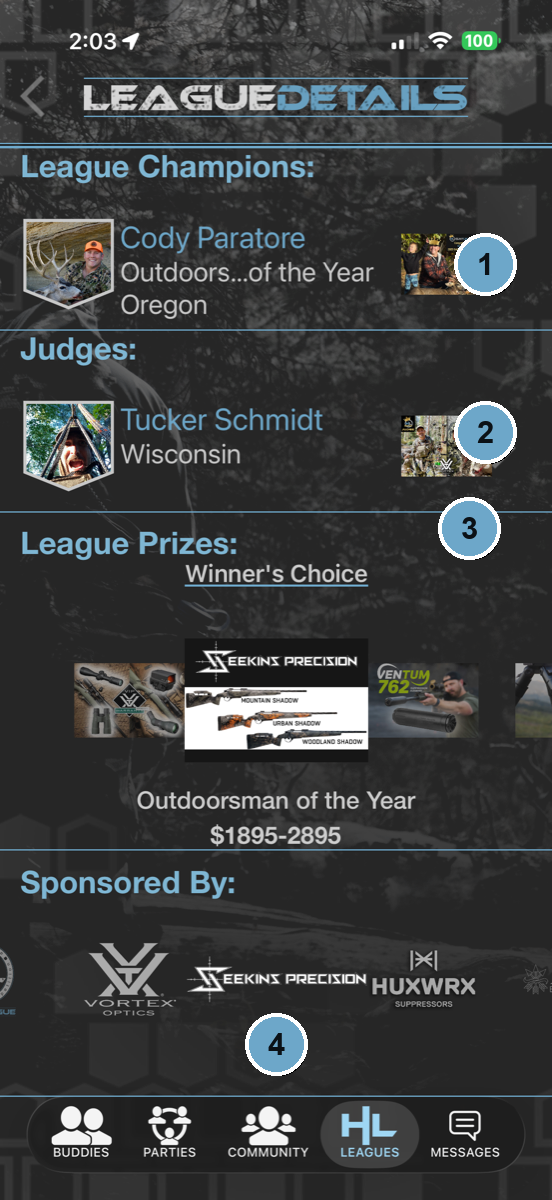 Leagues → open a league’s details
- 1Every league crowns its champions — names on the wall, season after season.
- 2Real judges make the calls.
- 3Real prizes are on the line — like a Winner’s Choice package worth thousands.
- 4Backed by industry sponsors you already trust.
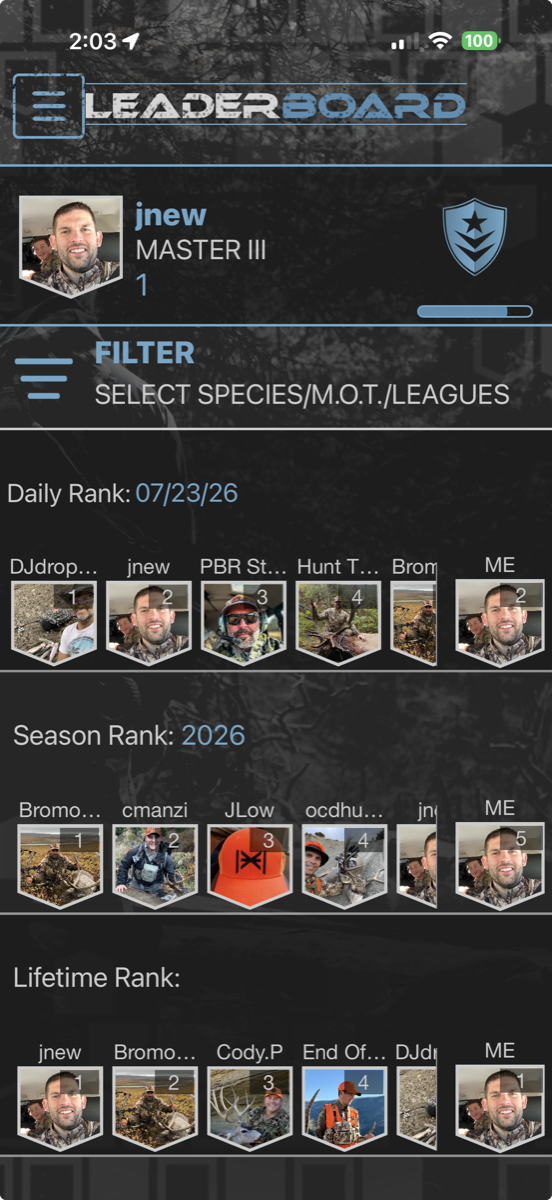
See where you stand.
Every activity you log moves the needle. Climb the ranks and measure yourself against the community.
- Climb from Novice to Legendary
- Filter by day, season, species, and method of take
- Track daily and season rank over time
Read the leaderboard
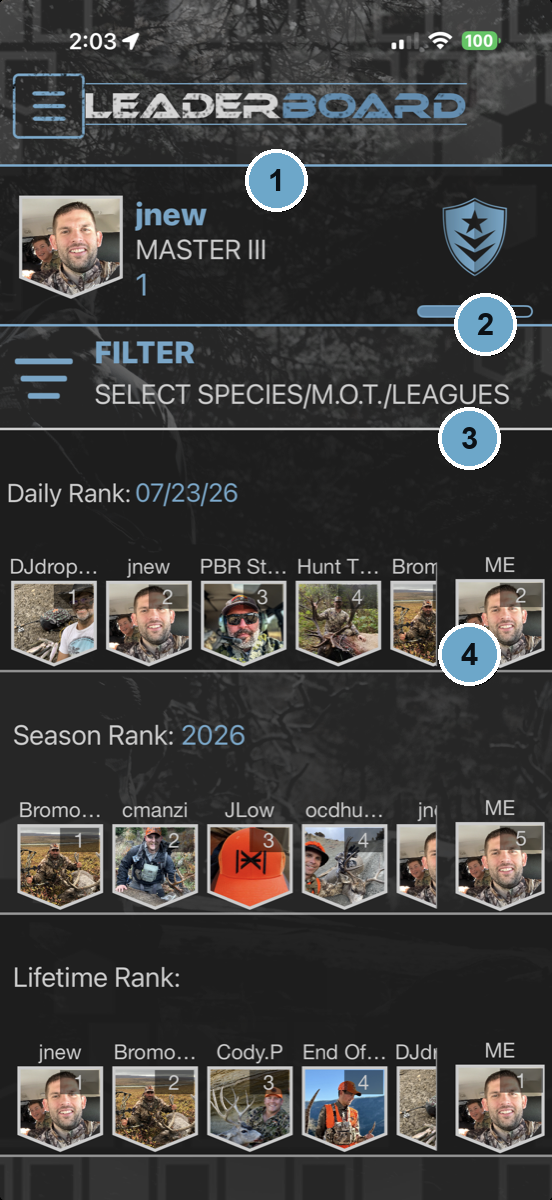 Community → Leaderboard
- 1Your rank card up top — where you sit on the climb from Novice to Legendary.
- 2Filter by species, method of take, or league to see the race that matters to you.
- 3Daily Rank — where today’s effort landed you.
- 4Season and Lifetime ranks track the long game.
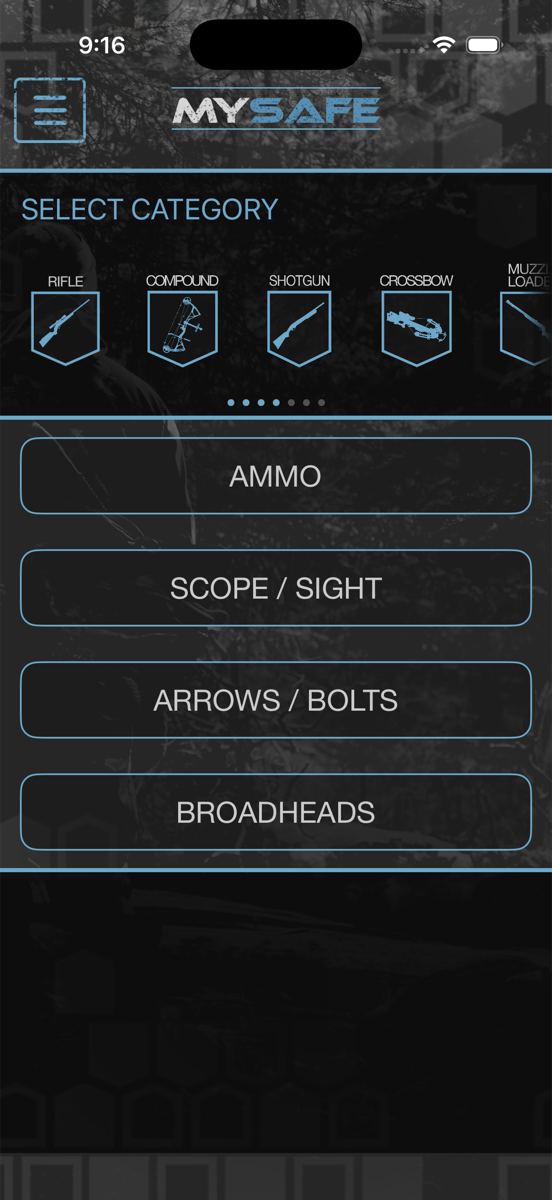
Build every setup.
Your digital gun safe. Build your rifles and bows once, down to the trigger and the muzzle device, and carry them into every hunt and shooting activity.
- Build rifles and bows with their full loadouts
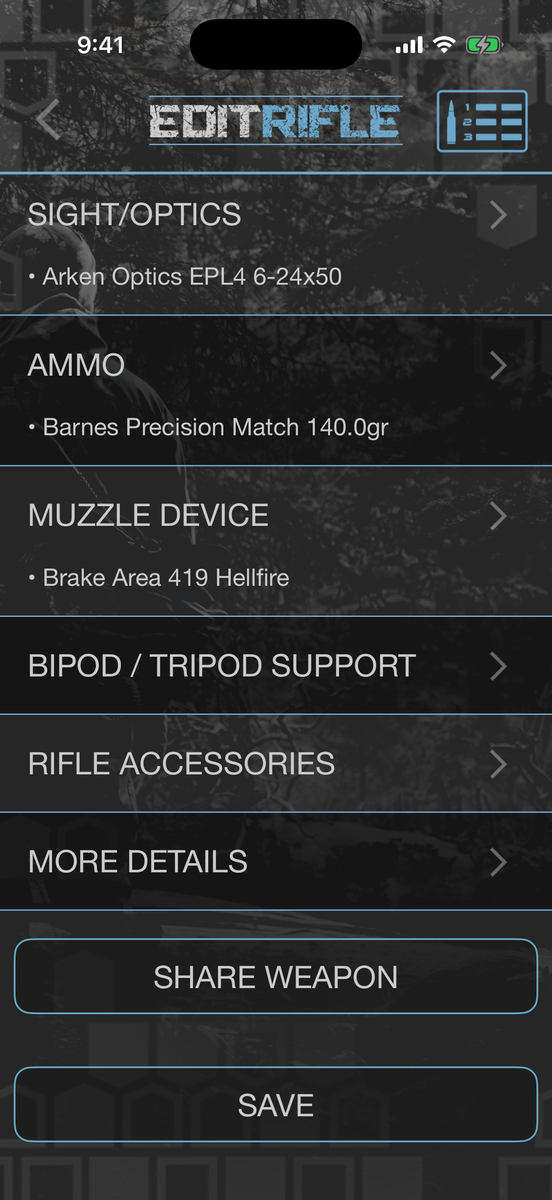
- Action, barrel, trigger, stock, optics, ammo and accessories
- Share a setup with a buddy — any firearm type
- Keep every configuration in My Safe
- Attach setups to hunts, matches, and range days
Ready to shoot it? Build your first DOPE card →
Get the App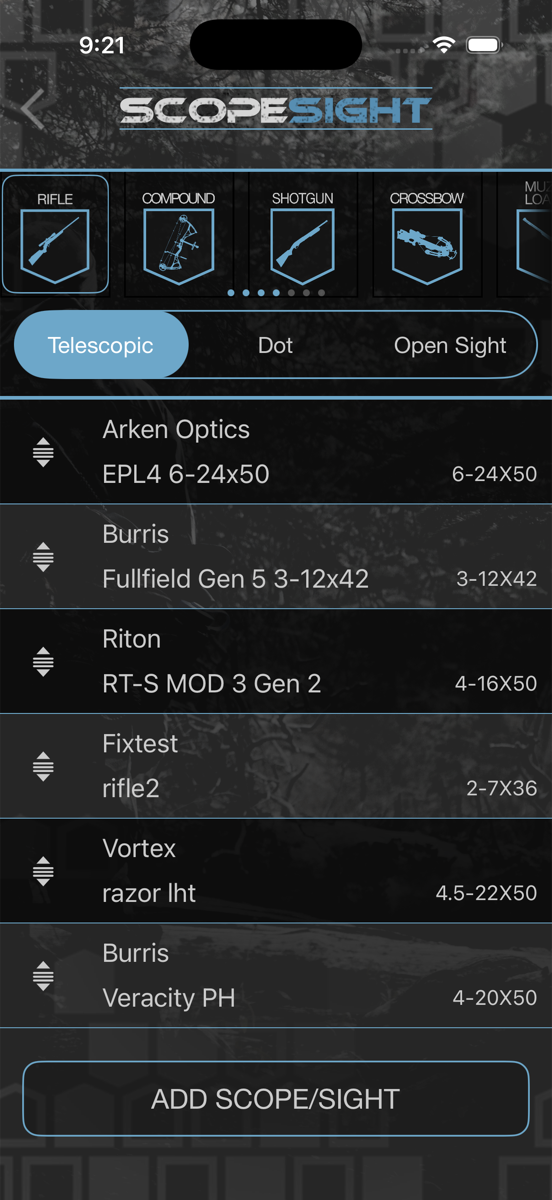
Track your kit.
Know exactly what’s dialed and what’s in the pack — every scope, arrow, and piece of gear on record.
- Track optics, arrows, and gear with real specs
- Tie gear to the rifle or bow it belongs to
- Know what’s ready before the season opens
Dial in your load.
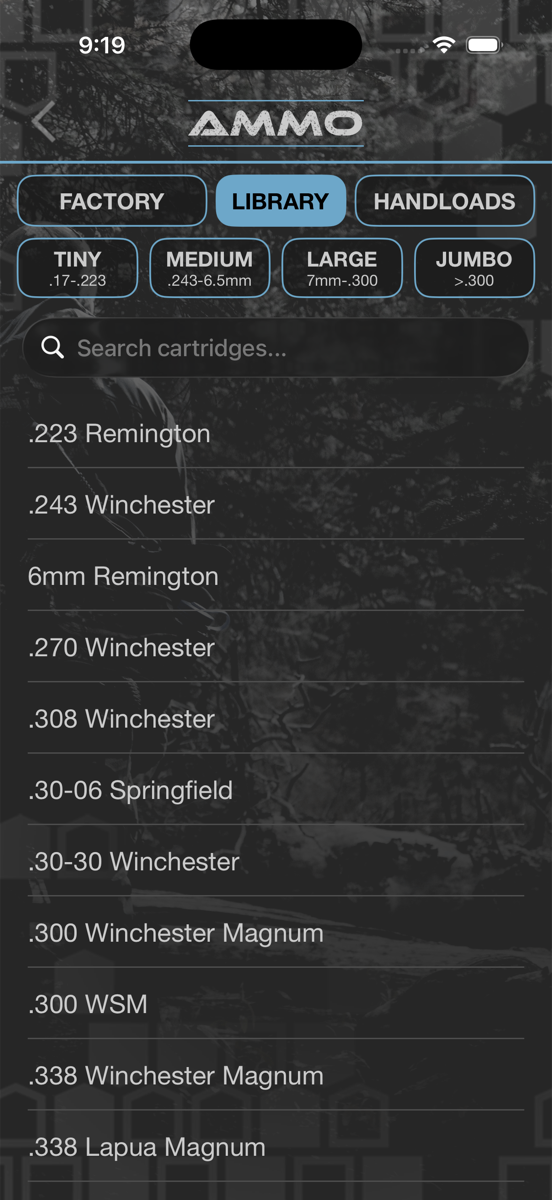
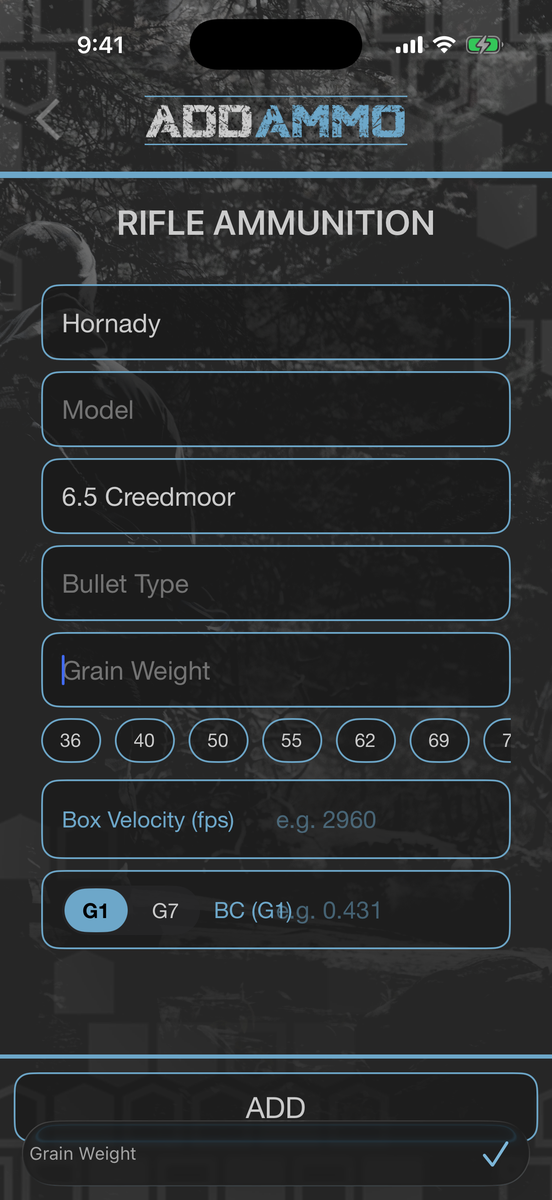
Pull real numbers from a built-in factory ammo library, then match the right load to the right rifle. Nothing to look up on a box in the dark.
- Factory ammo library with BC, velocity, and bullet length
- Filter by cartridge size, manufacturer, construction, or lead-free
- Manufacturer, model and grain weight are tap to pick
- Match ammo to the rifle in your Safe
- Feed accurate data straight into your ballistics
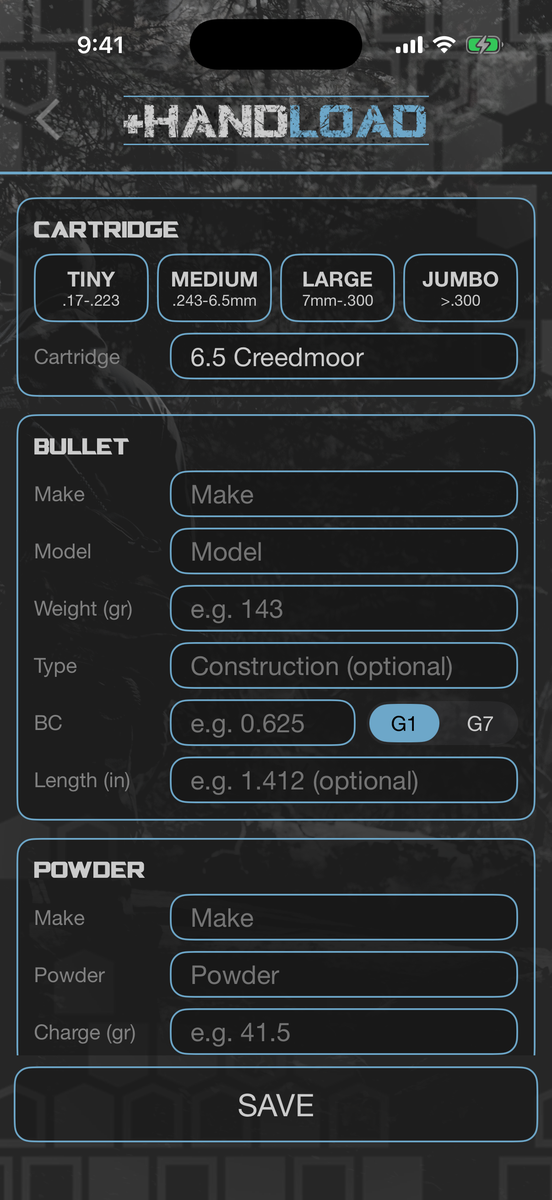
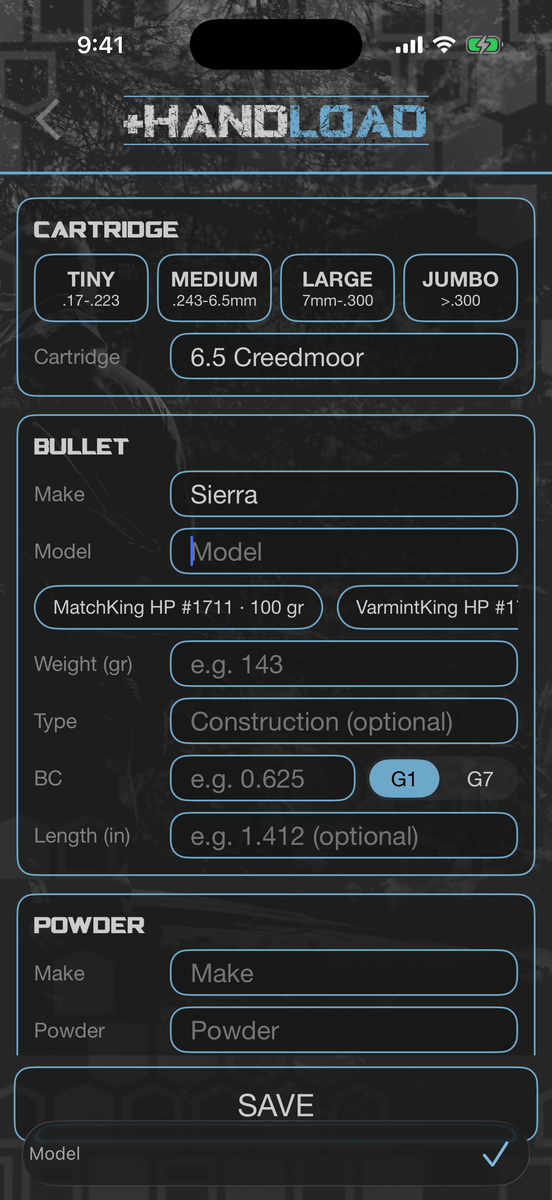
Build the load, not just the box.
Bullet, powder, case, primer and seating depth. Pick your bullet out of the library and the weight, construction and ballistic coefficient fill themselves in.
- Every Sierra rifle bullet by part number — GameKing, MatchKing, Tipped MatchKing, Pro-Hunter
- The library is matched by bullet diameter, so it only offers what fits your cartridge
- Powder, charge weight, case, primer and C.O.A.L.
- Your load feeds HL Ballistics and your watch
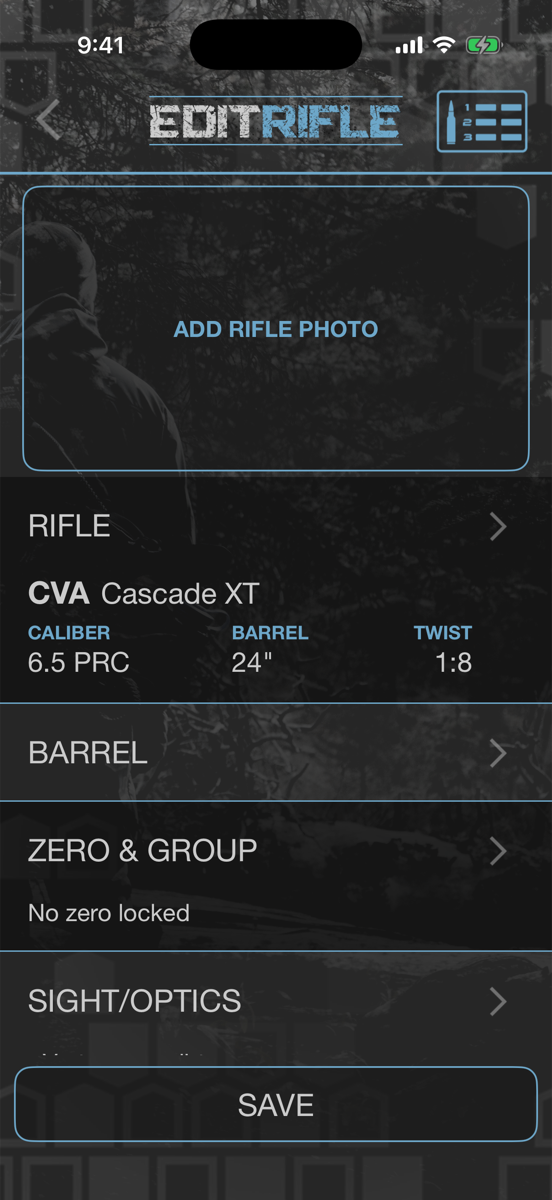
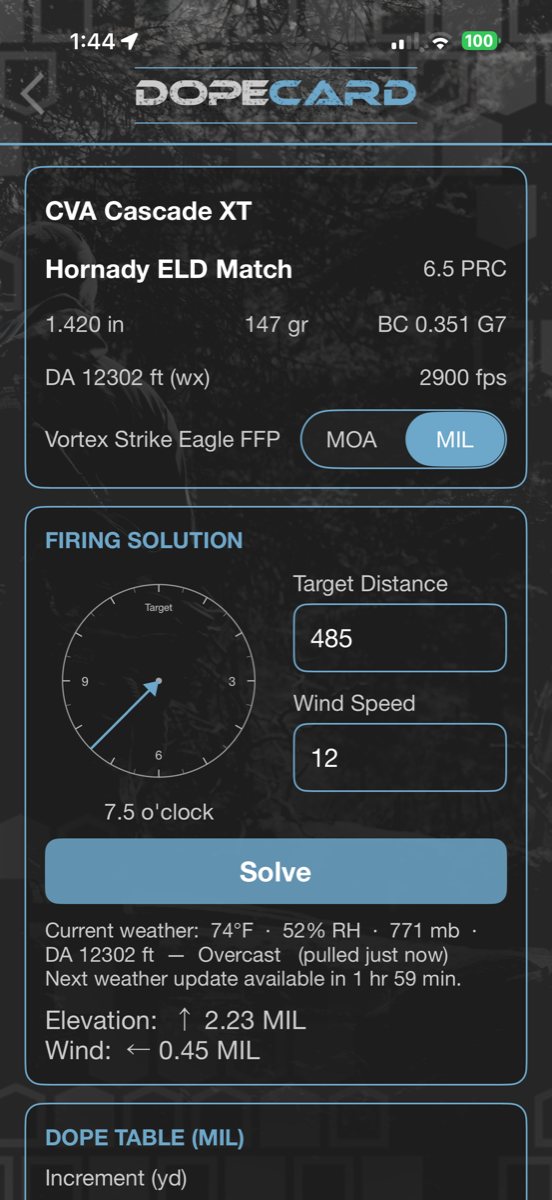
Your first DOPE card in two minutes.
HL Ballistics lives in your Safe. Build the rifle once — scope, ammo, zero — and the DOPE card opens from that rifle everywhere you use it. The DOPE card is free.
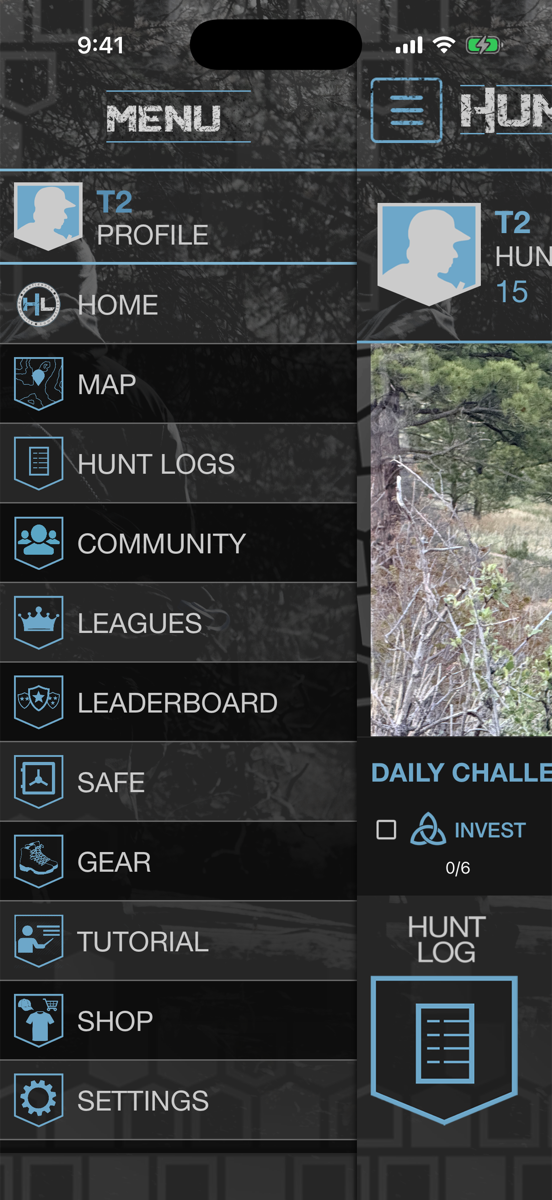
- Open the menu (the three lines, top left) and tap SAFE
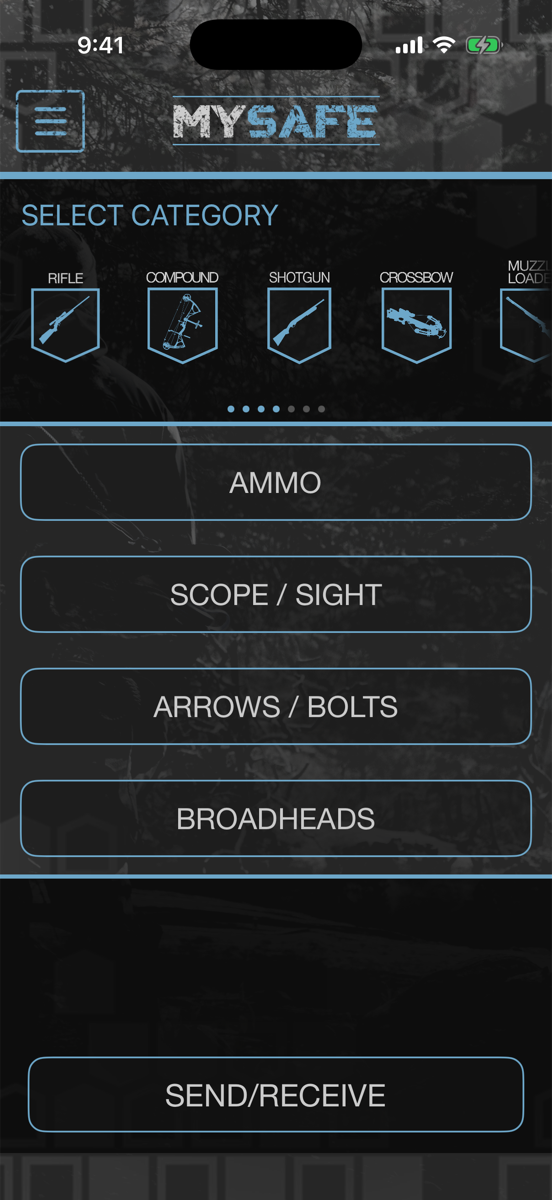
- Tap the RIFLE shield, then + to add a rifle
- Add a scope and your ammo, then SAVE
- Open the saved rifle and tap the DOPE card icon in the upper right
From a new account to a firing solution
- 1Open your Safe. Tap the menu (the three lines, top left of the home screen) and choose SAFE. You land on MY SAFE.
- 2Add a rifle. Tap the RIFLE shield in the row of weapon types, then the + in the header. Choose Factory (pick the manufacturer and model) or Custom (build it part by part).
- 3Fill in the numbers the solver uses. CALIBER/CARTRIDGE, TWIST RATE and TWIST DIRECTION, SCOPE HEIGHT OVER BORE (IN) and ZERO RANGE (YDS). Only manufacturer and caliber are needed to save, but the more you fill in, the better the DOPE.
- 4Add your scope. Under SIGHT/OPTICS, pick a scope or tap Add new sight/optic. Set ADJUSTMENT to MOA or MRAD/MIL to match your turrets.
- 5Add your ammo. Under AMMO, pick a box from the factory library — the ballistic coefficient (BC), bullet weight and velocity fill themselves in — or enter your handload. If you have a chronograph, use your measured velocity.
- 6Tap SAVE, then open the rifle again. The DOPE card icon appears in the upper-right of the EDIT RIFLE screen once the rifle is saved. Tap it and your DOPE card opens.
When you will see the DOPE card icon
In the Safe
Top right of a saved rifle (the EDIT RIFLE screen). It is not on a brand-new rifle until you tap SAVE.
On a rifle hunt
Top right of the header while a hunt with a rifle is running. Your rifle, load and current conditions are already loaded.
In NRL Hunter
Top right of every live stage, with the dial and hold for each target solved inline.
On your wrist and the web
The same DOPE runs on Apple Watch and Garmin and on the web portal under Ballistics.
Don’t see it? Check these
 A red badge = inputs still missing
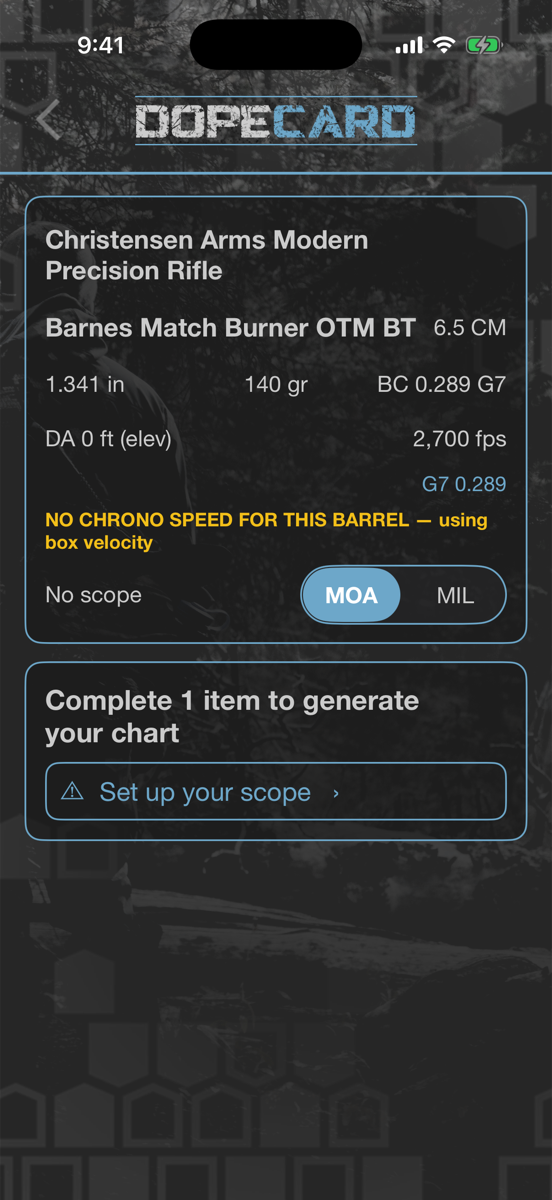 Tap it to fill the gap
- ?Is it a rifle? The DOPE card is built for rifles. Shotguns, muzzleloaders and pistols don’t show the icon.
- ?Did you save it? Tap SAVE, then open the rifle from your Safe again. The icon only appears on a saved rifle.
- ?Red number on the icon? That is how many things the solver still needs. Tap the icon and each missing item is listed — tap one to fill it in right there and it saves back to your Safe:
- Select a load
- Ballistic coefficient (BC)
- Muzzle velocity
- Set up your scope
- Zero range
- Sight height over bore
- ?On a hunt and no icon? It appears on hunts started with a rifle as the weapon, while the hunt is running.
- ?No signal? The DOPE card works offline. Live weather needs the League Pass and a connection; without it the card uses a standard day for your GPS elevation.
DOPE you can trust.
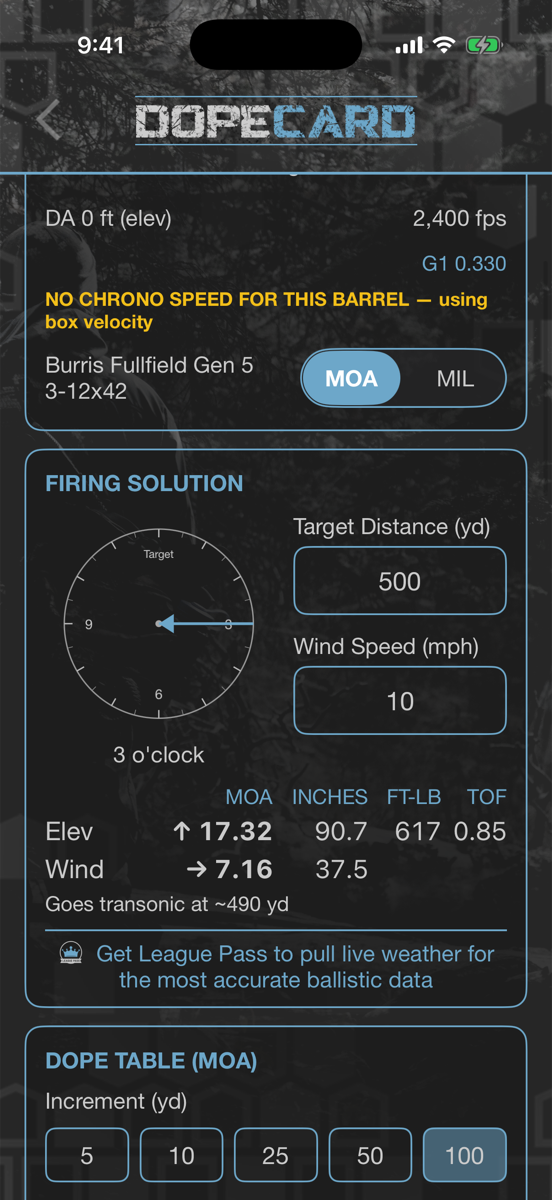
A point-mass solver built from your rifle and load, corrected for the air you are actually shooting in. Online or off.
- FIRING SOLUTION for one exact distance and wind call
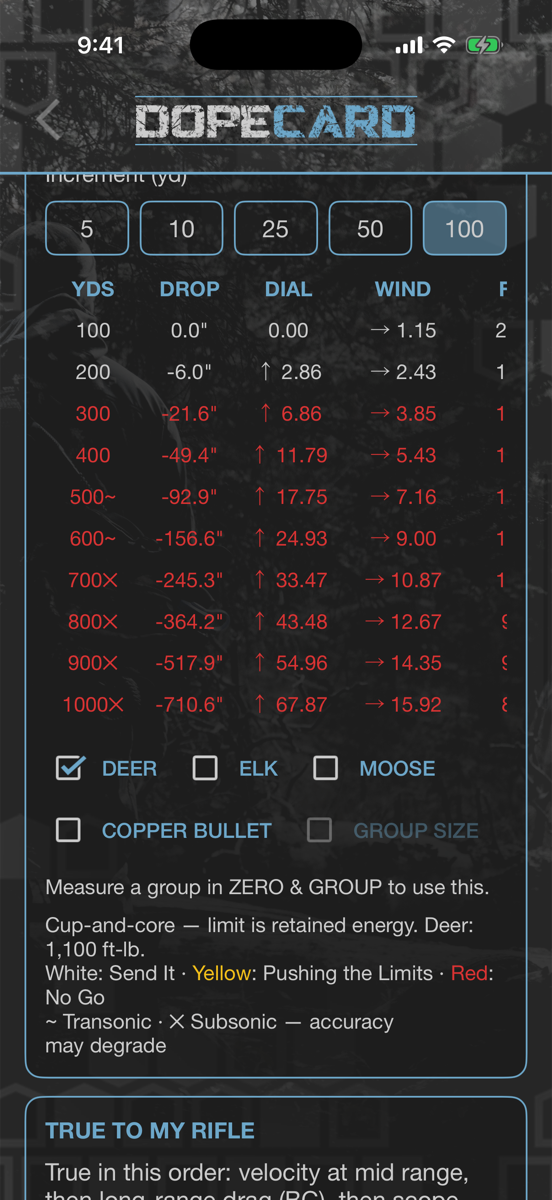
- Full DOPE TABLE in MOA or MIL, with clicks for your scope
- Density altitude, spin drift and aerodynamic jump folded in
- Transonic marked in the table: ~ transonic, ✕ subsonic, and the range where your bullet goes transonic
- Ethical range coloring by animal class: Send It, Pushing the Limits, No Go
Read the card
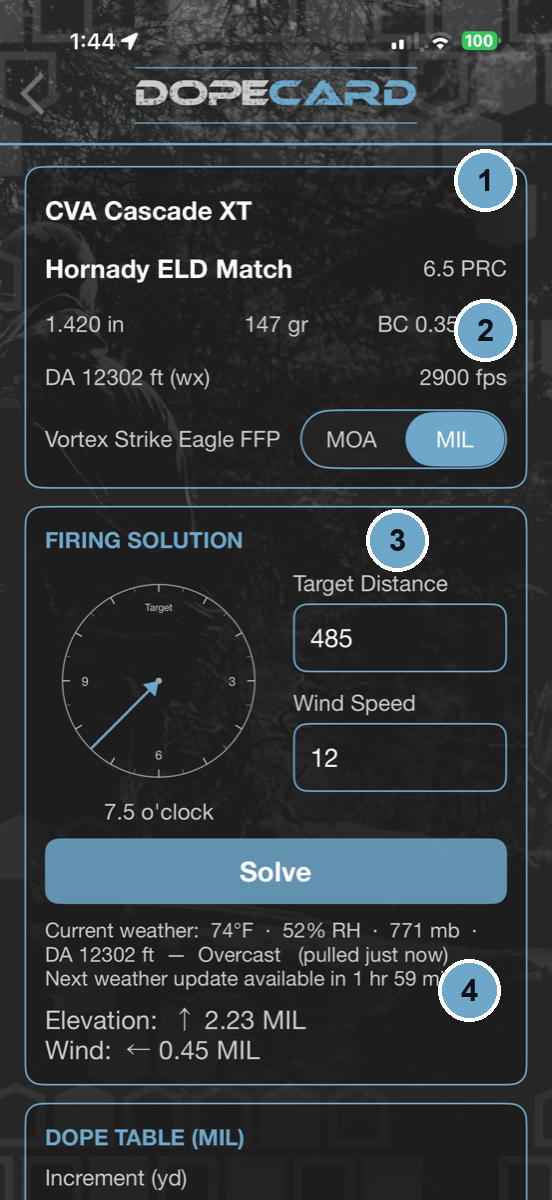 A rifle’s DOPE card
- 1The card is built from the rifle and ammo in your Safe — bullet, BC and muzzle velocity carry over automatically. Switch rifle or load from the header.
- 2Flip between MOA and MIL to match your turrets.
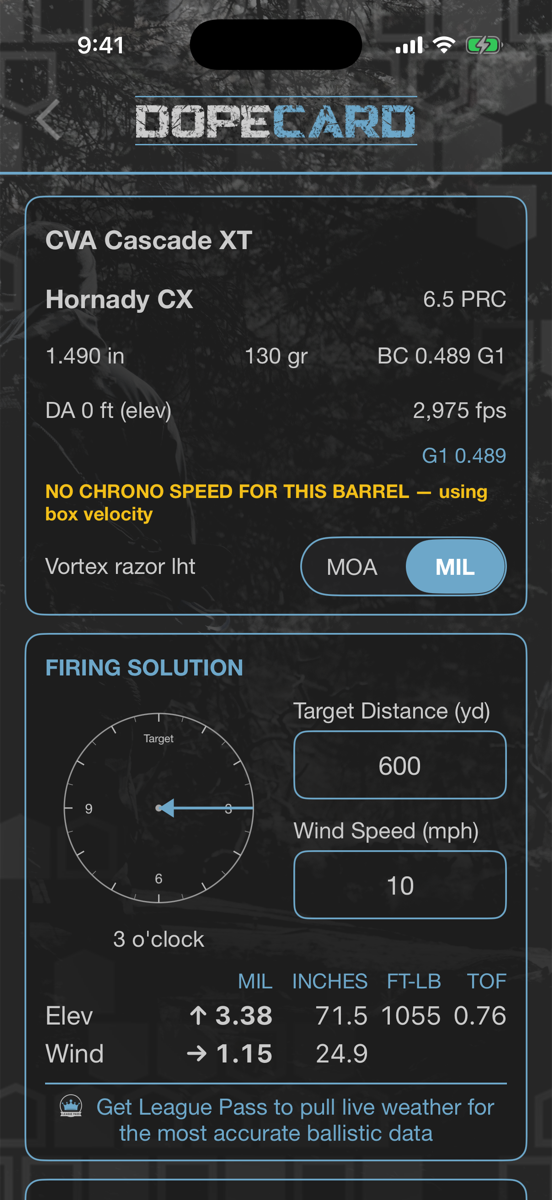
- 3Enter the target distance, wind speed and wind direction on the clock for your firing solution.
- 4Pick the animal class — Deer (1,100 ft-lb), Elk (1,300 ft-lb), Moose (1,600 ft-lb) or Copper bullet (minimum impact velocity) — and the table colors every row by whether the shot is ethical. On a hunt it is set from the species you are hunting.
- 5Under TRUE TO MY RIFLE, true it in three steps: 1 · velocity at mid range, 2 · drag at long range, and 3 · scope tracking, the mechanical offset of your turrets. Corrections save to that rifle and load.
Zero from any distance.
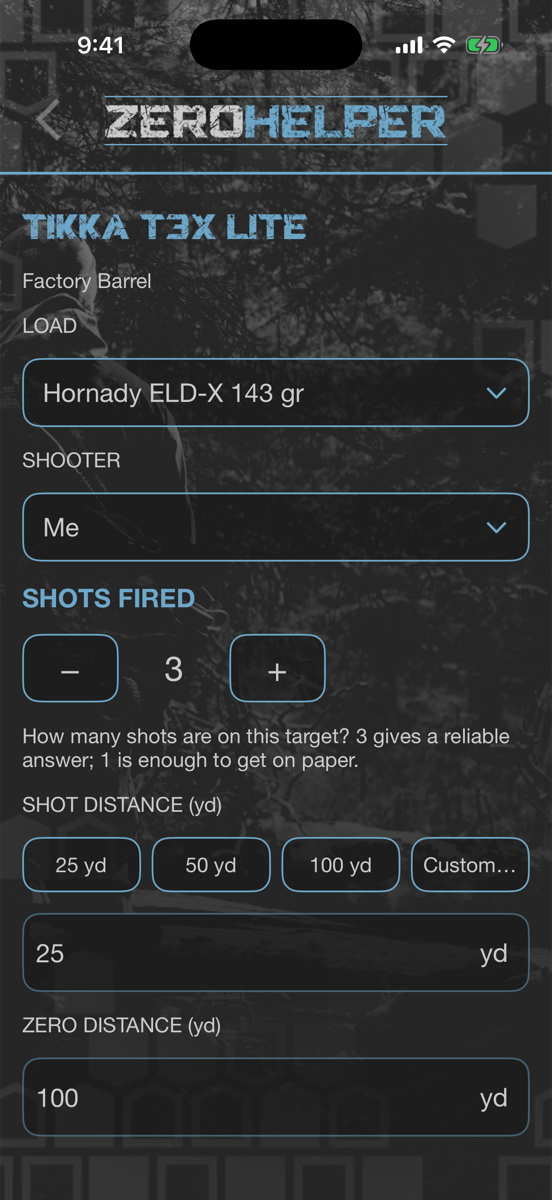
No 100-yard range nearby? Shoot at 25 or 50 yards, take a photo of the target, and the Zero Helper tells you exactly how many clicks to dial for a 100-yard zero — or whatever zero you want.
- Shoot at 25 yd, 50 yd, 100 yd or any custom distance
- Photograph the target — the app finds the grid and your shots
- Get the correction in clicks and MOA/MIL, up/down and left/right
- Accounts for where the bullet should hit at short range for your zero
- Includes your scope’s mechanical offset once you have trued it
Zero your rifle in four steps
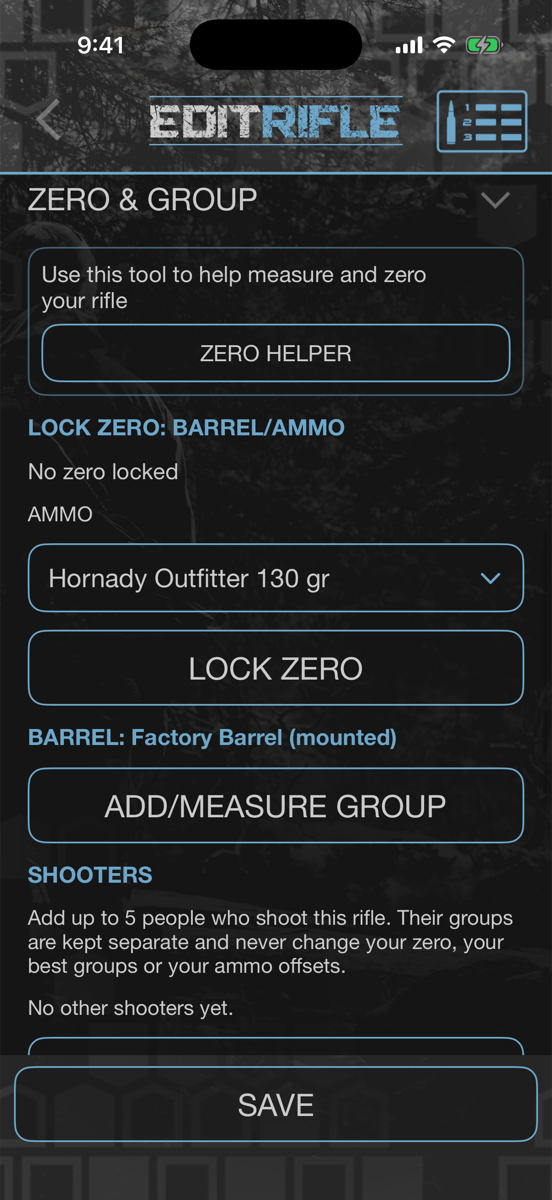
- 1In your Safe, open a saved rifle and scroll to ZERO & GROUP. Tap ZERO HELPER.
- 2Choose the LOAD, how many SHOTS FIRED (3 gives a reliable answer; 1 is enough to get on paper), the SHOT DISTANCE and the ZERO DISTANCE you want.
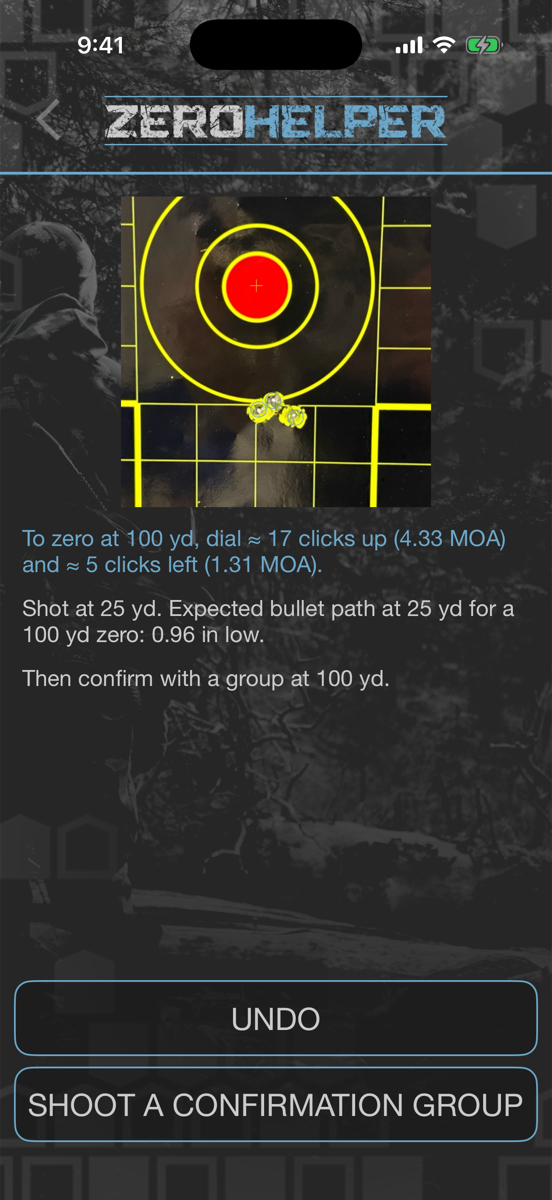
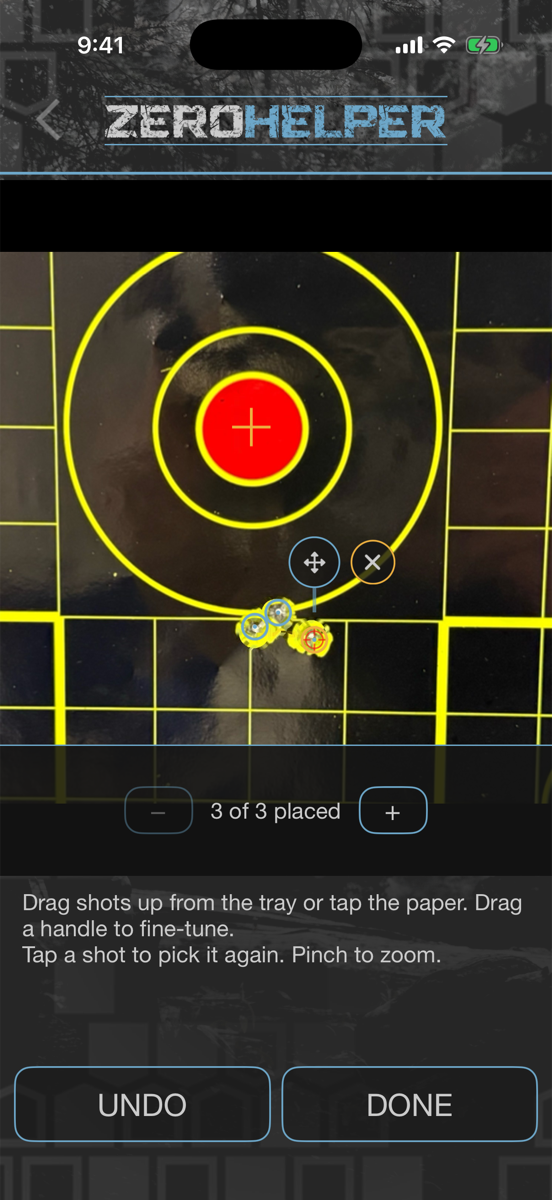
- 3Hold the phone straight over the target and tap TAKE PHOTO. Confirm the grid size, tap your aim point, then check the shots the app placed.
- 4Read the answer — for example “To zero at 100 yd, dial ≈ 17 clicks up (4.33 MOA) and ≈ 5 clicks left (1.31 MOA).” Dial it, then SHOOT A CONFIRMATION GROUP at your zero distance and lock your zero.
Short-range zeroing depends on your muzzle velocity, BC and sight height. If any are missing, the Zero Helper says so and only corrects for angle — fill them in for the full answer, and always confirm at your zero distance.
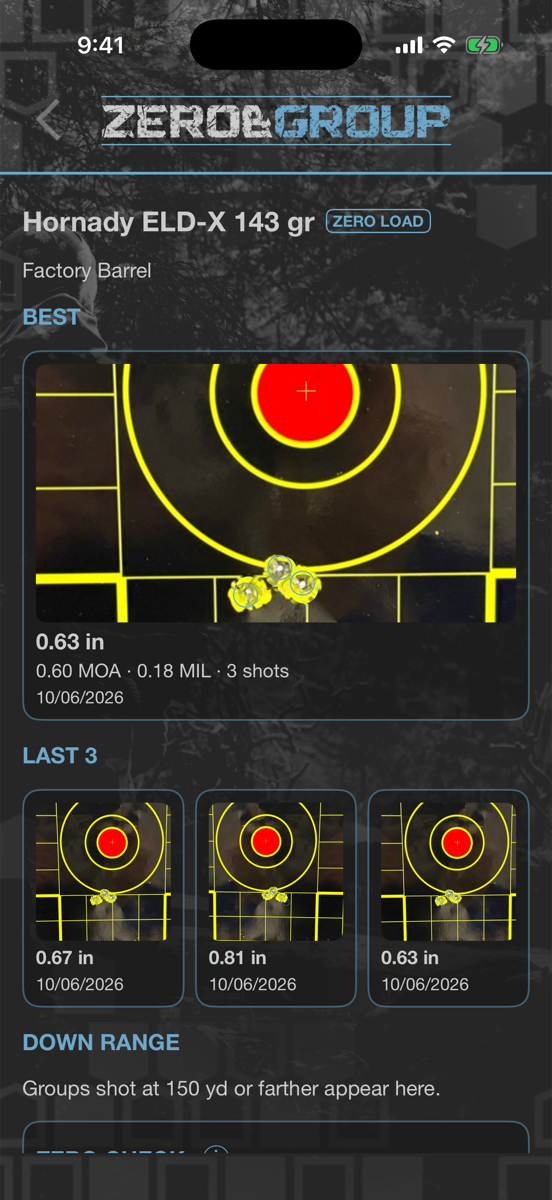
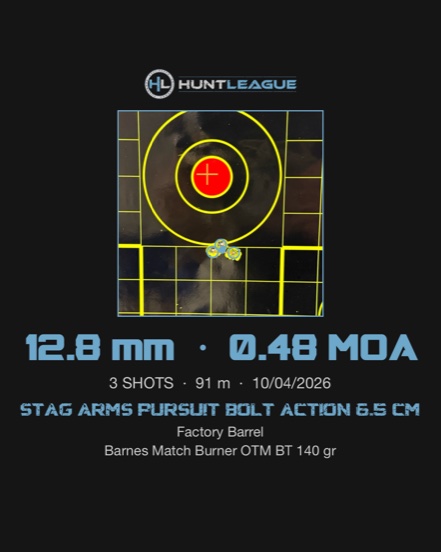
Measure every group from a photo.
Snap the target and HuntLeague measures the group for you — no calipers, no math. Every group is saved to that rifle, barrel and load, so you can see which ammo your rifle really likes.
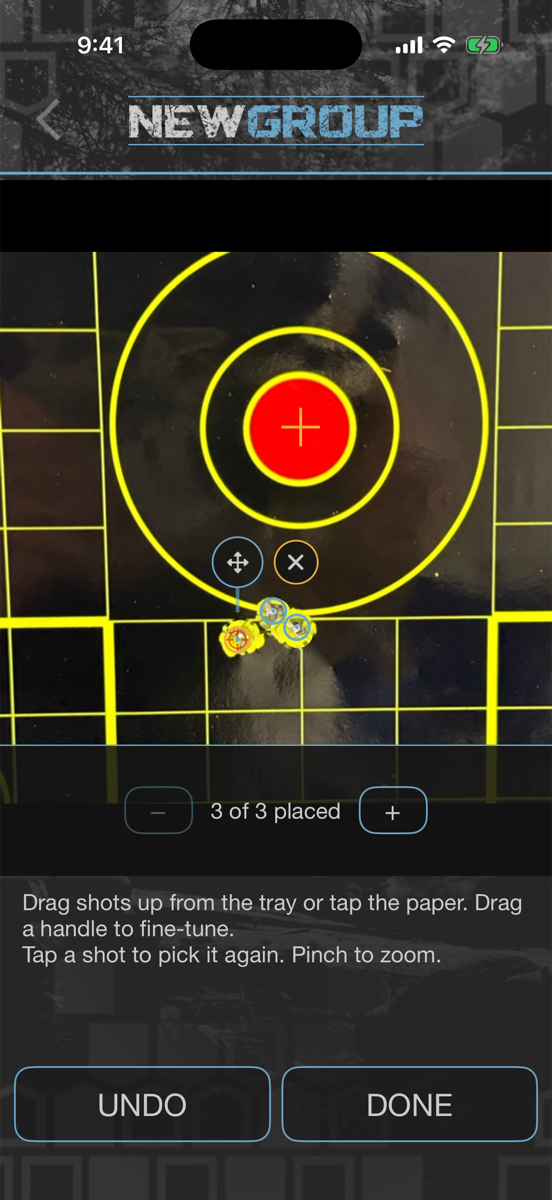
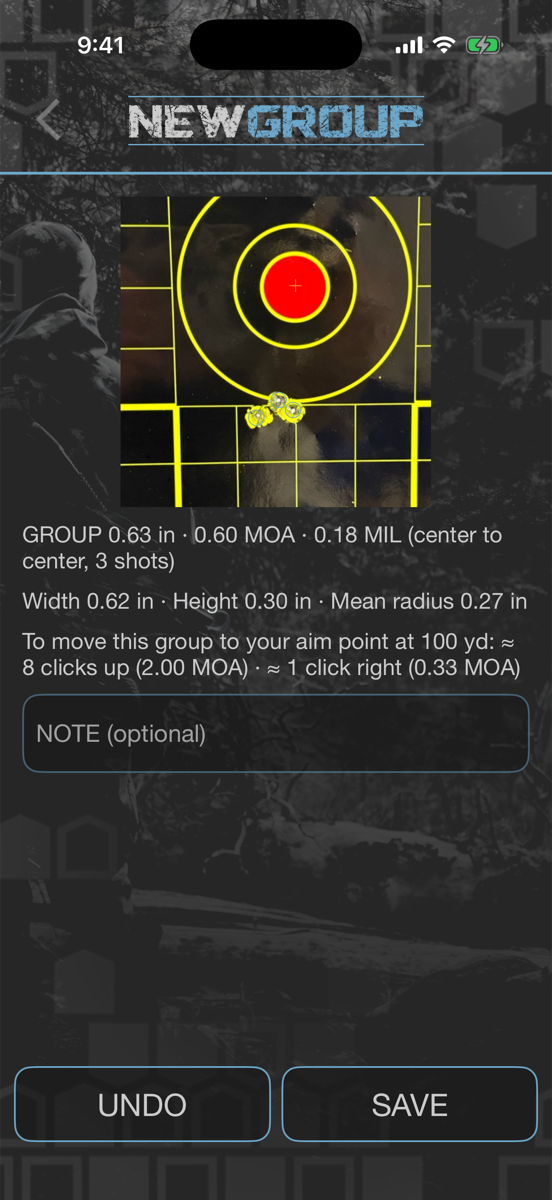
- Group size in inches, MOA and MIL (center to center), plus width, height and mean radius
- Tap your aim point and get the clicks to move the group onto it
- A Group Card per load: BEST, LAST 3, best and longest DOWN RANGE, and stat history
- Lock your zero per barrel and see how every other load hits compared to it
- Share a group to the Community or export it as an image
Measure a group
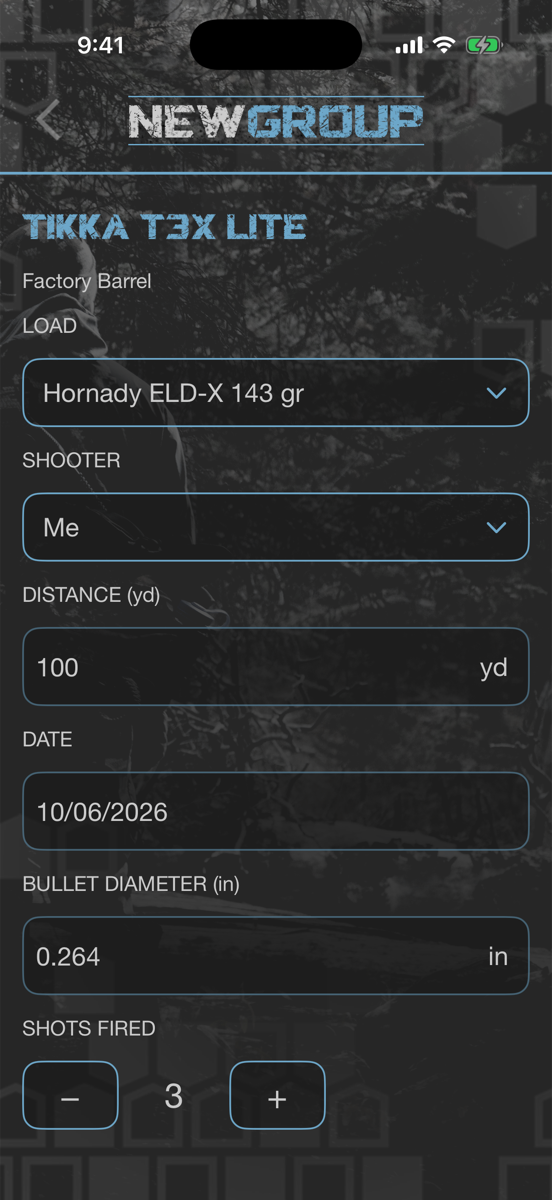
- 1Open a saved rifle in your Safe, go to ZERO & GROUP and tap ADD/MEASURE GROUP.
- 2Set the LOAD, SHOOTER, DISTANCE and SHOTS FIRED, then TAKE PHOTO or CHOOSE PHOTO.
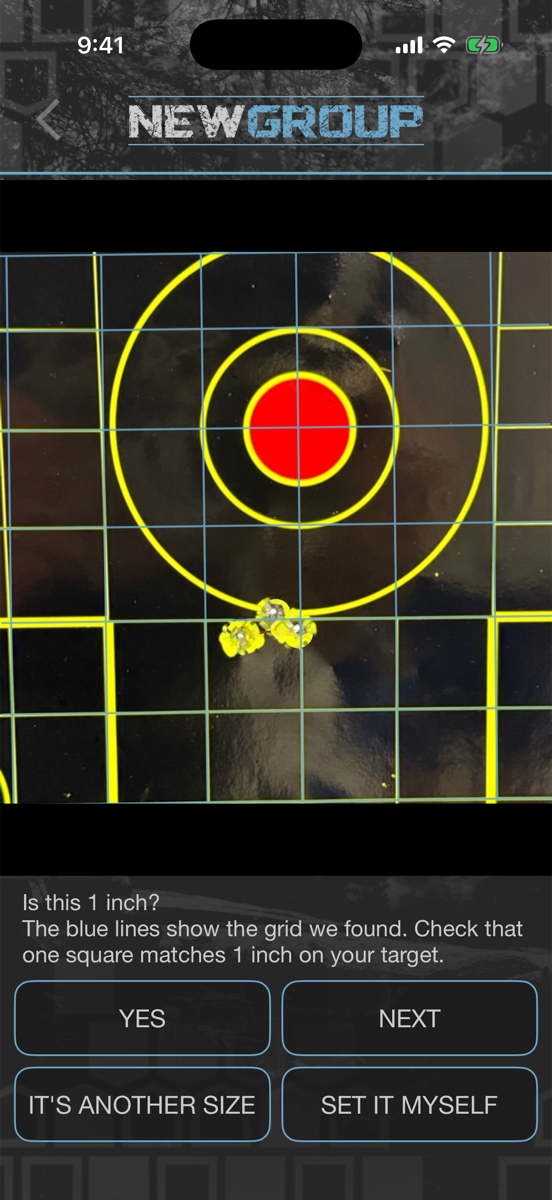
- 3Check the scale. The app finds the target grid and asks “Is this 1 inch?” — tap YES, pick another size, or SET IT MYSELF.
- 4Tap your aim point (or choose group size only), then tap the middle of your group. The app places the shots; drag any to fine-tune and tap DONE.
- 5Read your group size and correction, add a note, and SAVE. It goes straight onto that load’s Group Card.
Measuring and saving groups, the Zero Helper and shooter offsets are part of the League Pass. Viewing and sharing groups you have already saved is always free.
True to your scope, your ammo, and your shooter.
The math is only half of it. Your turrets don’t move exactly what they say, a second load won’t hit where your zero load does, and your buddy won’t hold the rifle the way you do. HuntLeague measures all three and puts them on the DOPE card.
- Mechanical offset (scope tracking) — measure how far your turrets really move with a tall-target test
- Offset DOPE — accurate holds for ammo you didn’t zero with
- Shooter offsets — up to 5 shooters per rifle, each with their own DOPE
Your turrets, measured
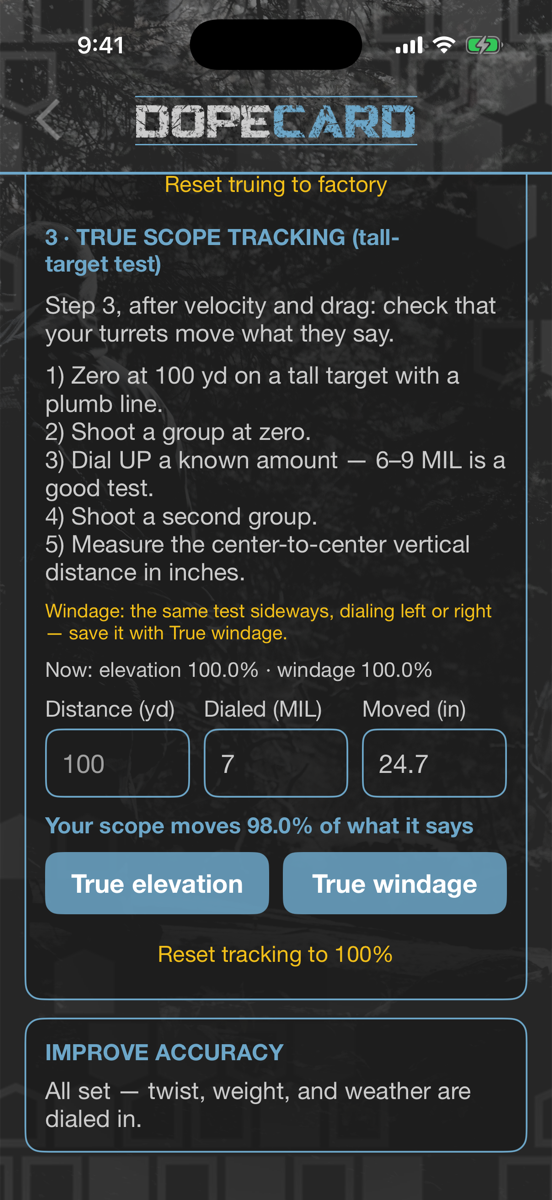
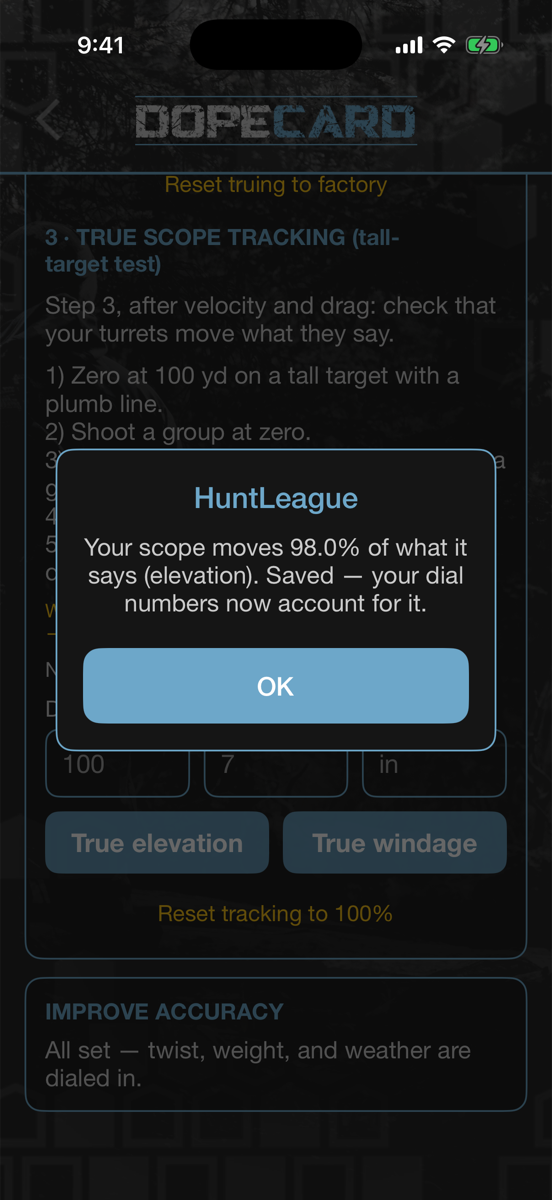 DOPE card → TRUE TO MY RIFLE → step 3
- 1Zero at 100 yd on a tall target with a plumb line, and shoot a group at zero.
- 2Dial up a known amount — 20–30 MOA is a good test — and shoot a second group.
- 3Measure the center-to-center distance between the groups in inches. On the DOPE card, scroll to TRUE TO MY RIFLE → step 3 · TRUE SCOPE TRACKING and enter the distance, what you dialed and how far it moved. Tap True elevation (repeat sideways for True windage).
- 4From then on every dial and click count is scaled to what your scope really does. The Zero Helper and Group Measurement use it too.
Shoot a different load without re-zeroing
- 1Lock your zero in ZERO & GROUP with the load you zeroed on, for that barrel.
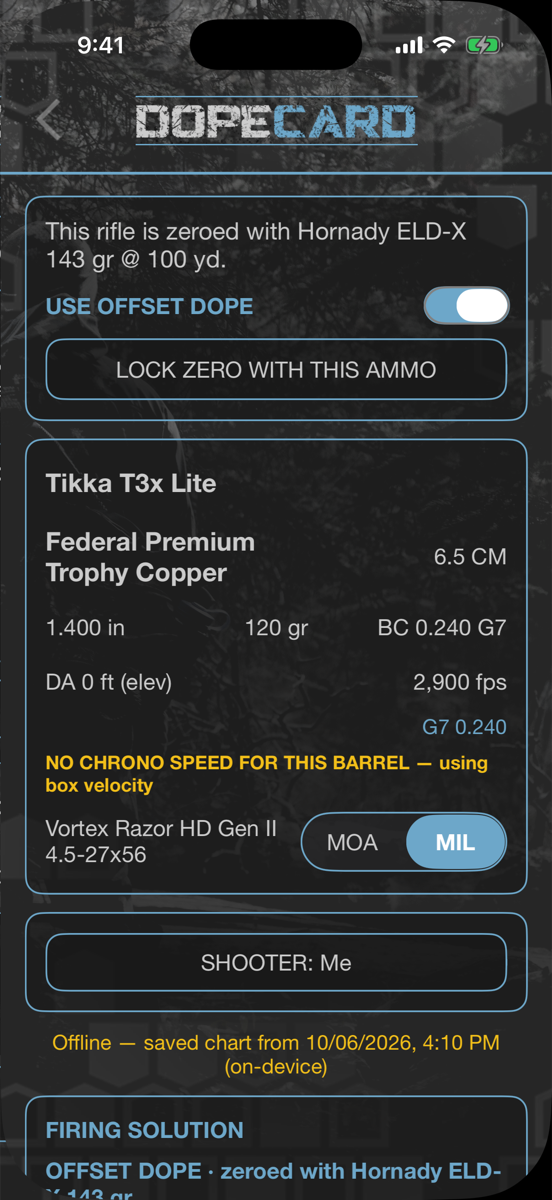
- 2Pick any other ammo on the DOPE card. A banner tells you “This rifle is zeroed with …” and USE OFFSET DOPE is switched on.
- 3The chart is rebuilt from your zero load’s point of aim, so the holds are right for the ammo in your rifle. Once you have measured groups with both loads (2 groups and 6 shots), your real shift is included.
- 4Want this ammo to be your zero instead? Tap LOCK ZERO WITH THIS AMMO.
One rifle, everyone’s DOPE
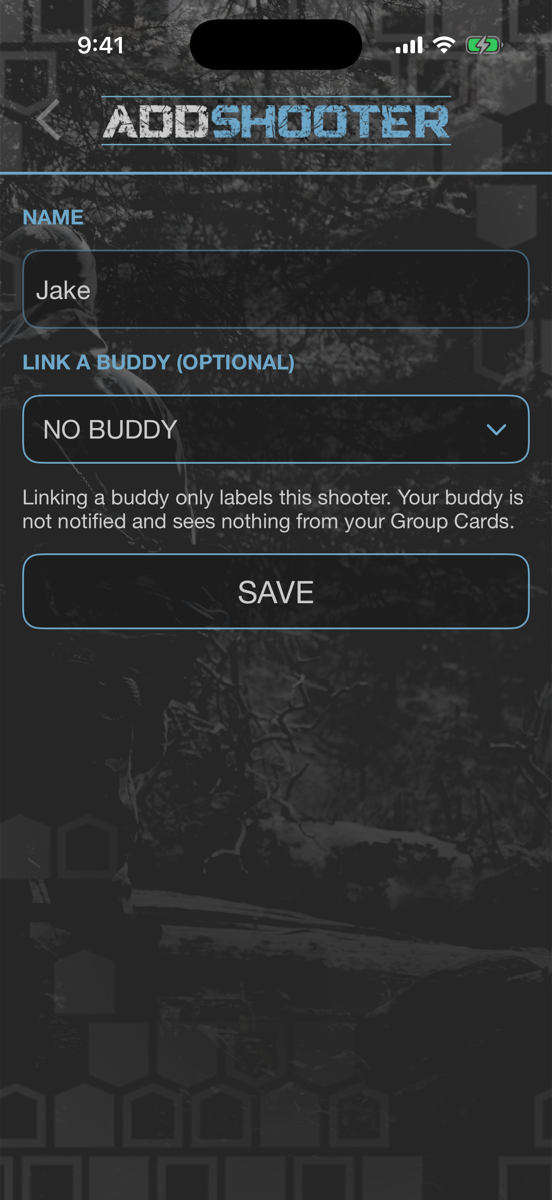 ZERO & GROUP → SHOOTERS → ADD SHOOTER
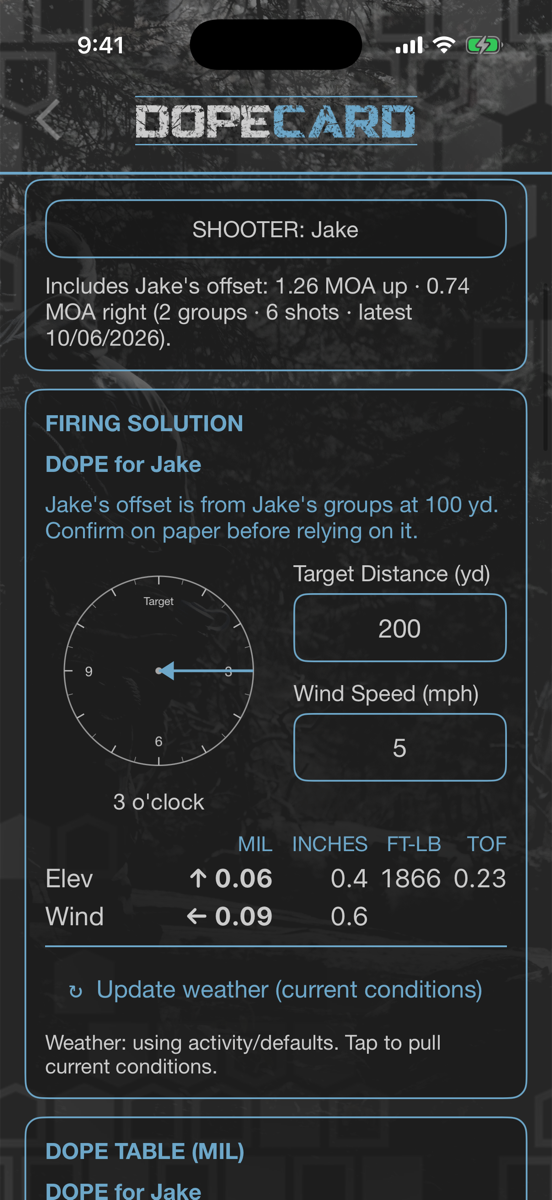
- 1In ZERO & GROUP → SHOOTERS, tap ADD SHOOTER. Give them a name, and link a buddy if you like — linking only labels the shooter; your buddy isn’t notified and sees nothing.
- 2When they shoot, pick them as the SHOOTER on the group. Their groups are kept separate and never change your zero, your best groups or your ammo offsets.
- 3On the DOPE card, tap SHOOTER: Me and pick them. The card becomes DOPE for that shooter, with their measured offset up/down and left/right built in.
Offsets are measured, not guessed: they come from real groups at your zero distance and are only applied once there are at least 2 groups and 6 shots. Always confirm on paper before relying on them.
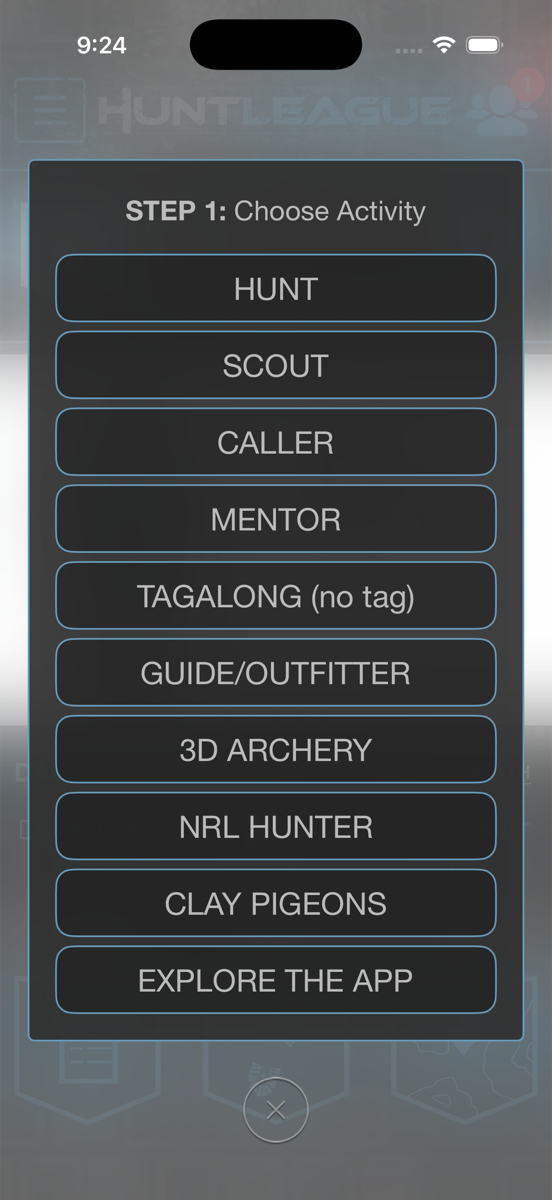
One button to start.
Every experience begins from one central button — pick how you’re heading afield, and none of it needs a signal.
- Hunt or Scout — document the whole outing with time and GPS
- Ride along as Caller, Mentor, Tagalong, or Guide
- Shooting sports too — 3D Archery, NRL Hunter, and Clay Pigeons
- Quick Start pre-fills your recent species and setup
Log the sign.
Turn every scouting trip into data you can hunt on later — captured with time and GPS, kept private.
- Log sightings, sounds, sign, and encounters
- Track species and behavior over time
- Every event stamped with time and GPS — private by default
- Build the pattern that puts you on animals
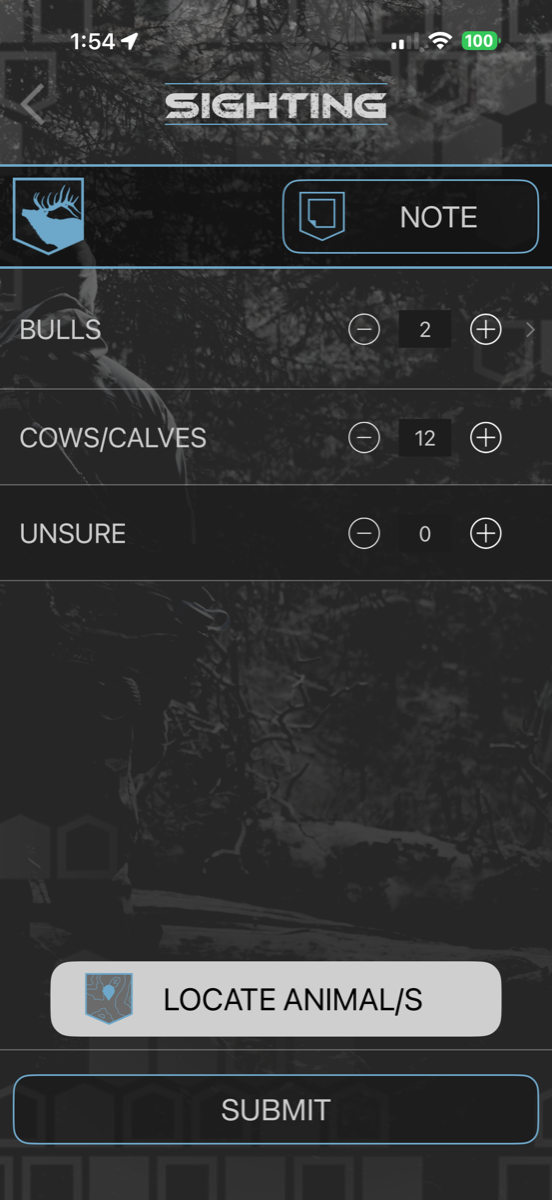
Log a sighting
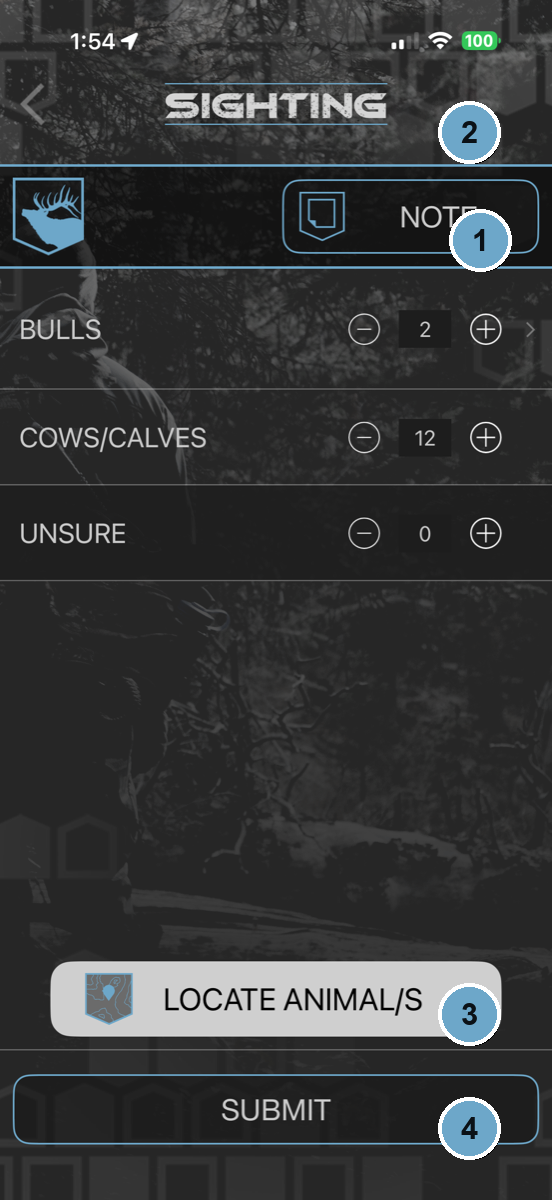 On a scout or hunt → Sighting
- 1Tally what you see — bulls, cows/calves, and the ones you’re not sure about.
- 2Attach a note — text, photo, video, or audio — while it’s fresh.
- 3Locate the animals on the map so the sighting is pinned where they stood, not where you did.
- 4Submit — stamped with time and GPS, saved on your device, no signal required.
Document the hunt.
From the first glass to the pack-out, capture the whole story as it happens.
- Log shots, blood, calls, and encounters
- Record your success when it all comes together
- Switch species mid-hunt without losing a thing
- Works fully offline in the backcountry
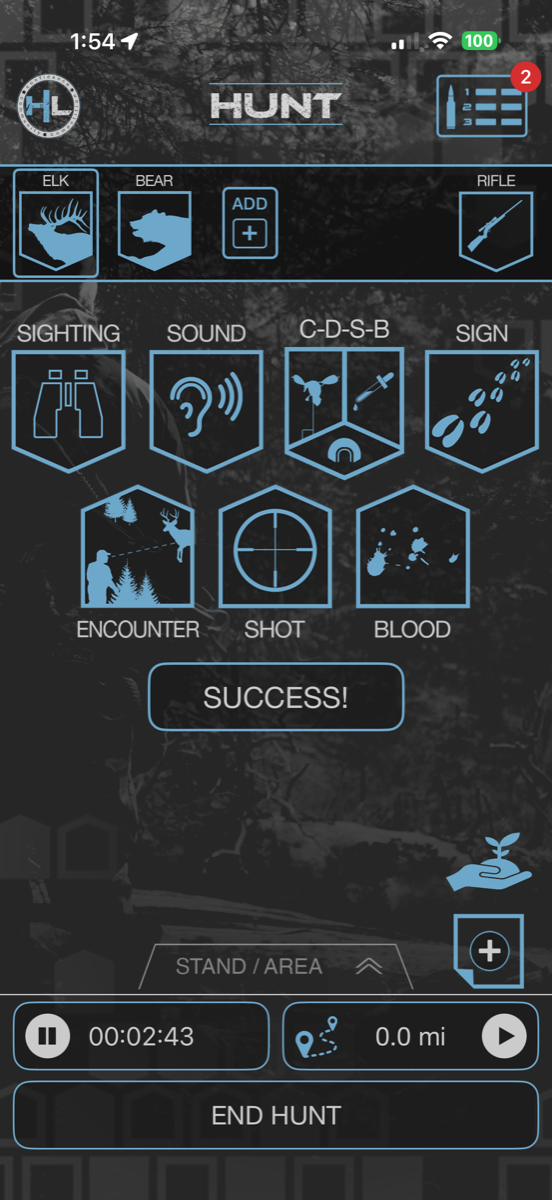
Run an active hunt
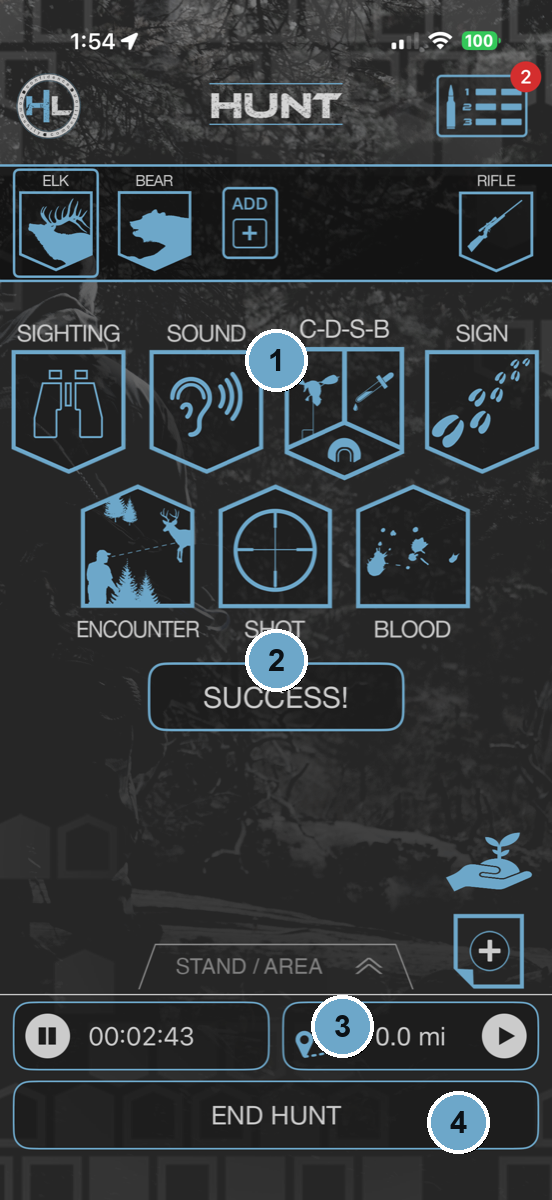 Press GO! → the hunt dashboard
- 1Log any event in a couple taps — Sighting, Sound, C-D-S-B, Sign, Encounter, Shot, and Blood.
- 2Punch your tag? Hit SUCCESS! and record the harvest.
- 3The hunt clock and track distance run the whole time — even with zero signal.
- 4END HUNT closes the log; everything syncs when you’re back in service.
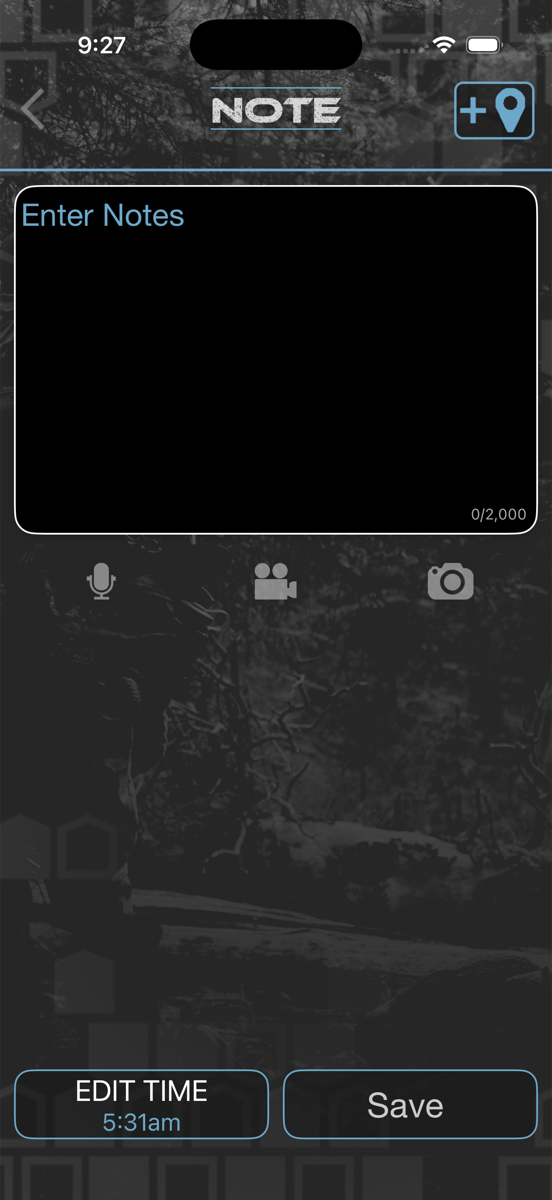
Add the details.
Every event can carry the full story — the photo, the clip, the voice memo, and the note.
- Attach photos, video, audio, and text to any event
- Capture in the field, add more later — time and place stay put
- Relive exactly how it happened
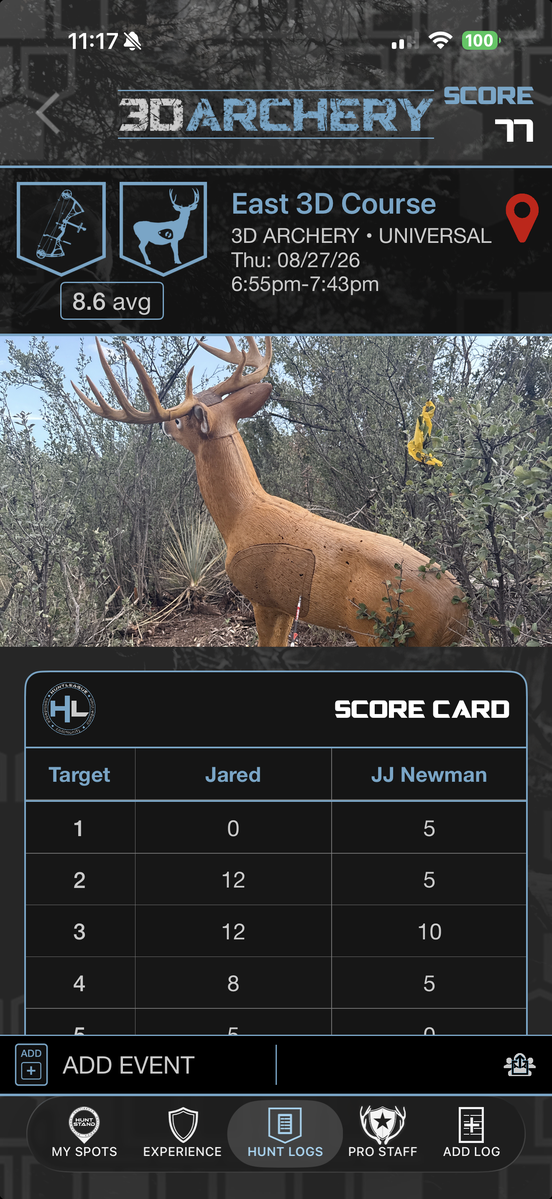
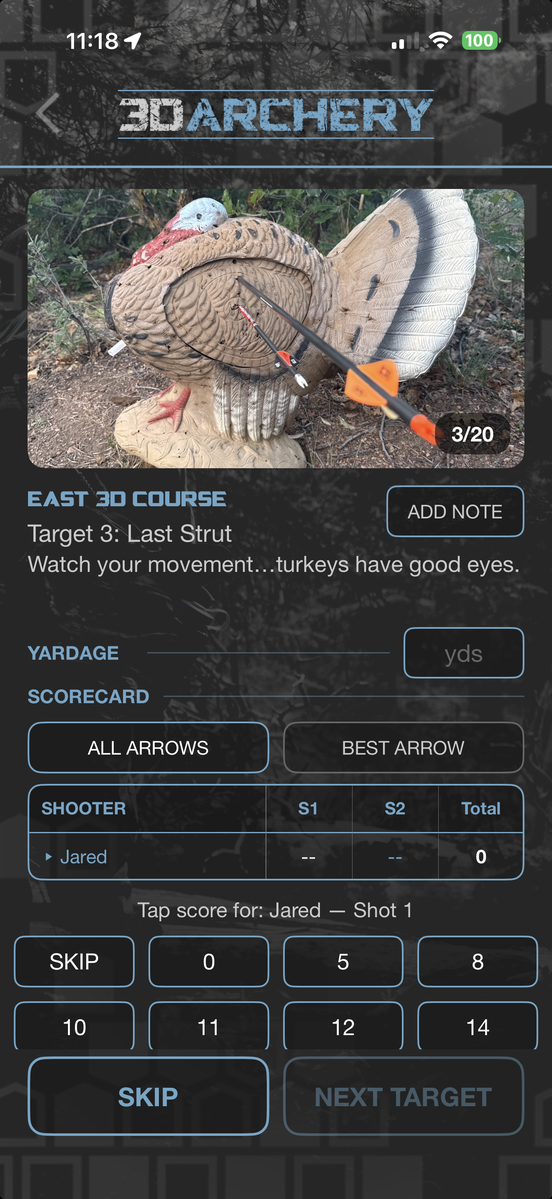
Score every target.
Walk a 3D course and score it target by target, with the same rules and point systems you shoot under at a club event.
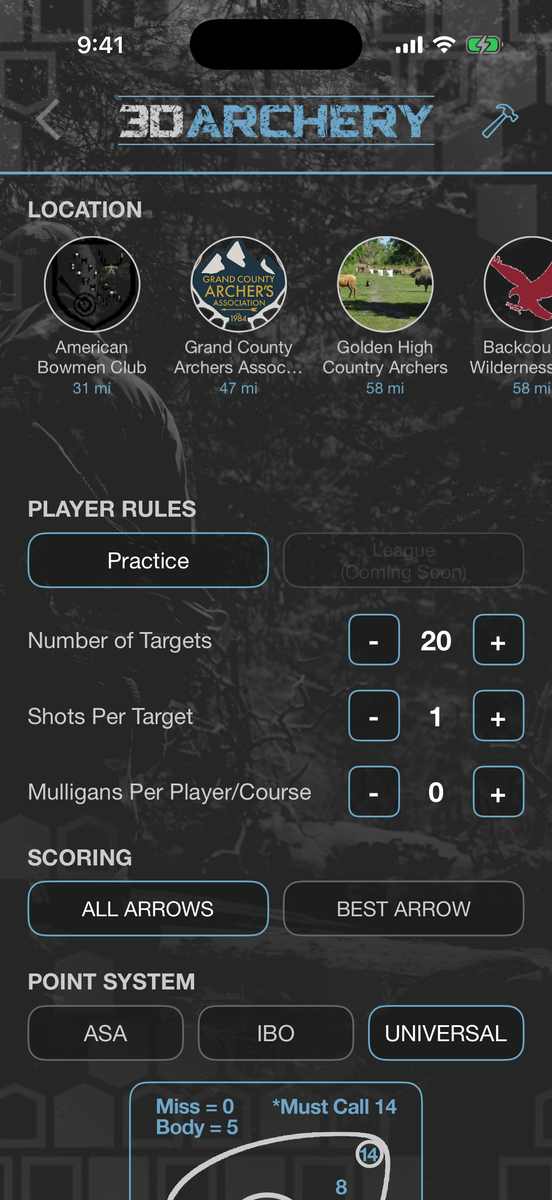
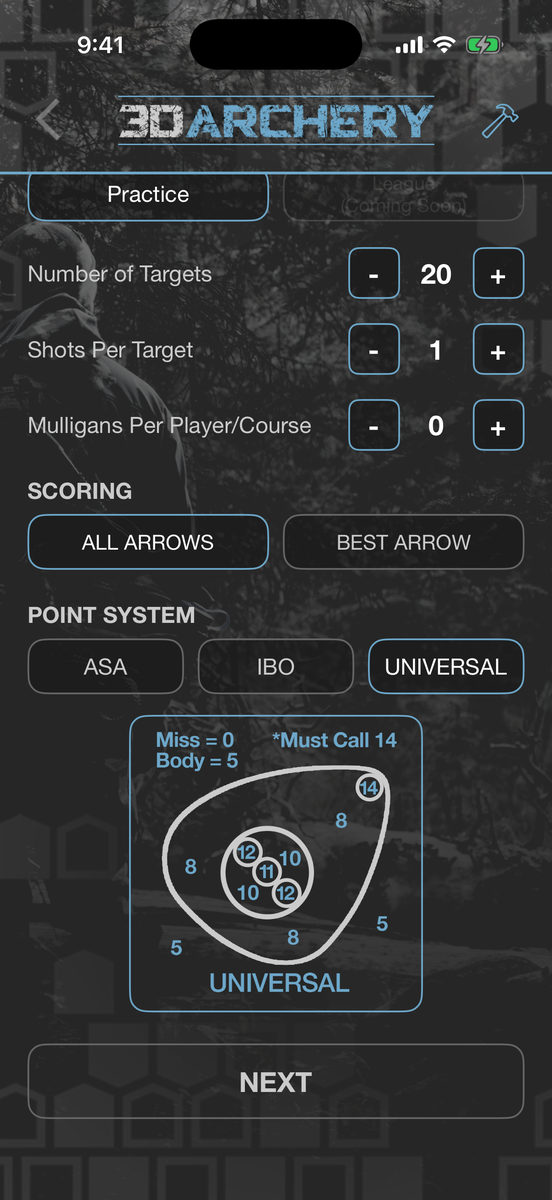
- ASA, IBO or Universal scoring — the ring diagram is right there while you score
- All arrows or best arrow, your target count, shots per target and mulligans
- A squad of up to 12 shooters — buddies or walk-ons
- Pick a club near you, or add your own course
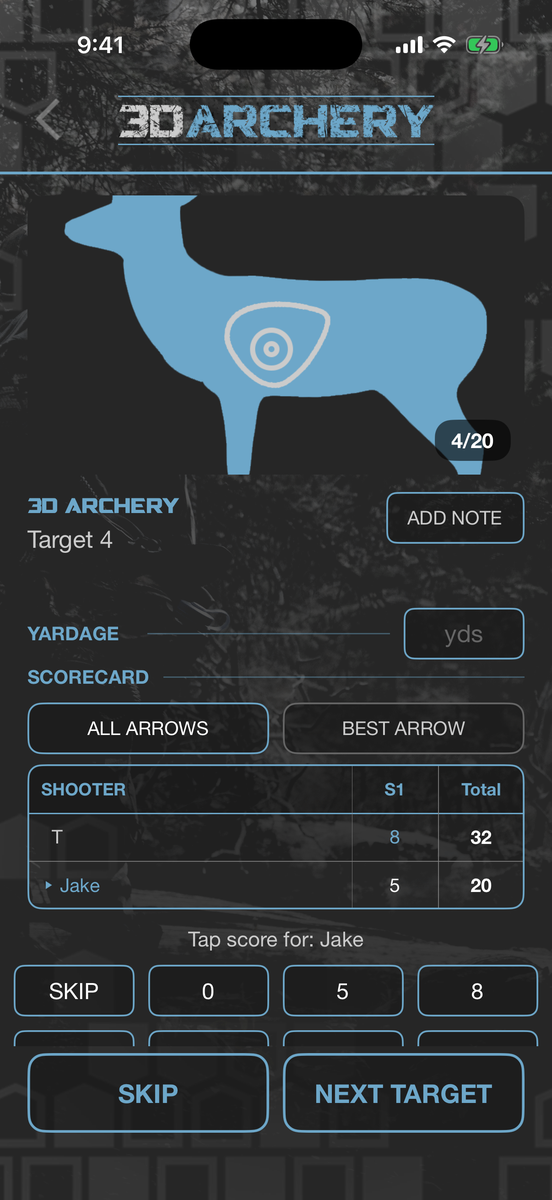
- Every target named and photographed, with the course’s own note — “watch your movement, turkeys have good eyes”
- Yardage, notes and a rating on every target
- It all lands in your hunt log — course, date, every target, every shooter, and your photos of the day
Shoot a course
 GO! → 3D Archery
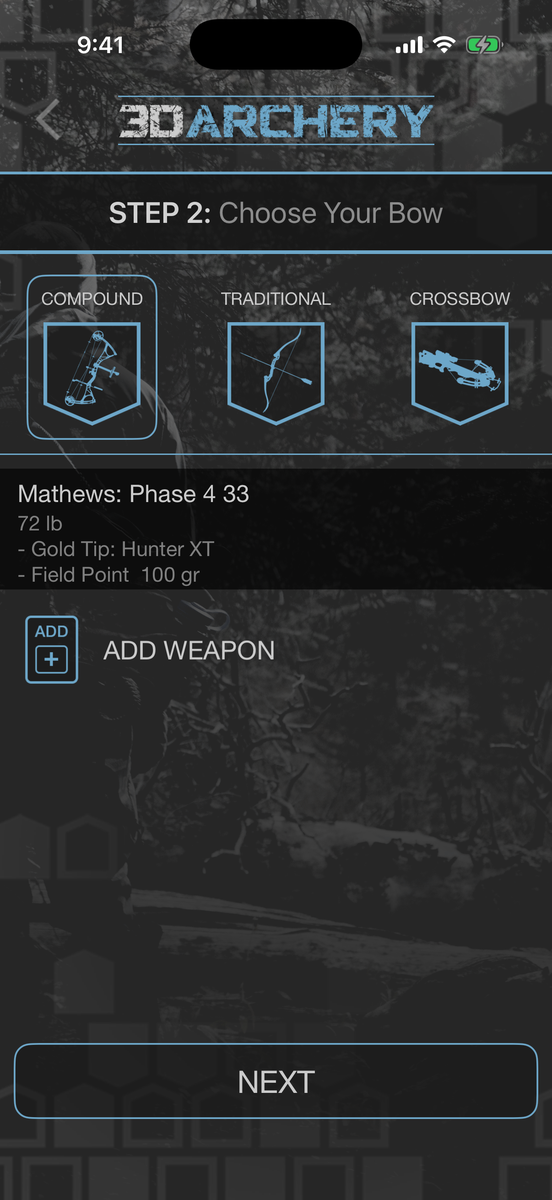
- 1Pick your bow from the Safe — compound, traditional or crossbow, with its arrow and point.
- 2Choose a club near you, then set targets, shots per target and mulligans.
- 3Pick the point system — ASA, IBO or Universal — and all arrows or best arrow.
- 4Build the squad, then walk the course. Each target comes up by name with its photo and its tip.
Run the match.
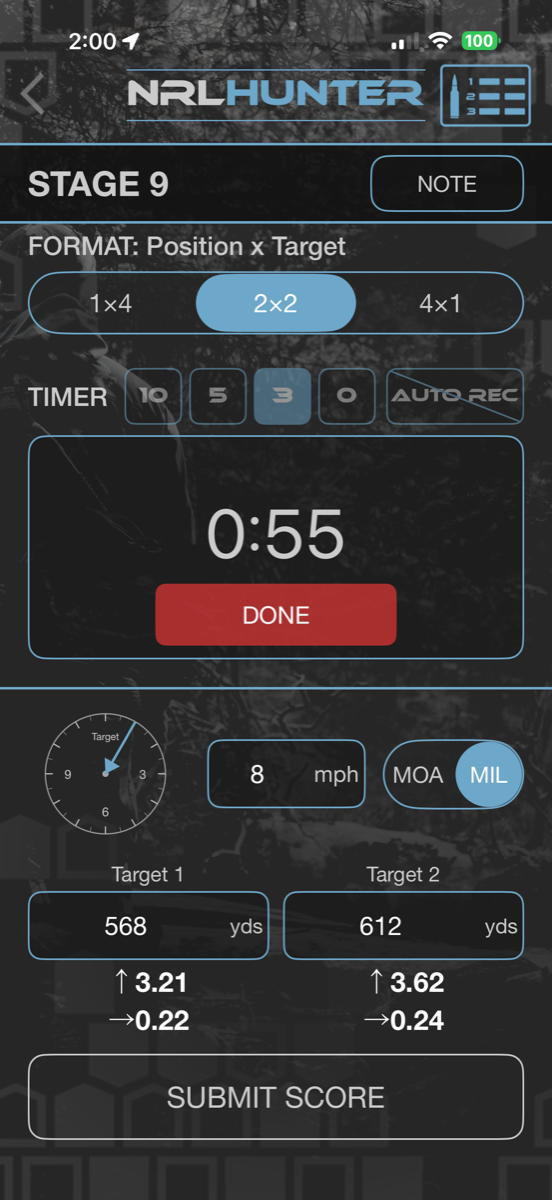
Shoot an NRL Hunter match stage by stage, with the timers and scoring built right in.
- Run NRL Hunter matches stage by stage
- Built-in timers and scoring
- Everything ties back to the rifle in your Safe
Score a stage
 NRL Hunter match → a stage
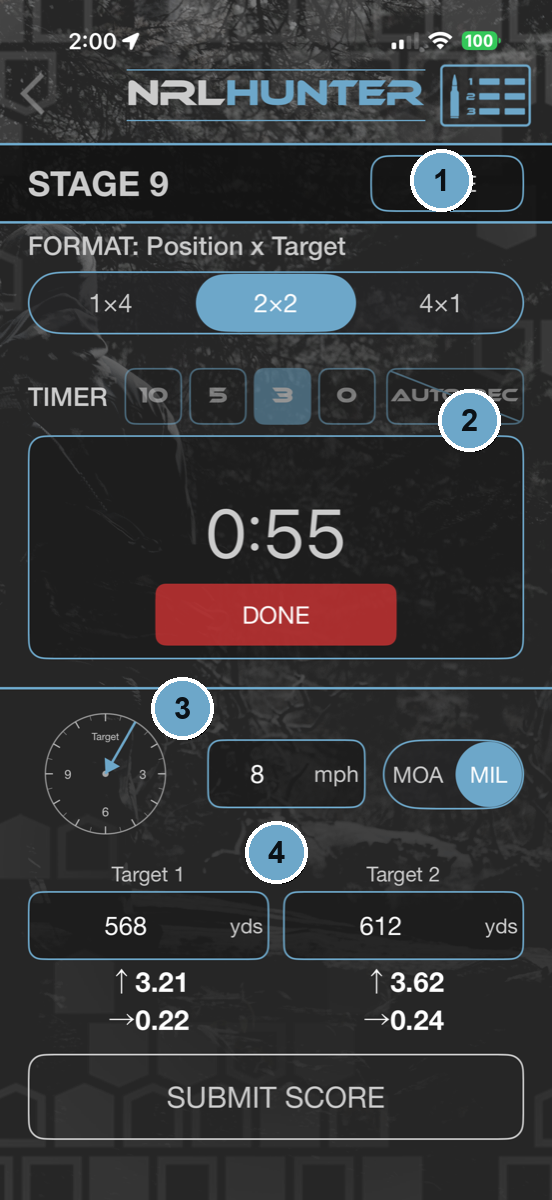
- 1Pick the stage format — positions × targets.
- 2Run the built-in stage timer while you shoot.
- 3Set the wind and your units — MOA or MIL.
- 4Enter each target’s distance to see your dial-ups, then submit the score.
Break every bird.
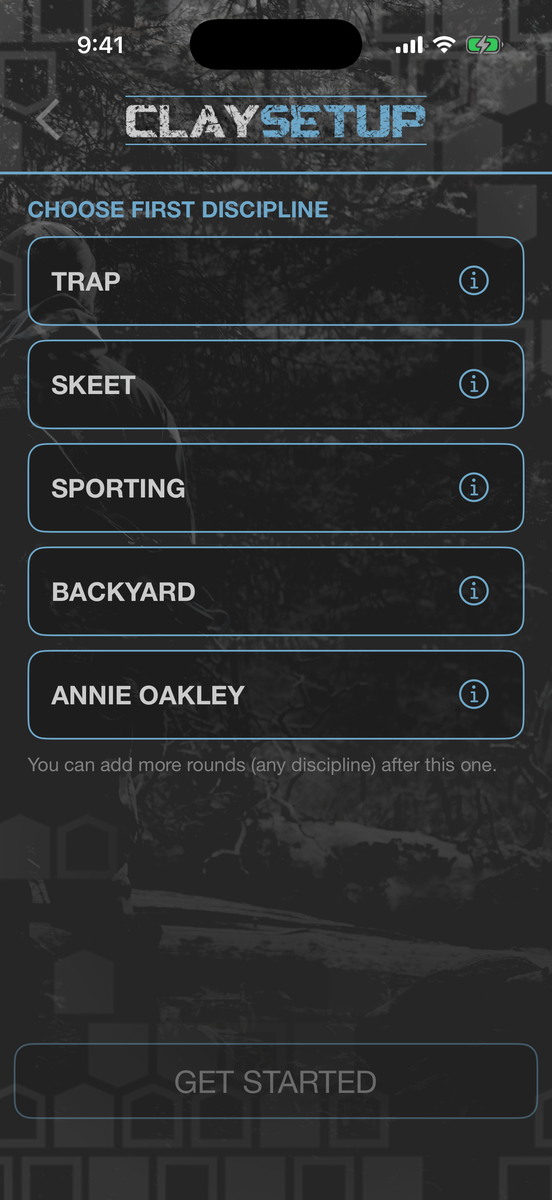
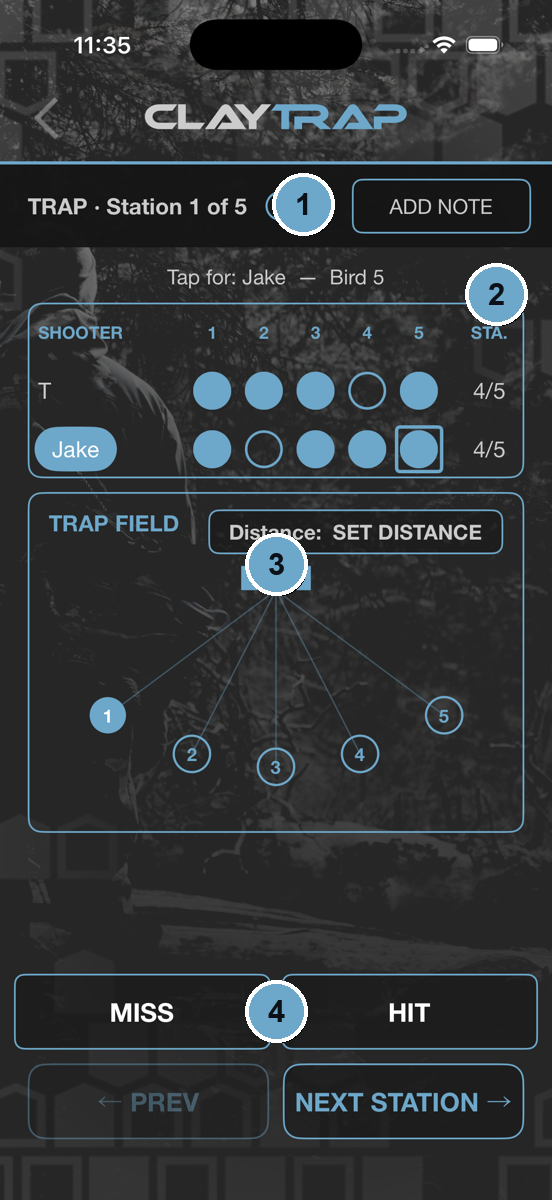
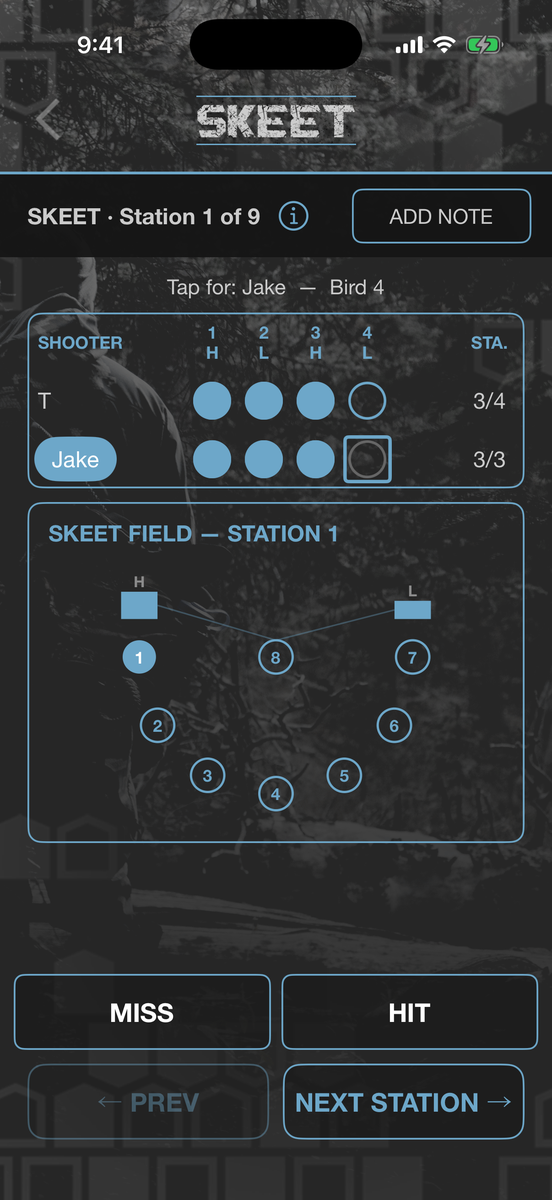
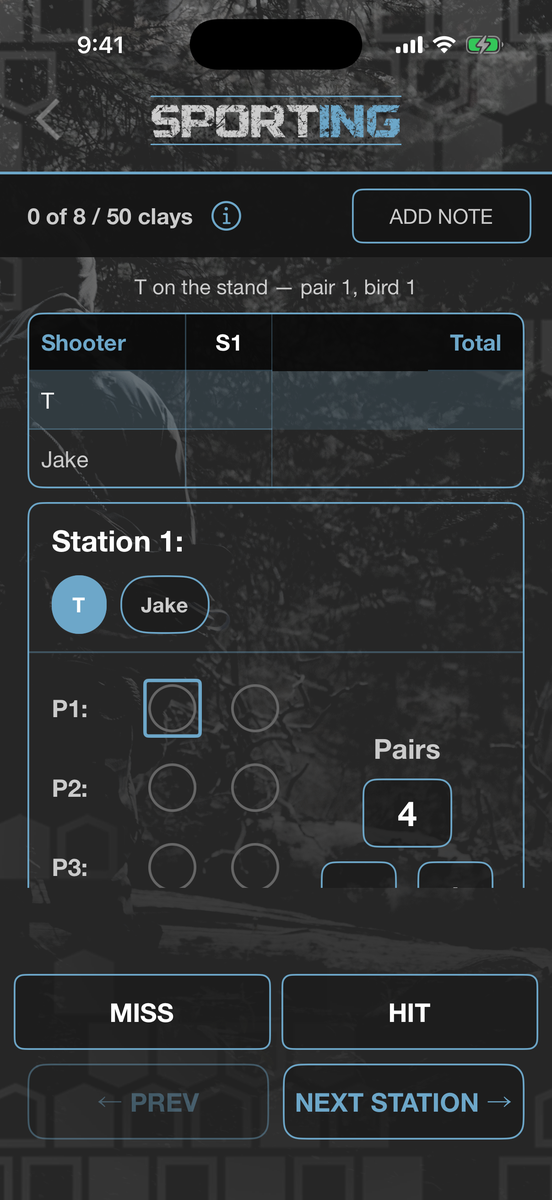
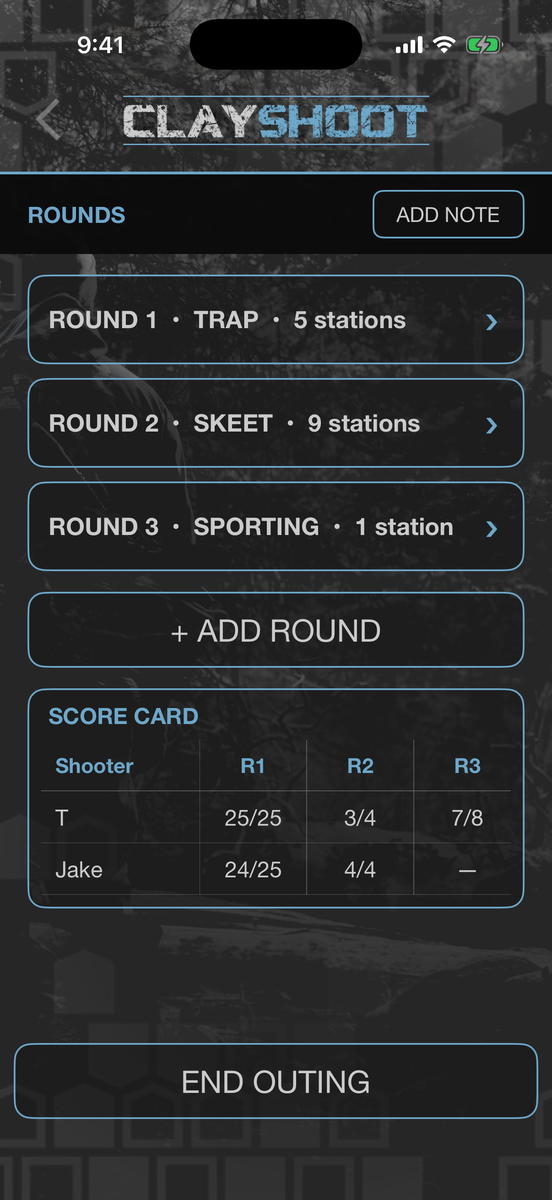
Trap, skeet, sporting clays, or a thrower in the backyard — score the whole squad bird by bird and settle it with the numbers.
- Five disciplines — Trap, Skeet, Sporting, Backyard, and Annie Oakley
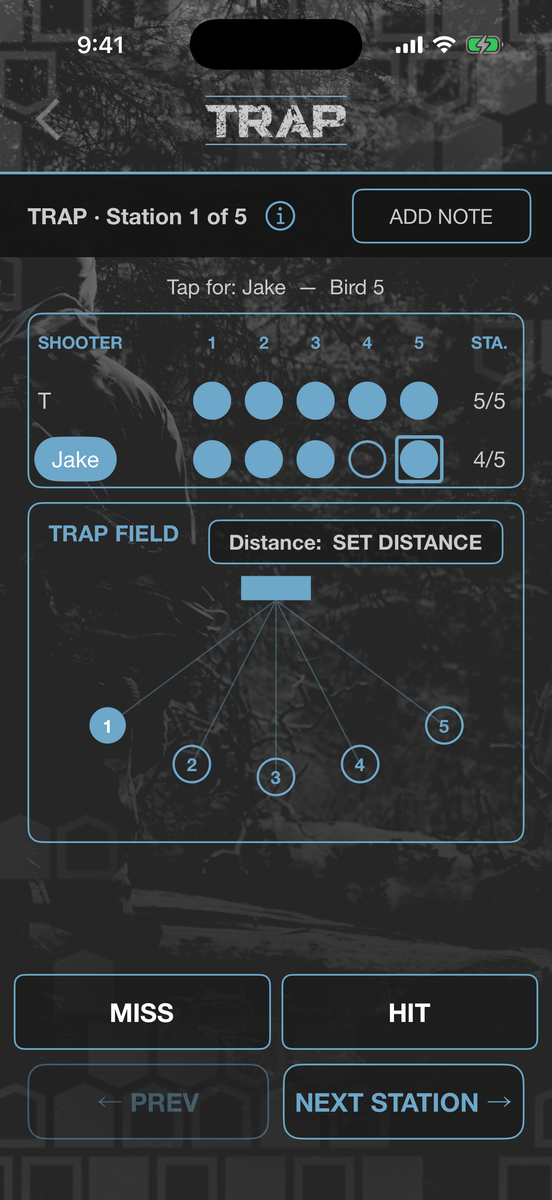
- Each one has its own field — trap’s five stations, skeet’s high and low houses, sporting’s pairs
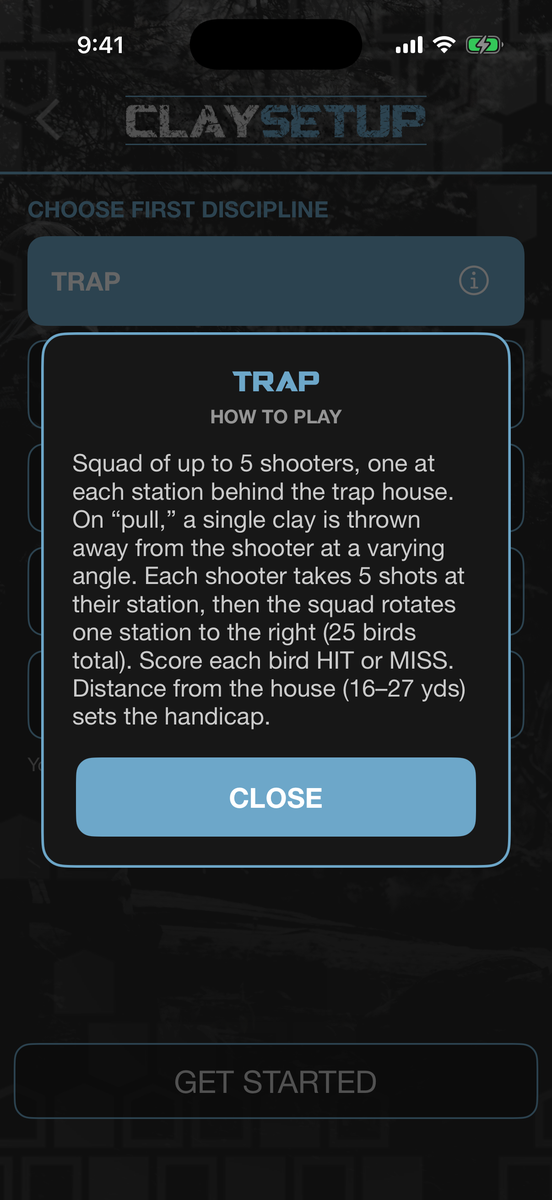
- Never shot a discipline? Tap the info icon and it explains how the game is played
- Build a squad — buddies or walk-ons
- HIT / MISS scoring station by station, with the active station lit on the field
- Several rounds in one outing, mixing disciplines, with totals and percentages across all of them
Run a round of trap
 GO! → Clay Pigeons → pick a discipline
- 1Pick your discipline and work the stations — the header tracks where you are in the round.
- 2The squad scorecard tracks every shooter, bird by bird.
- 3The field diagram shows your station — set your distance for the round.
- 4Call for the bird and tap HIT or MISS — when the round’s done, everyone’s totals and percentages are on the card.
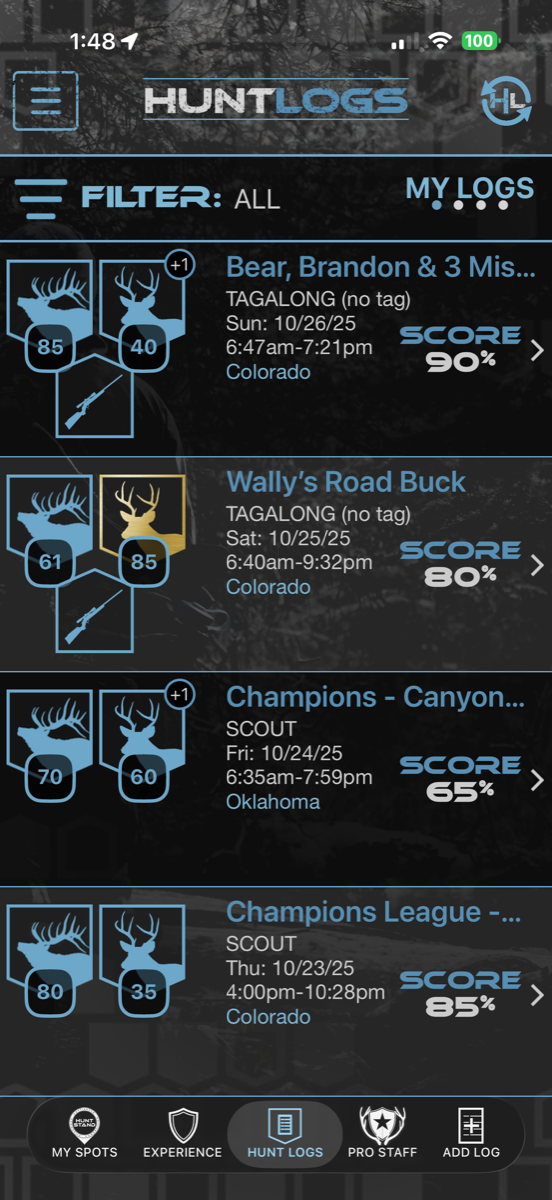
Every hunt, in one place.
A complete, searchable record of your season — always on your device, always available.
- A complete record of every hunt and scout
- Search and filter your history
- Stored locally — no signal required
Find any hunt fast
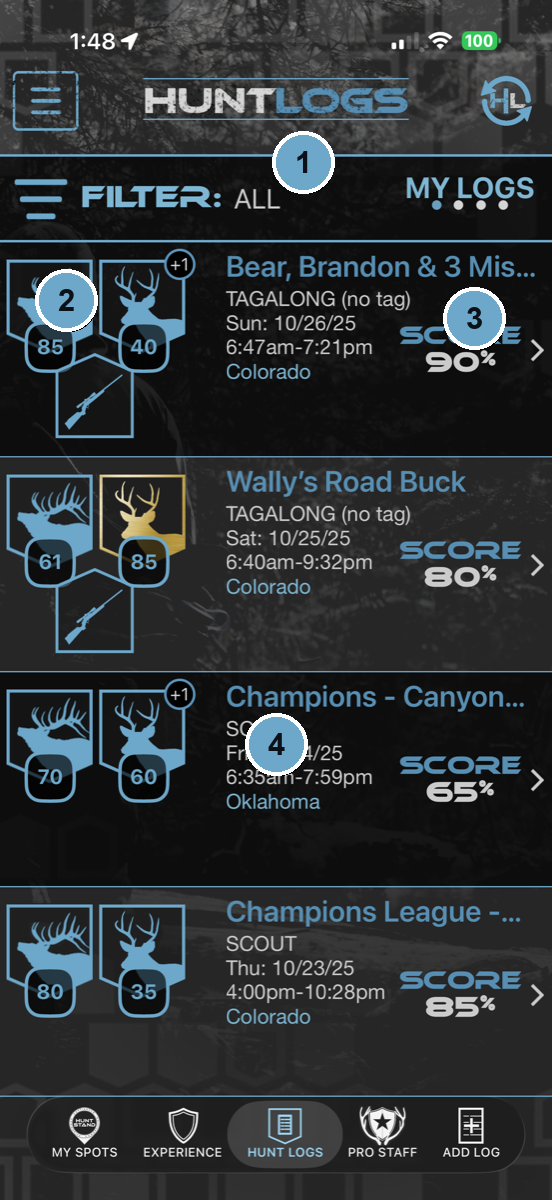 Hunt Log → My Logs
- 1Filter your history to exactly the logs you’re after.
- 2Each card shows the species and points the trip earned.
- 3Your score for the hunt, at a glance.
- 4Tap any log to open the full timeline.
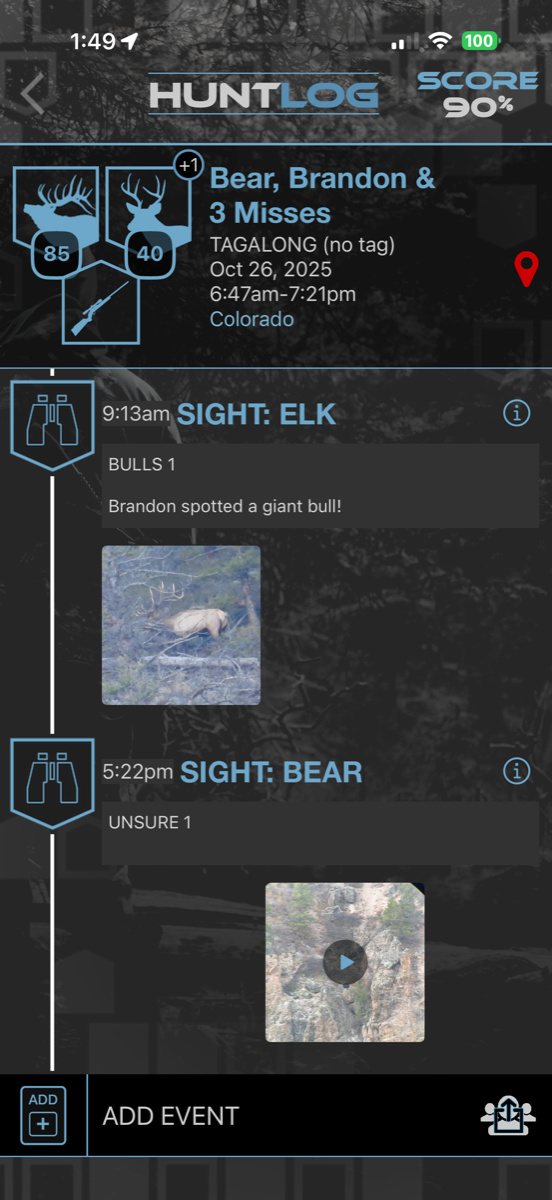
The whole story, start to finish.
Open any hunt and walk the full timeline — every event, note, and photo in the order it happened.
- Full timeline of every event and note
- Photos, video, and audio in context
- Accurate time and GPS on every entry
Walk the timeline
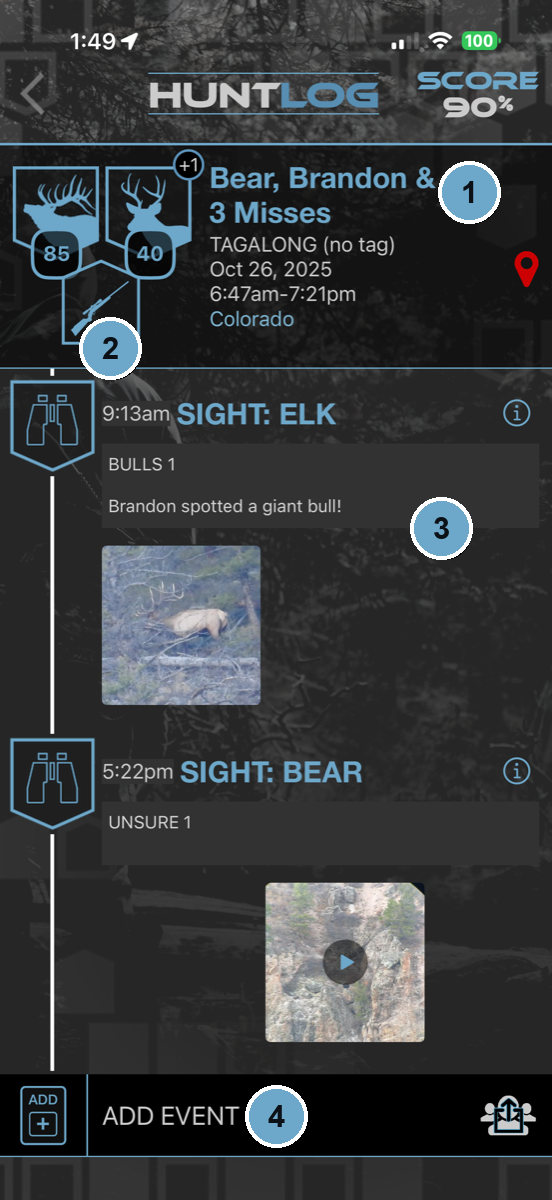 Hunt Log → open a hunt
- 1The header carries the hunt — name, tag, dates, location, and score.
- 2Every event in chronological order, stamped with the time it actually happened.
- 3Photos and media sit right on their event.
- 4Add an event later — the original times and places stay exactly as recorded.
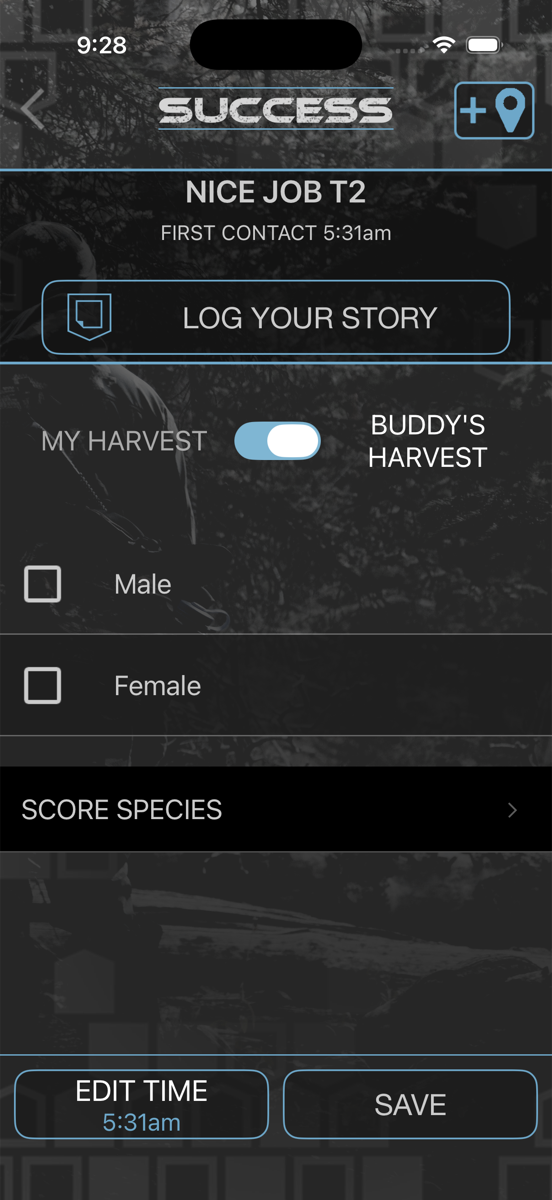
Score a buck or bull.
When it all comes together, log the success and score your harvest right in the hunt.
- Log your success and species
- Score a buck or bull
- Earn points toward leagues and the leaderboard
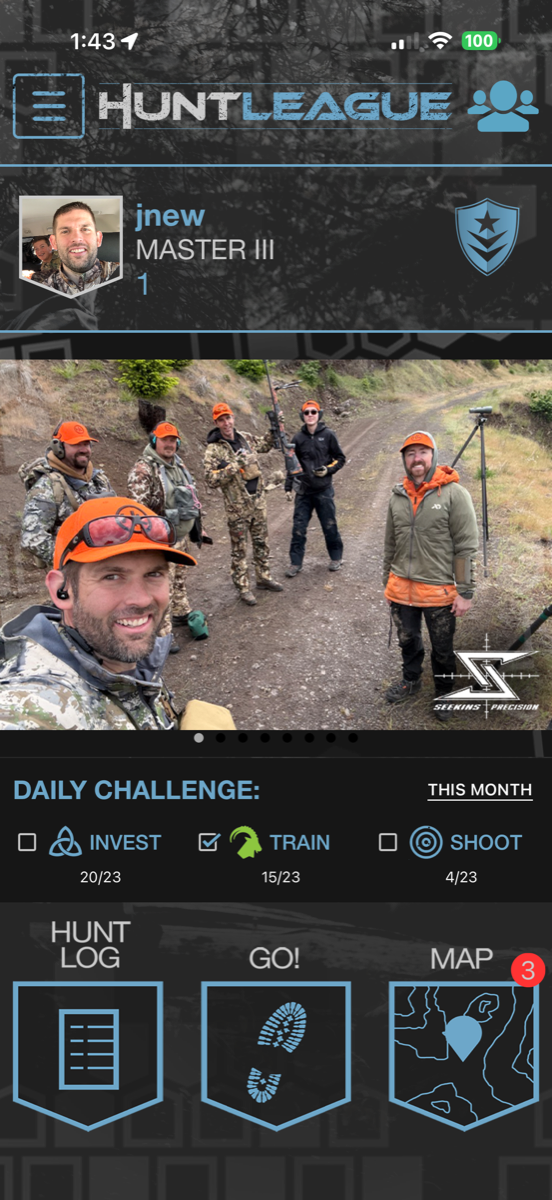
Show up every day.
Build the habit that builds the hunter — track your daily challenge and rank right from the home screen.
- Daily challenge to Invest, Train, and Shoot
- Track rank and progress from the home screen
- Turn everyday effort into season-long results
Make it a daily habit
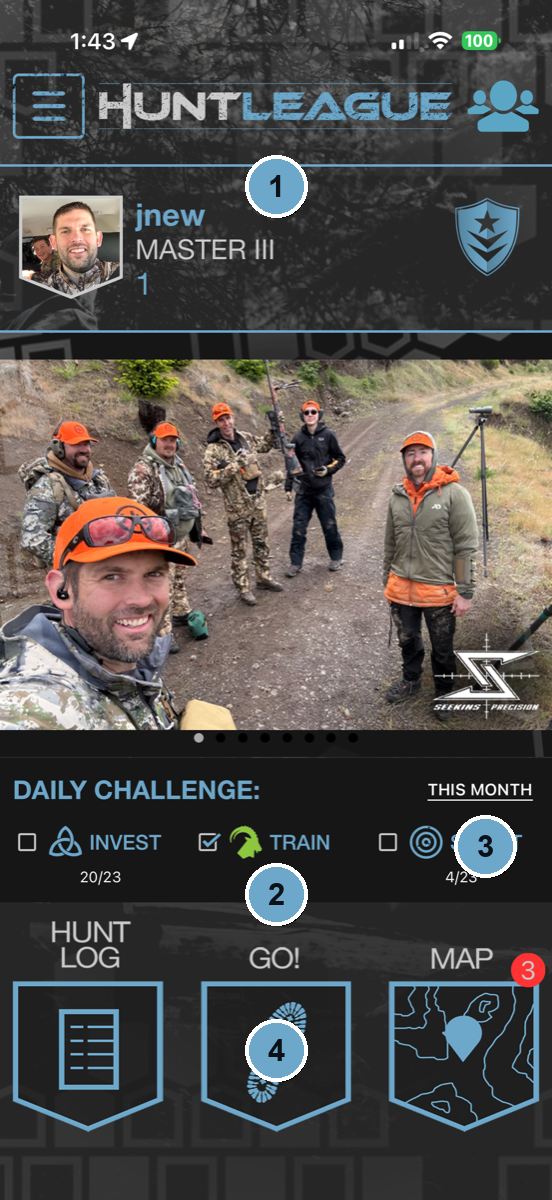 The home screen — your day at a glance
- 1Your rank rides at the top of the home screen.
- 2Check off the Daily Challenge — Invest, Train, Shoot.
- 3Watch the monthly progress stack up.
- 4Jump straight to Hunt Log, GO!, or the Map.
Make it yours.
Set up who you are in the community and show off the rank you’ve earned.
- Manage your profile and avatar
- Show your hunter rank
- Control how you appear to the community
Your spots stay yours.
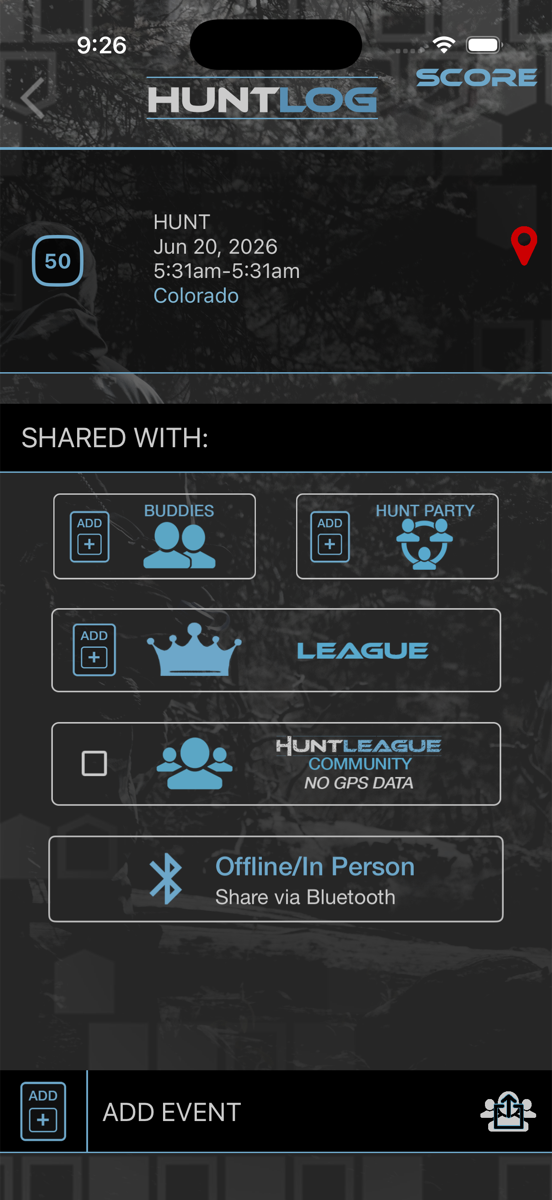
Hunters guard their spots — so location is private by default, and you decide exactly who sees what.
- GPS sharing off by default
- Share locations only with buddies you choose
- Full control over your privacy settings
Manage your membership.
Handle your plan and League Pass in a couple of taps.
- Manage your subscription
- Handle your League Pass
- Update your plan anytime
Stay in the loop.
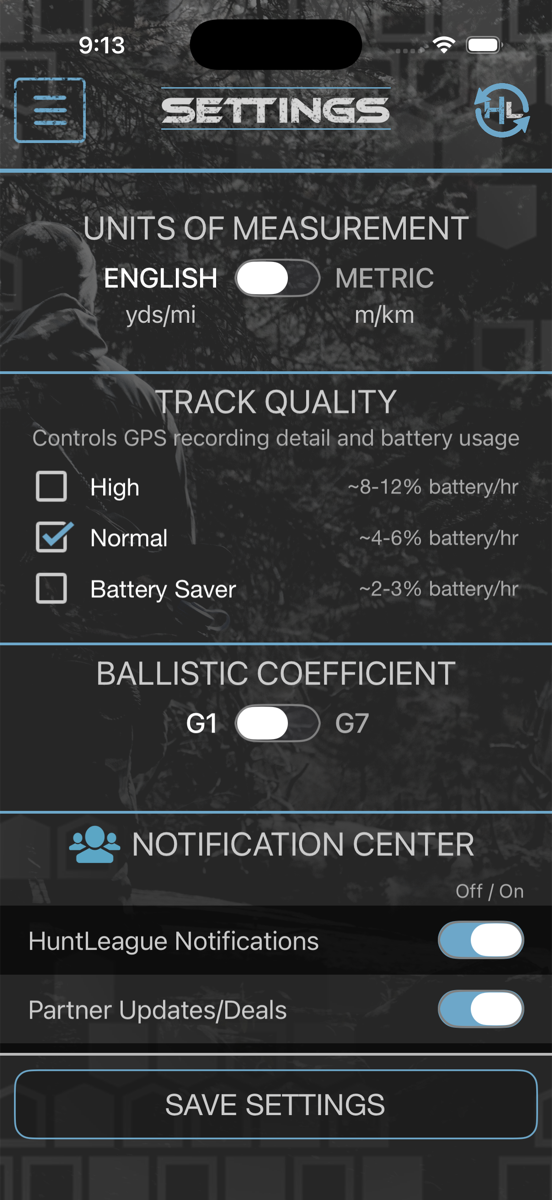
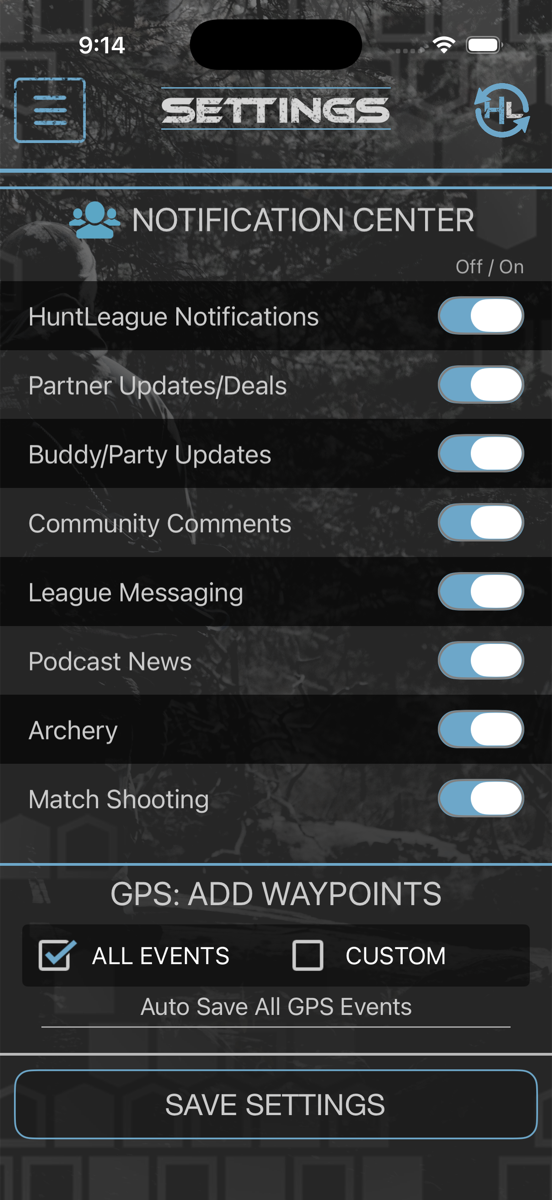
Get the pings that matter for your parties, leagues, and buddies — and mute the ones that don’t.
- Notifications for parties, leagues, and buddies
- Stay current on standings and messages
- Tune it to exactly what you want to hear about